
City Wi-Fi on-call staff must approve or reject an SSID enable from a Webex ops space without memorizing free-text commands. How should the ChatOps message be constructed?
Select an answer to reveal the explanation.
Short Explanation
Approve/reject buttons on a card are like a stamped permit form—clear actions, no secret phrase book. Free-text conventions and Meetings or Devices detours miss the ChatOps control surface.
Full Explanation
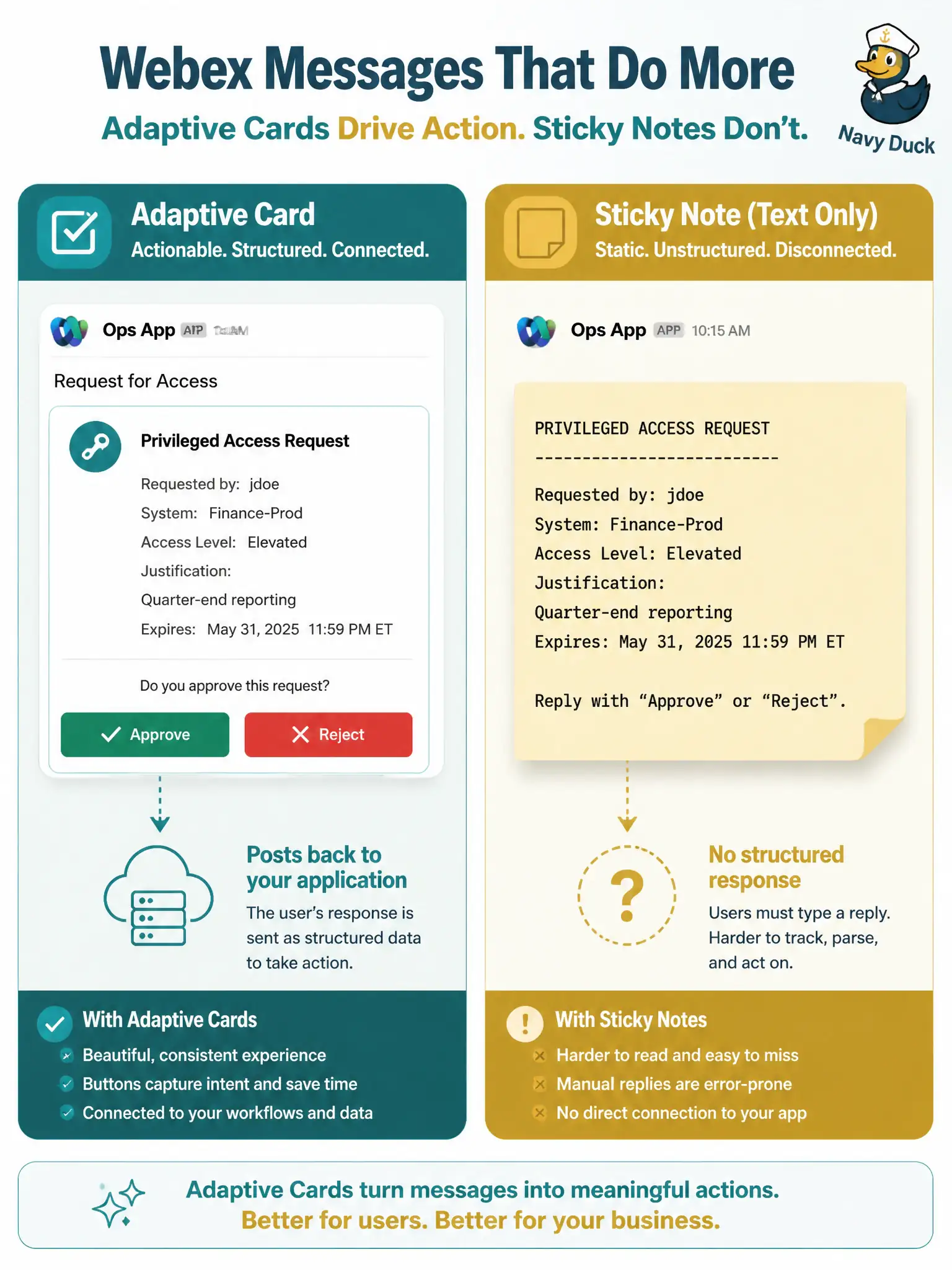
City Wi-Fi on-call staff who must approve or reject an SSID enable from a Webex ops space need a structured ChatOps control surface, not tribal command syntax. The correct construction is to POST a message that includes an interactive card attachment with buttons whose actions post back to the application. Adaptive/interactive cards give explicit Approve and Reject affordances, carry correlation data in the attachment, and avoid depending on operators typing exact phrases under stress.
Posting bare text and requiring slash-command replies fails usability and reliability: free-text conventions break on typos, casing, and delayed replies, and they provide no typed action payload for the automation. Scheduling a Webex Meeting and polling verbally fails because Meetings are collaboration sessions, not an API-friendly approval workflow for SSID changes, and verbal votes do not produce machine-readable outcomes. Pushing a Webex Devices xAPI command to light an LED on a room kit fails the ChatOps requirement: device peripherals are not the ops-space messaging control plane for Wi-Fi enable decisions.
Exam caveat: cards still require your app to validate the postback (identity, room, and action) so a button click cannot be replayed from an unexpected source.
Operational check: send a card with Approve/Reject into the ops space from a non-production bot, click both paths, and verify your receiver gets distinct action payloads and only then issues the Meraki SSID enable for Approve.