
The city’s Webex webhook fires to the flood-bot with a new message id (plus room/person metadata) when /fail-over is typed. What must the bot do before parsing the command text?
Select an answer to reveal the explanation.
Short Explanation
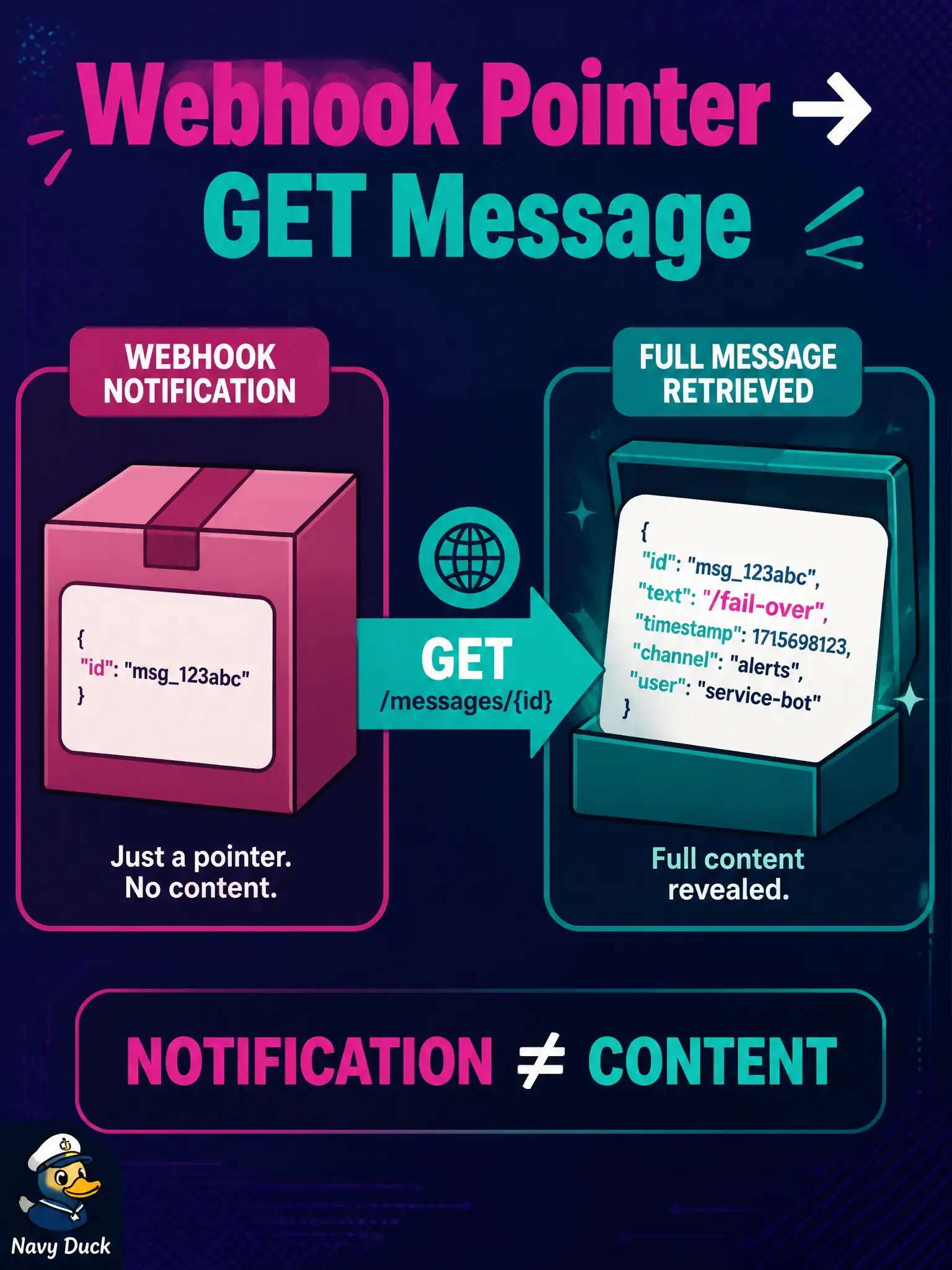
The doorbell slip says “package at locker 42,” not the letter inside. Fetch GET /messages/{id} with the bot token, then read the command. The webhook payload is a pointer, not the full text.
Full Explanation
Webex message webhooks commonly deliver an envelope with the new message id plus room and person metadata—not the full command text the flood-bot must parse. Before interpreting /fail-over, the bot must GET /messages/{id} with its bot token to retrieve the body, then run command logic. Treating the webhook JSON alone as the command skips the retrieve step the ChatOps construction requires.
Executing fail-over immediately from only the webhook’s resource name field acts on an event type string, not on operator text, and can fire wrongly. POSTing the raw webhook body back to /messages as an acknowledgment echo does not fetch content and may leak envelope data into the ops space. Exchanging a message id for an OAuth authorization code at the token endpoint confuses ChatOps retrieve with the identity grant. Handle 404 or forbidden on GET /messages/{id} as “no actionable command,” especially if the message was deleted or the bot lacks space membership. Never execute infrastructure fail-over from incomplete envelopes just because the webhook arrived quickly.
Exam caveat: webhook notification ≠ message payload; always fetch by id when the body is required for command parsing. Operational check: log webhook receipt with id only, perform GET /messages/{id}, parse text or markdown, then run fail-over logic—and fail closed if the GET does not return a body the bot is allowed to read.