
A transit-pass microservice on OKE writes helpful errors to stdout, but Logging still shows nothing from the app. Which path correctly gets those lines into OCI Logging?
Select an answer to reveal the explanation.
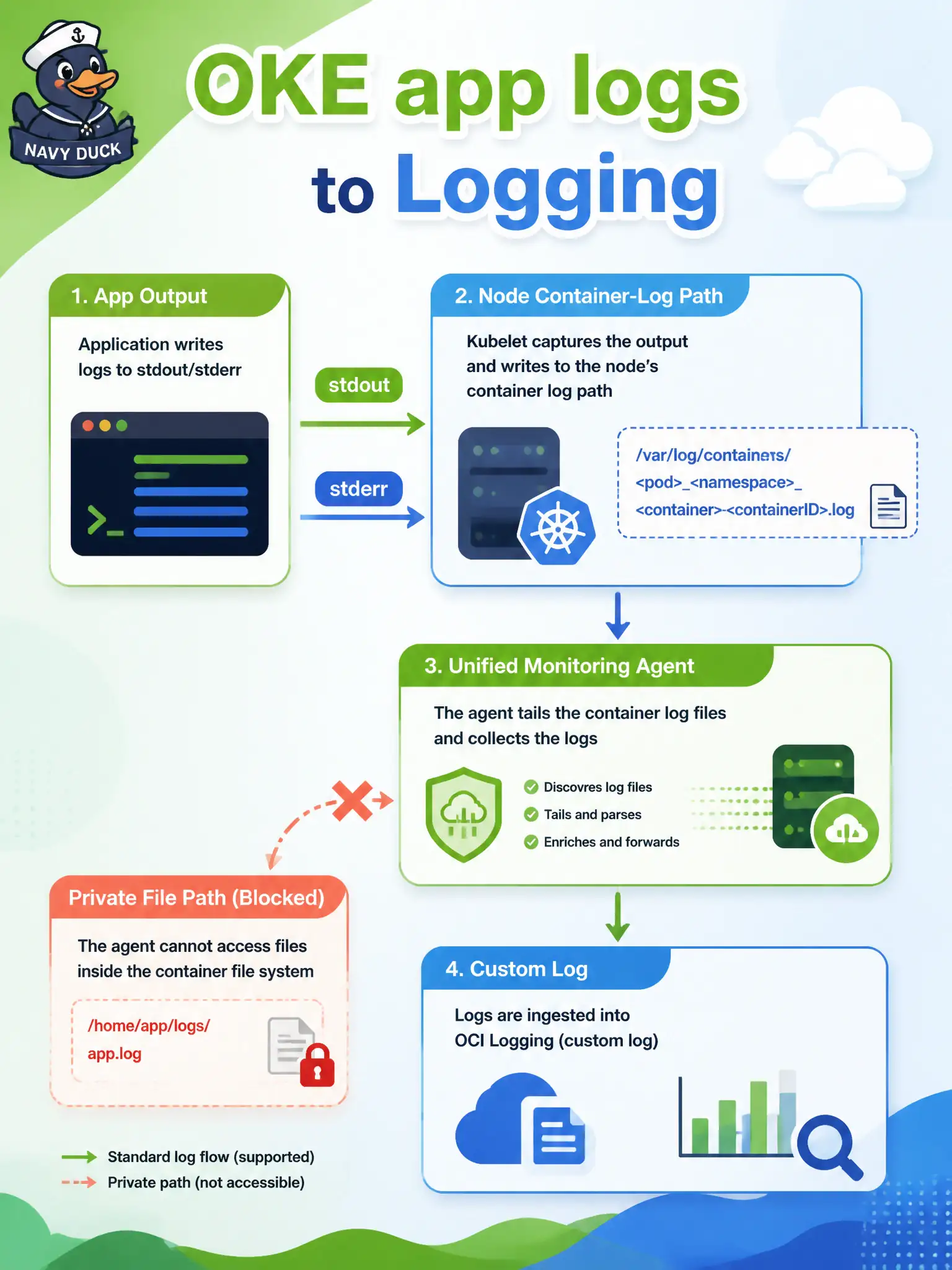
Short Explanation
On OKE, stdout lands on the node’s container-log path; a custom log plus the Unified Monitoring Agent is the broom that sweeps those lines into Logging. A private untailled file stays invisible.
Full Explanation
On OKE, application processes that write to stdout/stderr land on the node’s configured container-log path. Those lines do not automatically become OCI Logging entries. The supported path is to keep stdout/stderr flowing to that node path, then create a custom log plus a Unified Monitoring Agent configuration that reads the path and ships lines into Logging. That custom-log-plus-agent pairing is what makes transit-pass microservice errors searchable in Logging.
Enabling only oci_oke metrics exposes Monitoring series for cluster/node health; metrics are not log lines and do not ingest stdout. Relying on Functions application invocation logs applies to Oracle Functions apps, not to every OKE Deployment—wrong product surface. Writing exclusively to a private file inside the container with no agent configuration leaves lines invisible to Logging because nothing tails or ships that file.
Exam caveat: custom logs need IAM, agent install/config on nodes (or the supported agent path for your node shape), and a correct path match—metrics or Functions toggles will not paper over a missing agent config. Operational check: confirm container logs exist on the node path, verify the Unified Monitoring Agent config points at that path and the custom log, restart or reload as required, reproduce an error, and find the line in Logging Search.