
A city open-data team wants OCI to react when certain resource changes occur. In the Events service model, what developer object combines the match criteria with the destinations that receive a match?
Select an answer to reveal the explanation.
Short Explanation
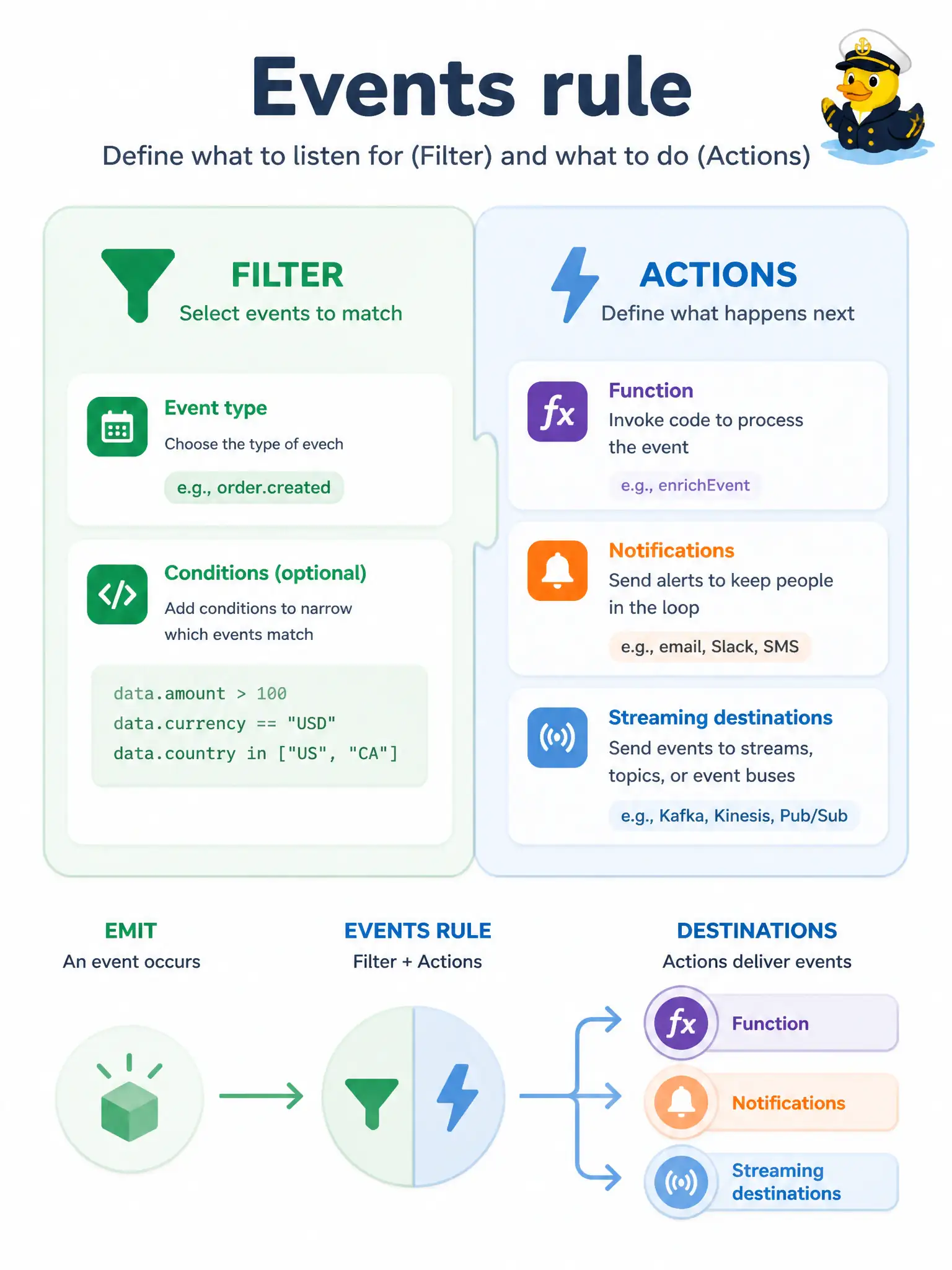
You work with Events by creating a rule. The filter decides which emitted events match; the actions name where matches go. No filter means you have not subscribed; no action means a match does nothing.
Full Explanation
In the Events service model used by the city’s open-data team, the developer object that combines match criteria with destinations is an Events rule. The rule’s filter selects which OCI-emitted CloudEvents match (by event type and optional attributes or tags), and one or more actions name the destinations that receive each match—typically a Function, Notifications topic, or Streaming stream. Without a filter you have not subscribed; without an action a match has nowhere to go. A Function trigger stanza embedded in config.yaml that replaces Events rules is not how OCI wires resource-state automation: Functions are invoked by Events actions (or other callers), not by a private YAML stanza that supersedes tenancy rules. An OCI Queue whose visibility timeout doubles as the event filter misuses Queue’s processing-hide window as if it were Events matching logic. A Streaming consumer group name that automatically filters all tenancy resource changes confuses Kafka-style offset groups with Events’ rule-based subscription model. Exam caveat: rules are compartment-scoped (matching emitters in that compartment and children), so placing the rule in the wrong compartment is as fatal as writing the wrong filter—even when the action OCID is correct. Operational check: create the rule with an Event Type condition for the intended service, attach a temporary Streaming or Notifications action, emit a test change, and confirm only matching events arrive before enabling production Functions.