
A permit-tracking service publishes status updates on OCI Streaming. All updates for the same permit number must be processed in order, while different permits may run in parallel. How should messages be keyed?
Select an answer to reveal the explanation.
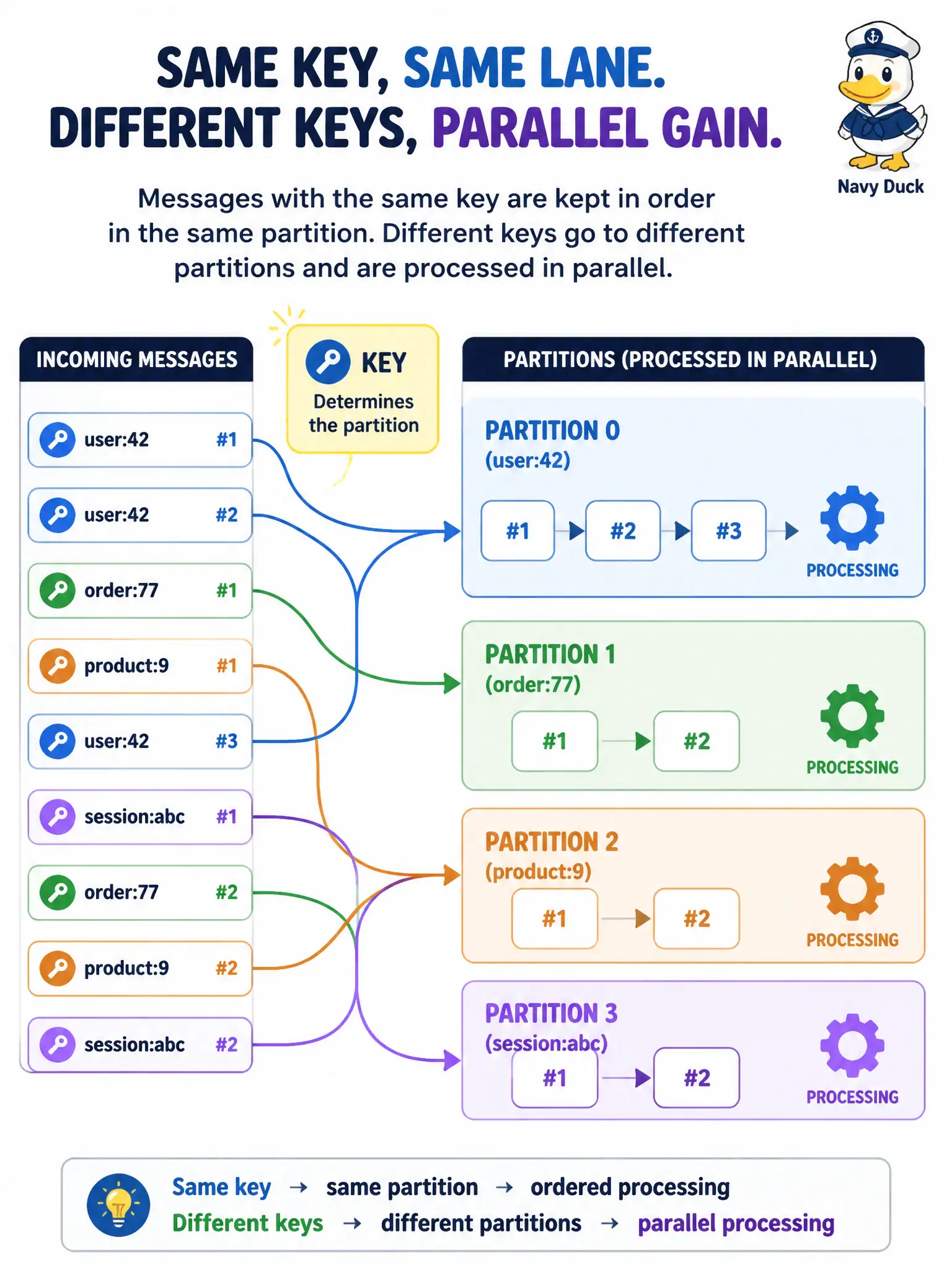
Short Explanation
A shared key is like putting every update for one case folder on the same clerk’s desk so the stack stays in order, while other folders go to other desks in parallel. Keys colocate related messages on one partition for per-key order. Different keys may land on different partitions. Global order for the whole stream means one partition—and its throughput cap.
Full Explanation
OCI Streaming preserves order per partition in produce order. To keep all status updates for one permit number ordered while allowing different permits to proceed in parallel, use the permit number as the message key. Same key maps to the same partition, so related updates stay sequenced. Different keys may hash to different partitions, enabling parallelism across permits without forcing a single global queue for the entire city.
Omitting keys in hopes of automatic global order across every partition is wrong: without a keying strategy you do not get per-entity order, and global order still requires a single partition. Using a random key on every message deliberately spreads related permit updates across partitions and breaks per-permit ordering. Storing the permit number only in Vault and publishing unkeyed empty payloads removes the partitioning key from the message path and does not achieve ordered per-permit processing.
Exam caveat: total order for the entire stream means one partition—and the throughput ceiling that implies. Do not promise global order while using many partitions.
Operational check: publish a sequence of updates with the same permit key and interleaved updates for other permits; consume and confirm same-permit messages remain in produce order on one partition while other permits can proceed on others.