
A developer copies a local Fn Project func.yaml that includes a triggers HTTP section into an OCI Functions deploy for a city payments helper. The deploy fails. What is the fix?
Select an answer to reveal the explanation.
Short Explanation
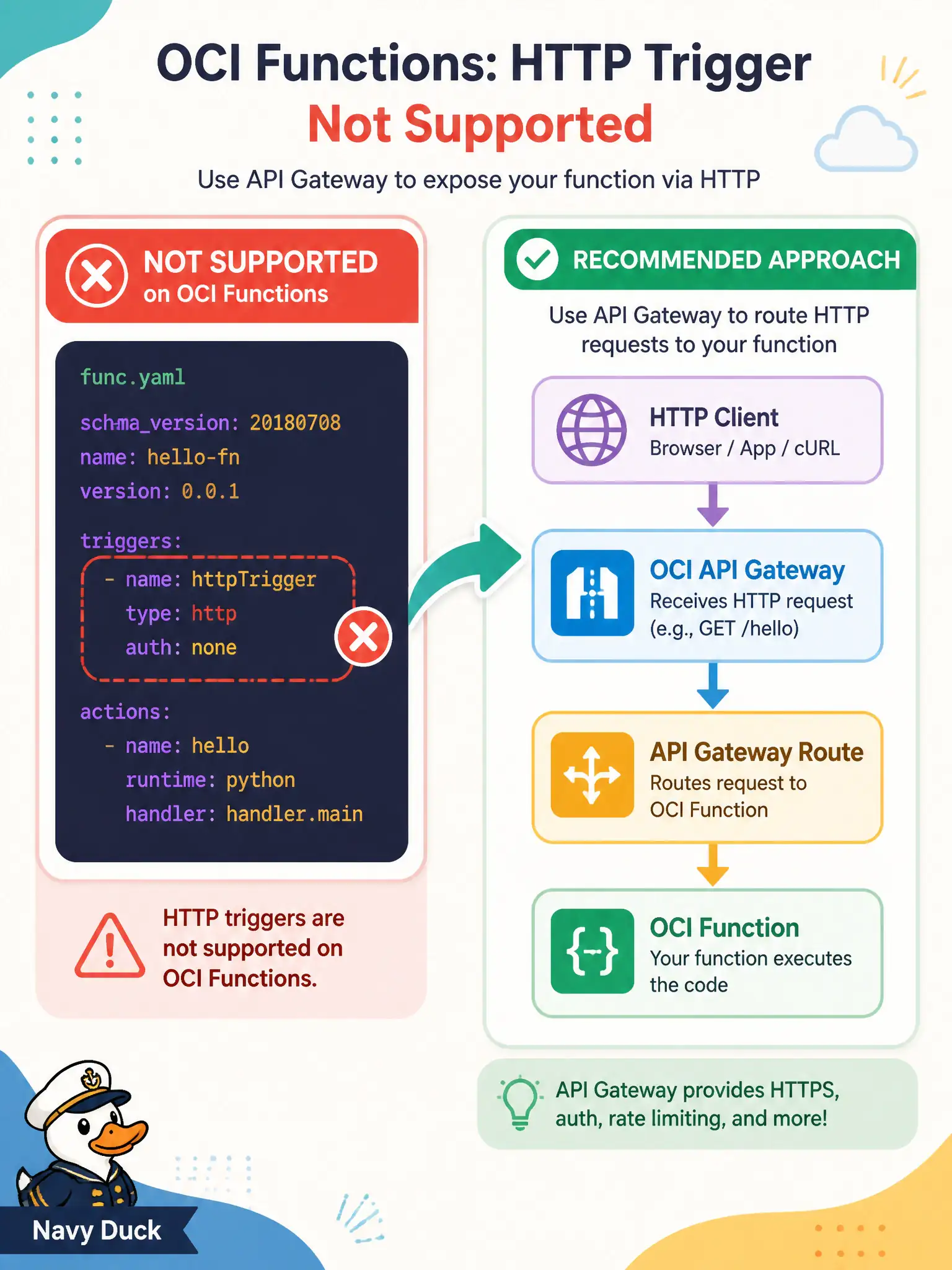
The local Fn “triggers” stanza is like a doorbell that OCI Functions does not install. Take it out of func.yaml and put HTTP entry on API Gateway—or use signed invoke—instead.
Full Explanation
Local Fn Project projects may include a triggers HTTP section in func.yaml, but OCI Functions does not honor that stanza for cloud deploys. When the city payments helper deploy fails because of an unsupported triggers block, remove it from func.yaml. Expose HTTPS to clients through API Gateway (Functions back end or HTTP patterns) or use signed invoke—not an Fn trigger declaration copied from laptop labs.
Converting the triggers block into an OKE Ingress annotation on the function image mixes Kubernetes ingress with Functions packaging and does not enable OCI Functions HTTP triggers. Increasing memory does not suddenly make OCI Functions honor Fn Project HTTP triggers. Moving the triggers block under custom configuration key-value pairs merely stores invalid structure as config; it does not create an HTTP front door.
Exam caveat: Fn Project local ergonomics and OCI Functions cloud constraints differ—triggers is a frequent copy-paste failure. Operational check: strip triggers from func.yaml, deploy successfully to OCI Functions, place API Gateway in front with a Functions back end for the payments path, and verify clients call the gateway hostname rather than expecting an Fn-style trigger endpoint from the function alone.