
A developer’s fn deploy cannot find the municipal Functions application even though the app exists in OCI. Which Fn CLI configuration most directly explains targeting the wrong place?
Select an answer to reveal the explanation.
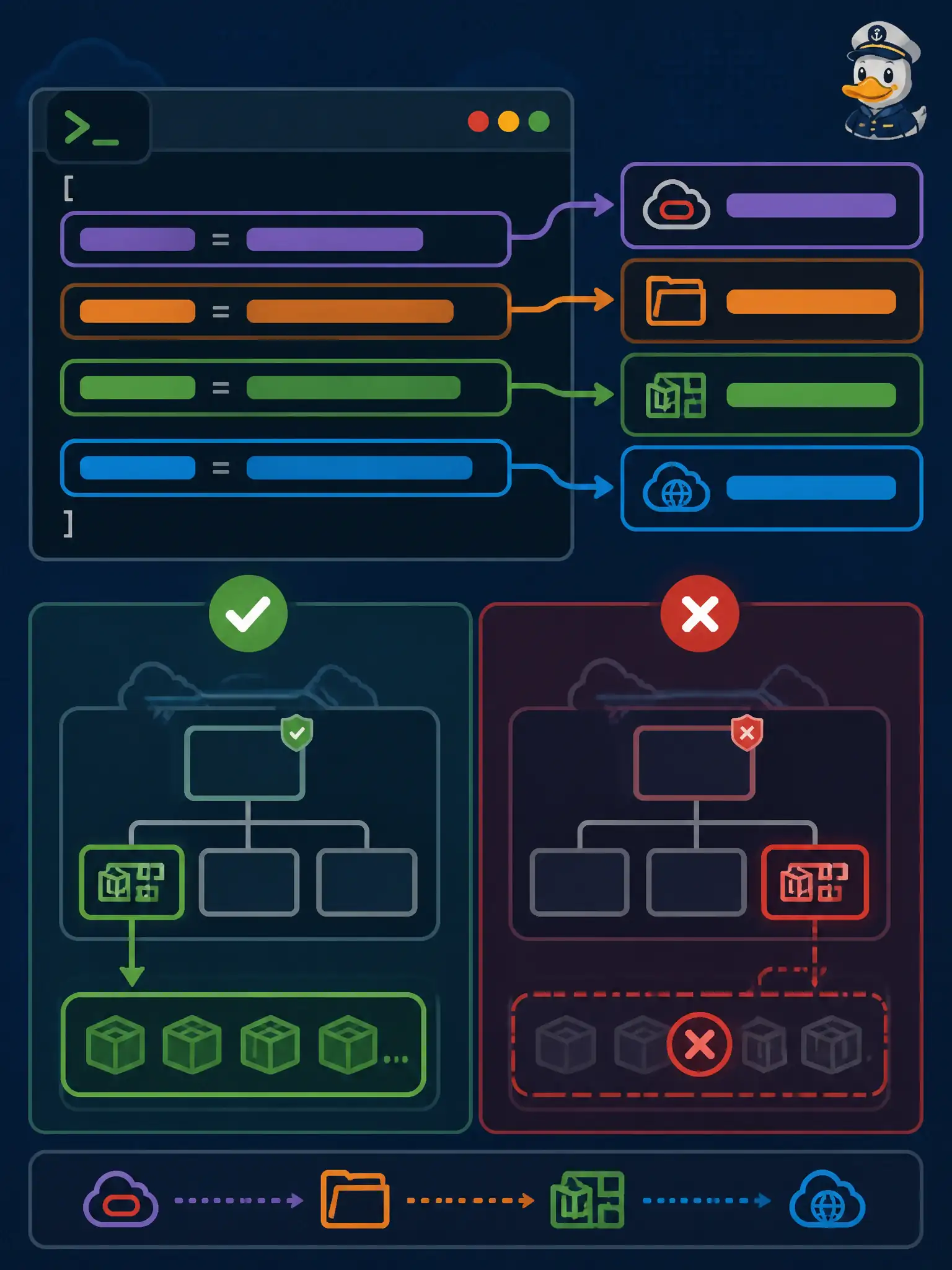
Short Explanation
The Oracle provider context is the address book: compartment, registry prefix, and Functions API URL. If that book is wrong or missing, deploy looks in the wrong neighborhood and cannot see your application.
Full Explanation
When fn deploy cannot find a municipal Functions application that exists in OCI, the most direct CLI explanation is that the context lacks the correct Oracle provider settings such as compartment-id and registry prefix. The OCI context sets provider: oracle, compartment, Functions API URL, and OCIR prefix so commands create and list resources in the right place and push images to the right registry. A wrong or missing address book makes deploy look in the wrong neighborhood.
Blaming a Dockerfile EXPOSE line that omits port 8080 fails by concept because EXPOSE is image metadata and is not what selects which compartment’s applications the CLI lists. Local Maven version differing from a CI agent fails as a build-tool mismatch that does not explain targeting the wrong tenancy location for an existing app. Setting function timeout below five seconds fails as a runtime setting issue, not as the reason the CLI cannot find the application resource.
Exam caveat: correct context still requires IAM permission to manage Functions in that compartment—wrong context and missing policy can look similar until you inspect which compartment the CLI is using. Operational check: fn list apps under the active context, compare compartment OCID to the Console, fix oracle.compartment-id and registry prefix, then redeploy once the application is visible.