
After changing memory and timeout in a function’s func.yaml for a city alerts handler, what must the developer do before the running OCI Function uses those values?
Select an answer to reveal the explanation.
Short Explanation
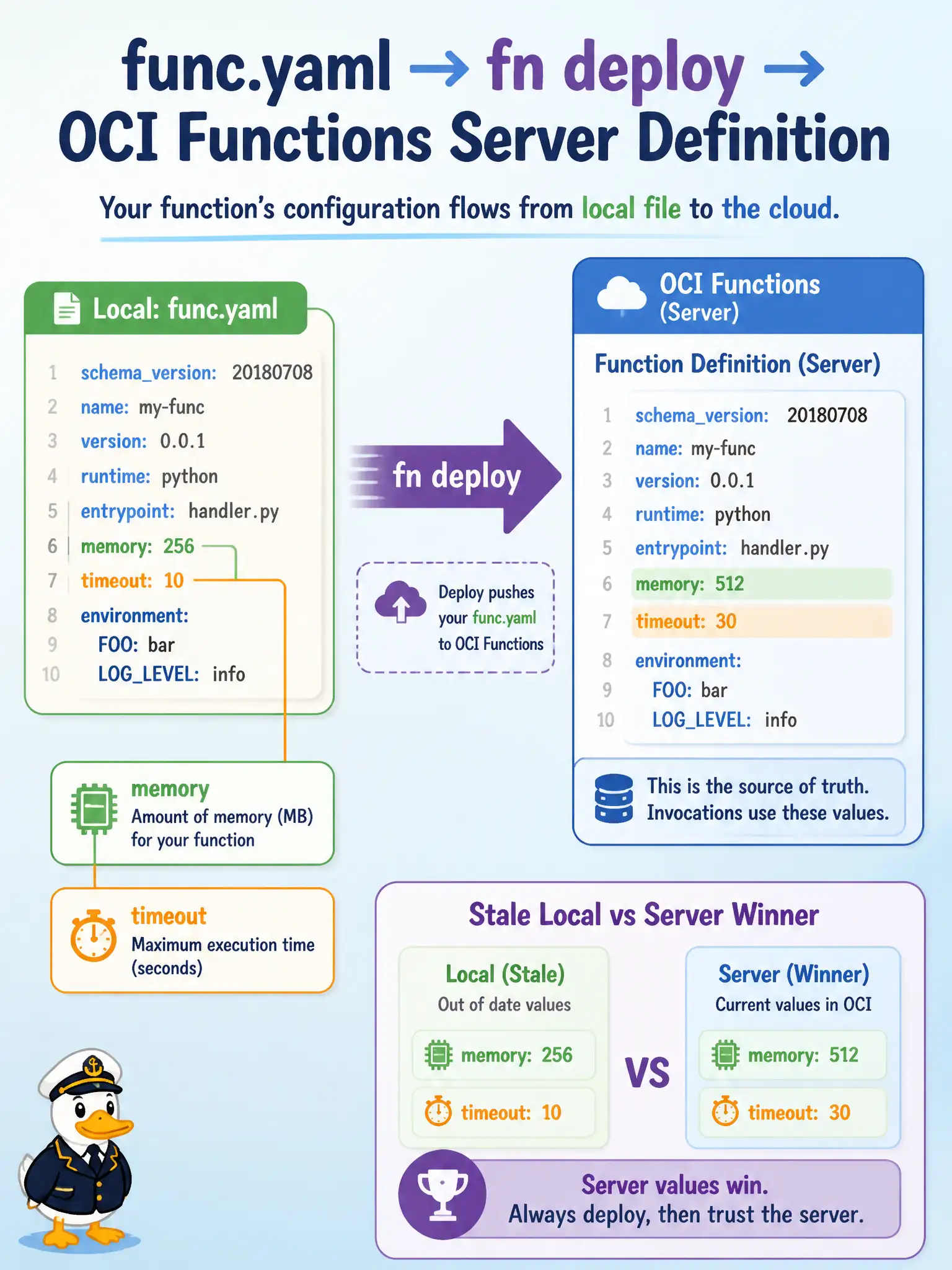
func.yaml is the recipe on disk; the OCI Functions server keeps the serving copy. Edit the recipe, then redeploy—otherwise the kitchen still cooks from the old card.
Full Explanation
After changing memory and timeout in a city alerts handler’s func.yaml, the developer must redeploy the function so the definition registered with OCI Functions is updated. func.yaml is the on-disk recipe; the serving copy lives in the Functions control plane (with the image in the configured registry). Editing the file alone does not push those settings live—redeploy reconciles local intent with the registered function.
Only restarting the laptop Docker daemon so OCI supposedly picks up file edits automatically fails by concept because the laptop daemon is unrelated to the cloud function definition; OCI does not watch your workstation filesystem. Renaming the application OCID in the tenancy home region fails because OCID rename theater does not apply func.yaml memory/timeout changes to the function. Deleting the OCIR repository to force a cold cache fails as destructive misdirection—it does not correctly update registered settings and can break deploys that need the repository.
Exam caveat: redeploy updates the registered definition; callers may still hit prior concurrency or cached execution behavior briefly, so validate with a controlled invoke after deploy. Operational check: change timeout in func.yaml, run fn deploy --app …, inspect the function resource for the new timeout/memory, and invoke the alerts handler to confirm the new limits are in effect.