
After a bad OCIR tag hit the parks reservation Deployment, operators need the previous working Pods back quickly. Why does kubectl rollout undo succeed here?
Select an answer to reveal the explanation.
Short Explanation
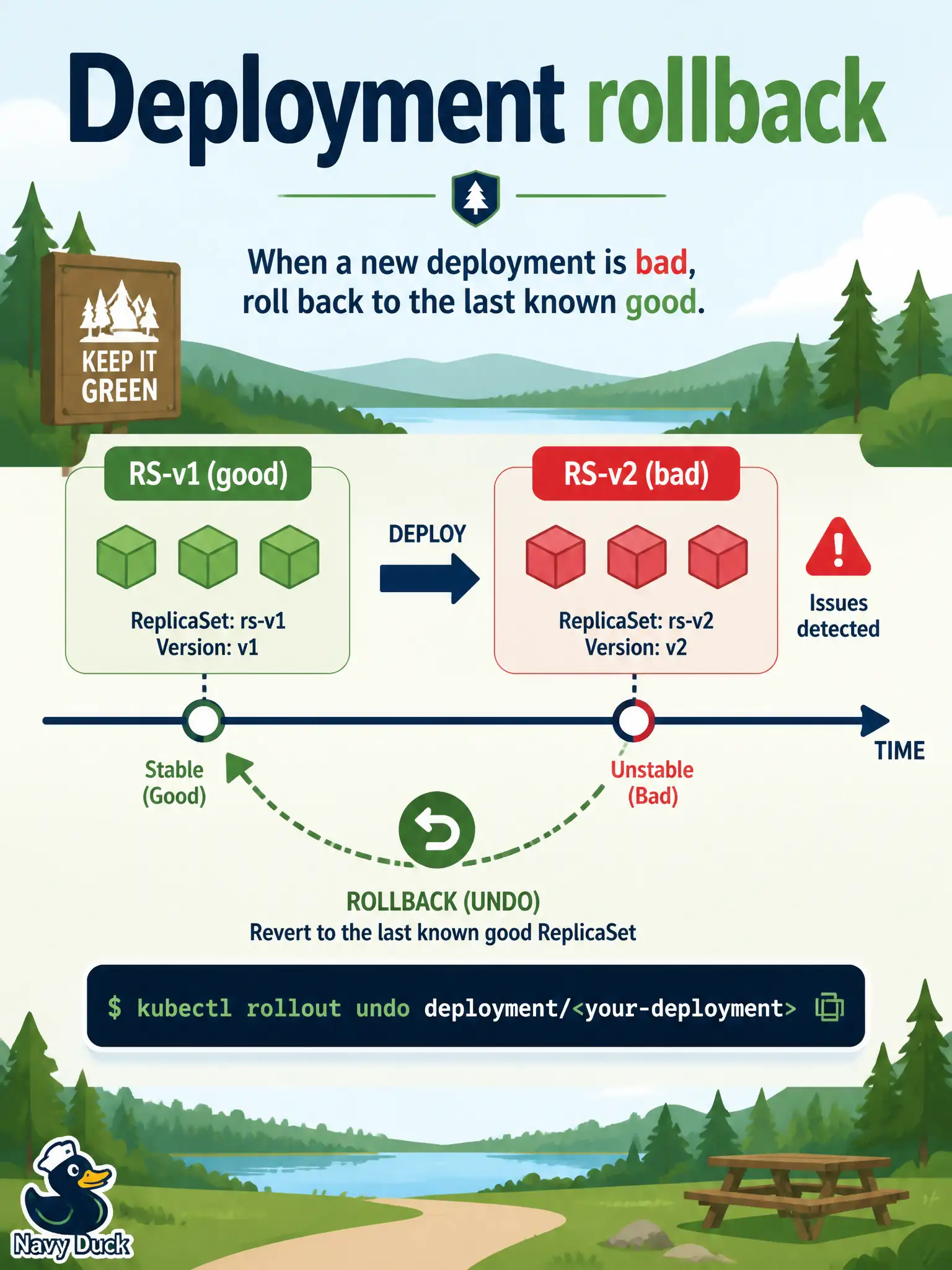
A Deployment keeps yesterday's ReplicaSet in the wings like an understudy. kubectl rollout undo brings that cast back on stage. That is why you ship with a Deployment instead of hand-deleting Pods when a parks reservation image goes bad.
Full Explanation
kubectl rollout undo works because a Deployment retains prior ReplicaSets (bounded by revisionHistoryLimit). When a bad OCIR tag lands on the parks reservation Deployment, undo reactivates the previous ReplicaSet revision so the last known-good Pod template becomes desired again. New Pods spawn from that retained revision without rebuilding history from scratch—that is the rollback model Deployments provide. Resource Manager Terraform state restore is an infrastructure lifecycle tool for stacks you manage with Resource Manager. It does not explain why a Kubernetes Deployment undo command restores application Pods; cluster Terraform state and Deployment revision history are different control planes. Hand-deleting Pods only recreates them from the current broken Pod template. Without changing the Deployment revision, deletes churn identical bad Pods and do not restore the previous image tag. OKE does not snapshot every container filesystem before each image pull as a built-in undo mechanism. Rollback depends on ReplicaSet history retained by the Deployment controller, not on per-pull filesystem snapshots. Exam caveat: if revisionHistoryLimit is zero or the prior ReplicaSet was pruned, undo cannot find a previous revision—retention settings matter before an incident. Operational check: before relying on undo in production, confirm revisionHistoryLimit retains enough ReplicaSets, run kubectl rollout history, execute undo after a bad tag, and verify parks reservation Pods return to the prior image digest while the Service keeps Ready endpoints.