
A small water-meter telemetry node pool is nearly full. During a Deployment roll, many new Pods sit Pending while capacity is exhausted. Which RollingUpdate knob most directly oversubscribed the pool?
Select an answer to reveal the explanation.
Short Explanation
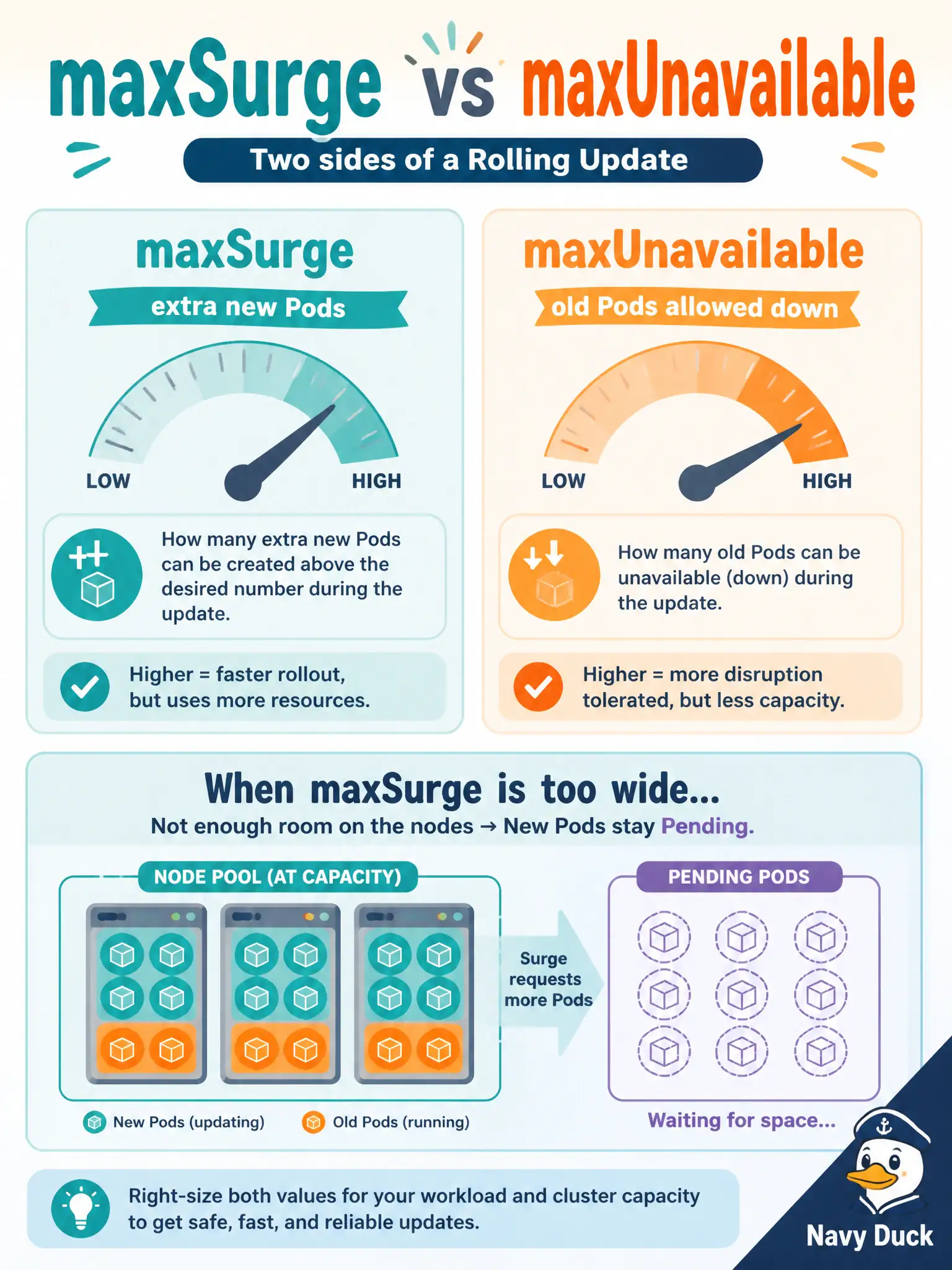
maxSurge is permission to park extra new buses in the garage during the swap. On a tiny nearly full node pool, a wide surge asks for Pods that have nowhere to land—Pending. Tighten surge when workers are scarce; watch unavailability when you cannot afford darkness.
Full Explanation
maxSurge controls how many extra Pods above the desired replica count may exist during a RollingUpdate. On a nearly full water-meter telemetry node pool, a large surge asks the scheduler to place many additional new Pods before old ones terminate. When worker CPU and memory are exhausted, those surge Pods sit Pending—exactly the capacity symptom in the scenario. Tightening maxSurge reduces concurrent demand on scarce workers. Setting maxUnavailable to zero does not by itself invent Pending surge Pods. Zero unavailability means old Pods stay until new ones are Ready, which can slow the roll and still consume surge capacity, but the knob that most directly creates extra concurrent Pod demand beyond available workers is an oversized maxSurge relative to free node capacity. Equating replicas to a Service port number is meaningless for scheduling. Replica count is a desired Pod count; Service ports select traffic. kube-proxy does not reject surge Pods because a replica field matched a port number—that distractor confuses networking fields with capacity controls. revisionHistoryLimit only retains old ReplicaSets for rollback bookkeeping. Lowering it does not block the scheduler from placing surge Pods and does not explain Pending Pods during a capacity-constrained roll. Exam caveat: Pending can also come from affinity, taints, or quota—but when the stem highlights a nearly full pool during RollingUpdate, examine surge and cluster capacity before blaming revision history. Operational check: compare Pending Pod events for insufficient CPU/memory against node allocatable, temporarily lower maxSurge (or add workers), and confirm new Pods schedule while telemetry Service endpoints remain healthy.