
A developer on the water-meter telemetry service runs docker login against OCIR and keeps getting authentication failures after pasting an API signing key as the password. What should they use instead?
Select an answer to reveal the explanation.
Short Explanation
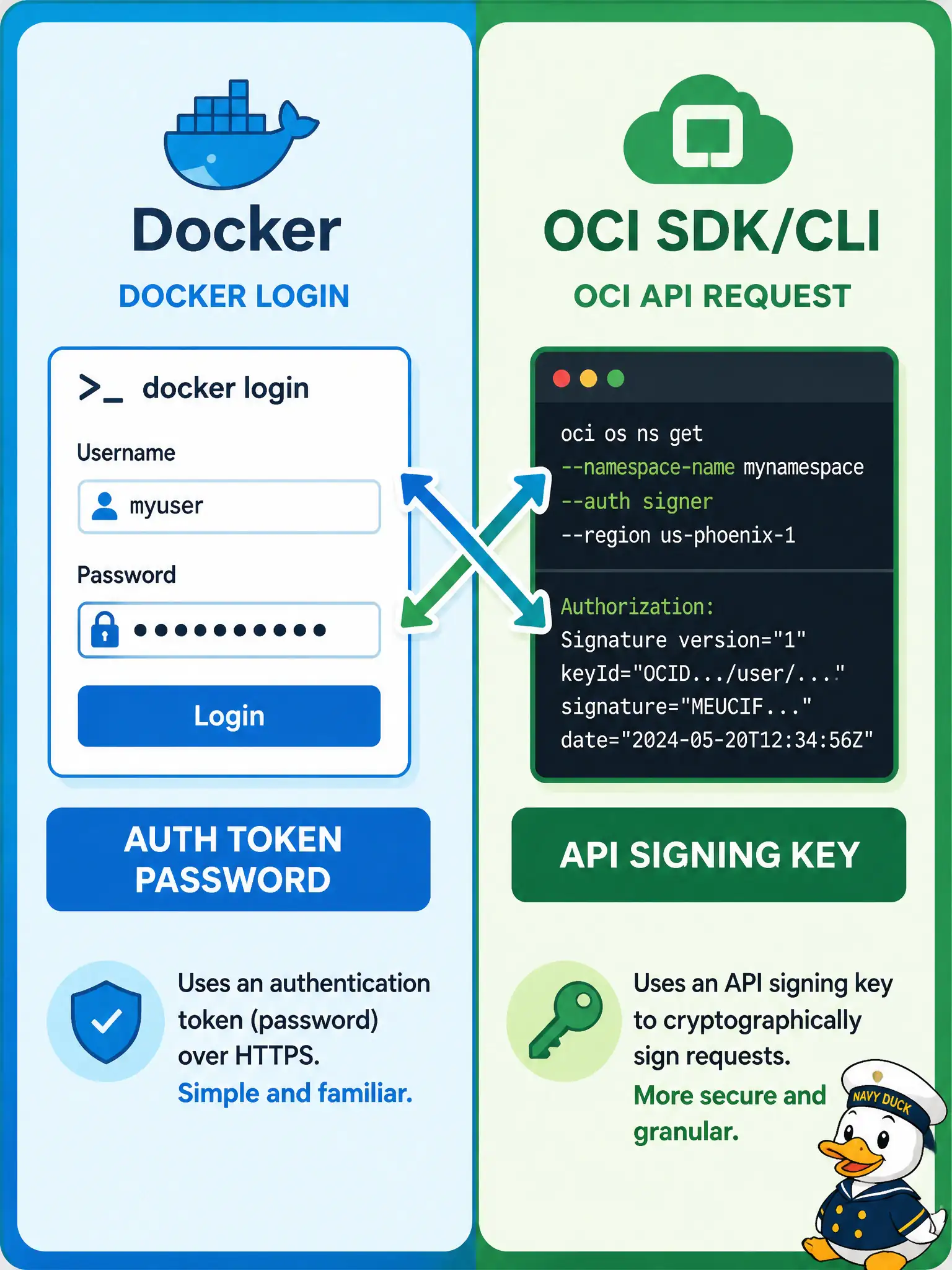
docker login to OCIR wants an IAM auth token as the password. An API signing key is for the OCI SDK/CLI handshake, not Docker’s—mixing them is the classic failed login.
Full Explanation
docker login to OCIR authenticates the Docker CLI with an IAM auth token as the password (paired with the correctly shaped username). Auth tokens are created in the IAM user profile for this exact use case: registry and other token-based CLI logins. API signing keys are for signing OCI API requests used by the OCI SDK and OCI CLI; pasting a signing key PEM or fingerprint into the Docker password field fails because OCIR’s Docker auth path does not treat that material as a registry password. The water-meter telemetry developer should generate or reuse an auth token and use that string as the Docker password instead.
Pasting the tenancy OCID into the password field with no token supplies an identifier, not a secret credential Docker can exchange for a registry session. A Vault master encryption key ID is a key management reference for encryption and image signing workflows, not a Docker login password. The compartment name with a trailing slash is organizational metadata and has no role as a registry password.
Exam caveat: auth tokens are user-scoped secrets—rotate them if leaked, and prefer automation principals with least-privilege policies for CI rather than long-lived human tokens in shared runners. Operational check: create an IAM auth token for the developer (or CI user), docker login to the regional OCIR host with <namespace>/<username> and that token, then run a trivial docker pull or docker push to prove authentication succeeded before blaming network or path issues.