
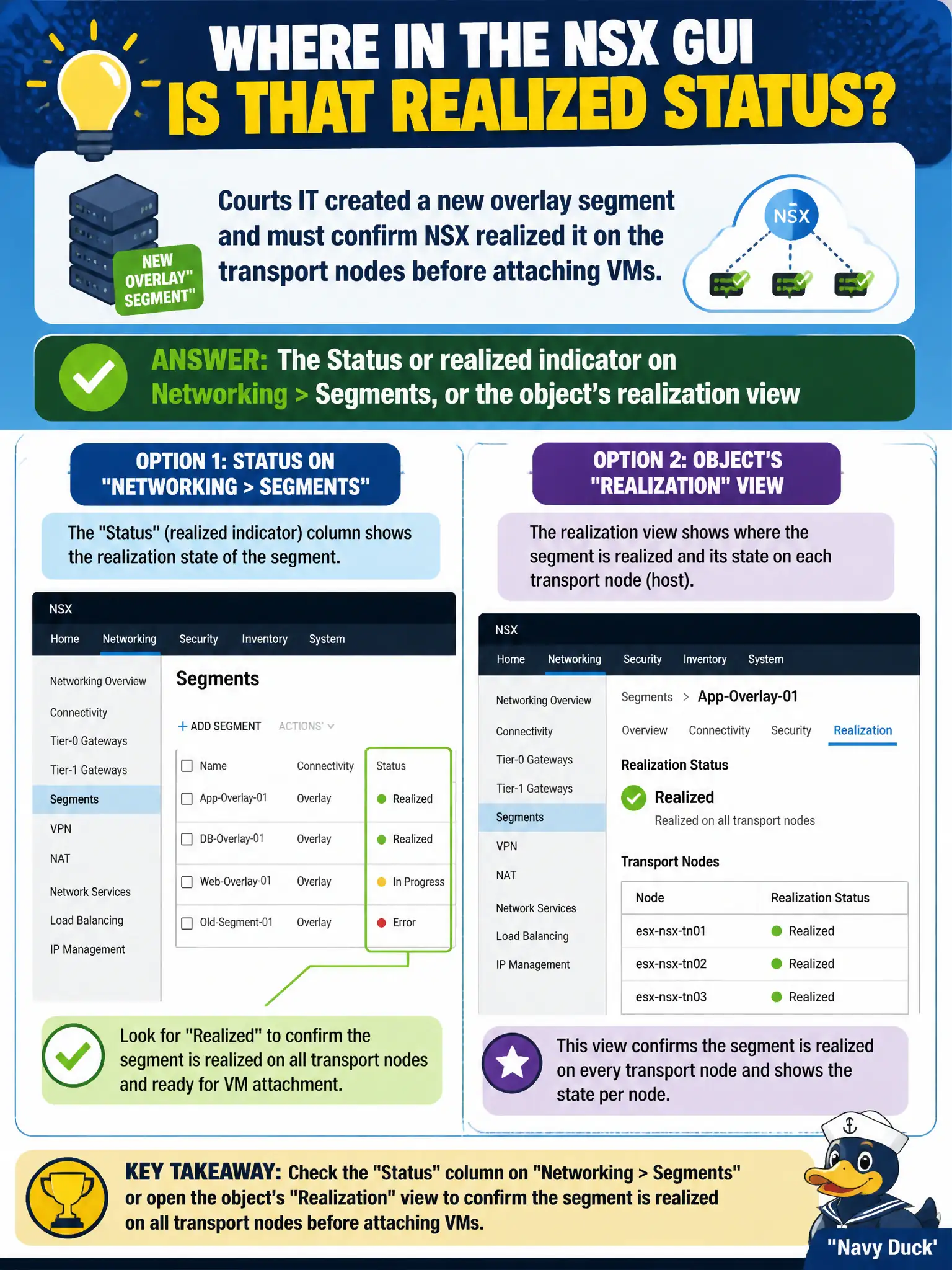
Courts IT created a new overlay segment and must confirm NSX realized it on the transport nodes before attaching VMs. Where in the NSX GUI is that realized status?
Select an answer to reveal the explanation.
Short Explanation
A new courtroom network isn't open until the building says the doors actually exist on every floor. That badge is the segment's Status/realized column in NSX Manager.
Full Explanation
Courts IT must confirm an overlay segment is realized on transport nodes before attaching VMs. The Status or realized indicator on Networking > Segments (or the object’s realization view) is the NSX GUI place to see whether the civic segment has been pushed successfully to the fabric. Horizon session status is VDI health and does not report NSX segment realization. Identity Firewall AD sync is unrelated to L2 segment realization on transport nodes. vSphere Standard Switch uplink lights are physical/VSS cues; NSX overlay segments show realization status in NSX Manager, not only as VSS LEDs. Exam caveat: a segment can exist as a policy object yet still show errors/unrealized on some hosts—check realization before blaming the guest OS when a court VM cannot attach or communicate. Operational check: open the new overlay segment, confirm Ready/Success realization across intended transport nodes, then attach the first test VM and validate L2 connectivity; record segment ID and realization status in the courts build checklist. When realization is partial, compare failing transport nodes’ TZ membership and host prep status; do not attach evidence or case-management VMs until all intended courts hosts show success for that segment.