
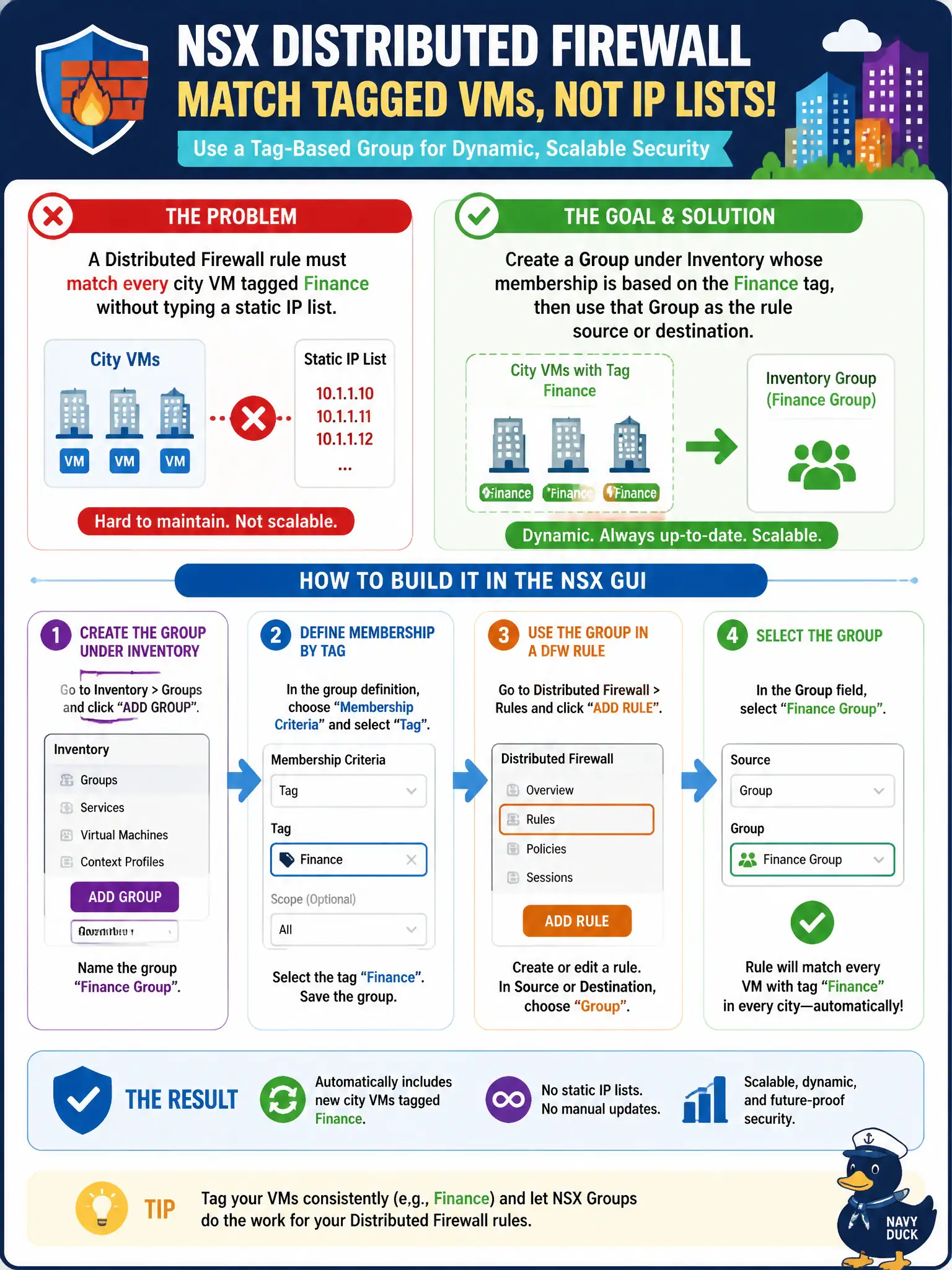
A Distributed Firewall rule must match every city VM tagged Finance without typing a static IP list. How should the operator build that match in the NSX GUI?
Select an answer to reveal the explanation.
Short Explanation
Finance VMs should wear a name badge, not a scribbled subnet on a sticky note. Build an Inventory Group from the Finance tag and drop that Group on the DFW rule. Carbon Black sensors and Horizon pools are not that badge.
Full Explanation
Policy-mode Distributed Firewall sources and destinations should use Inventory Groups, commonly based on tags, so membership stays dynamic for every city VM tagged Finance without typing a static IP list. Finance VMs should wear a name badge, not a scribbled subnet on a sticky note—build a Group from the Finance tag and drop that Group on the DFW rule. A typed random civic /16 is brittle and is not the NSX grouping method. Carbon Black sensor groups are endpoint objects, not NSX Groups. Horizon desktop-pool entitlements are EUC constructs and are not DFW membership. Exam caveat: groups can combine tags, segments, and other criteria; the exam point is using Inventory Groups rather than static IP sprawl or foreign-product groups. Operational check: create an Inventory Group based on the Finance tag, use it as DFW source or destination, add a new tagged Finance VM, confirm it matches without editing IPs, and reject Carbon Black and Horizon pools as membership. Document the civic rationale in the change record so the next operator can restate why the correct control matches the agency outcome, why each distractor fails by concept, and which NSX Manager view confirms the result after publish.