
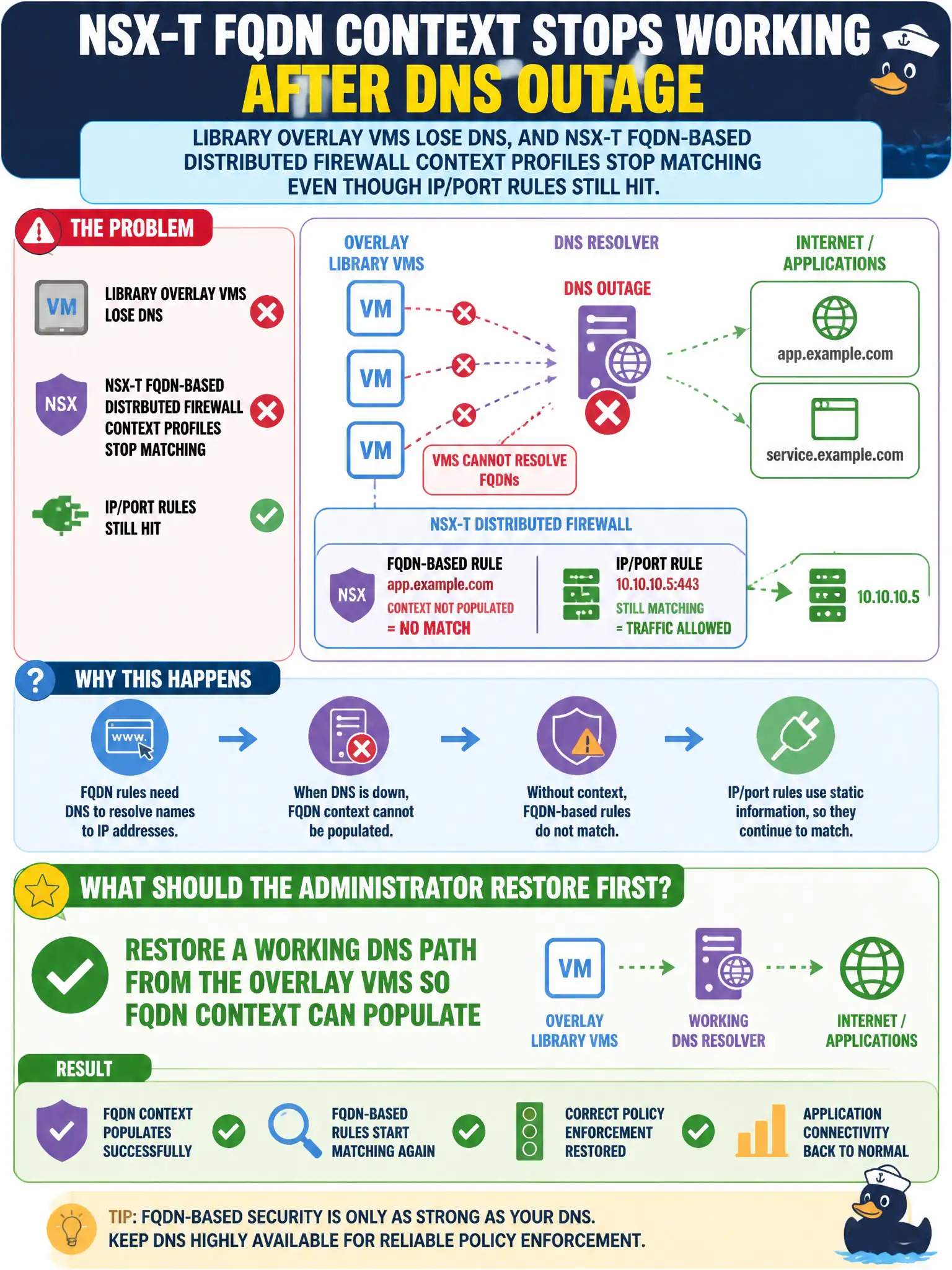
Library overlay VMs lose DNS after a resolver outage, and NSX-T FQDN-based Distributed Firewall context profiles stop matching even though IP/port rules still hit. What should the administrator restore first?
Select an answer to reveal the explanation.
Short Explanation
FQDN firewall is a bouncer that only recognizes names it just heard at DNS. If the library VMs cannot reach a resolver, that bouncer never learns the IP and the context profile looks broken while plain IP/port rules still work. Fix DNS first.
Full Explanation
When library overlay VMs lose DNS after a resolver outage and NSX-T FQDN-based Distributed Firewall context profiles stop matching even though IP/port rules still hit, restore a working DNS path from the overlay VMs so FQDN context can populate. FQDN context depends on DNS visibility; without resolver reachability those profiles stop matching while plain IP/port rules continue. Fixing DNS restores civic FQDN-based micro-segmentation. Replacing every FQDN context profile with a Carbon Black Cloud permission rule that allows the same sites by hash fails by concept because CBC permissions are endpoint allow rules, not NSX FQDN context substitutes for overlay DNS loss. Disabling identity firewall so Active Directory logon events no longer compete with FQDN snooping fails by concept because IDFW is unrelated to DNS resolver outage breaking FQDN context. Pointing Workspace ONE Access network ranges at the resolver IPs so Hub can substitute for Distributed Firewall FQDN matching fails by concept because Access network ranges do not implement NSX FQDN context matching. Exam caveat: IP/port still hits but FQDN context fails means restore DNS path first—do not mass-replace with CBC permissions or disable IDFW. Operational check: restore resolver reachability from overlay VMs, confirm DNS queries succeed, verify FQDN context profiles match again, and add DNS dependency notes to the library NSX FQDN policy design for municipal catalog security.