
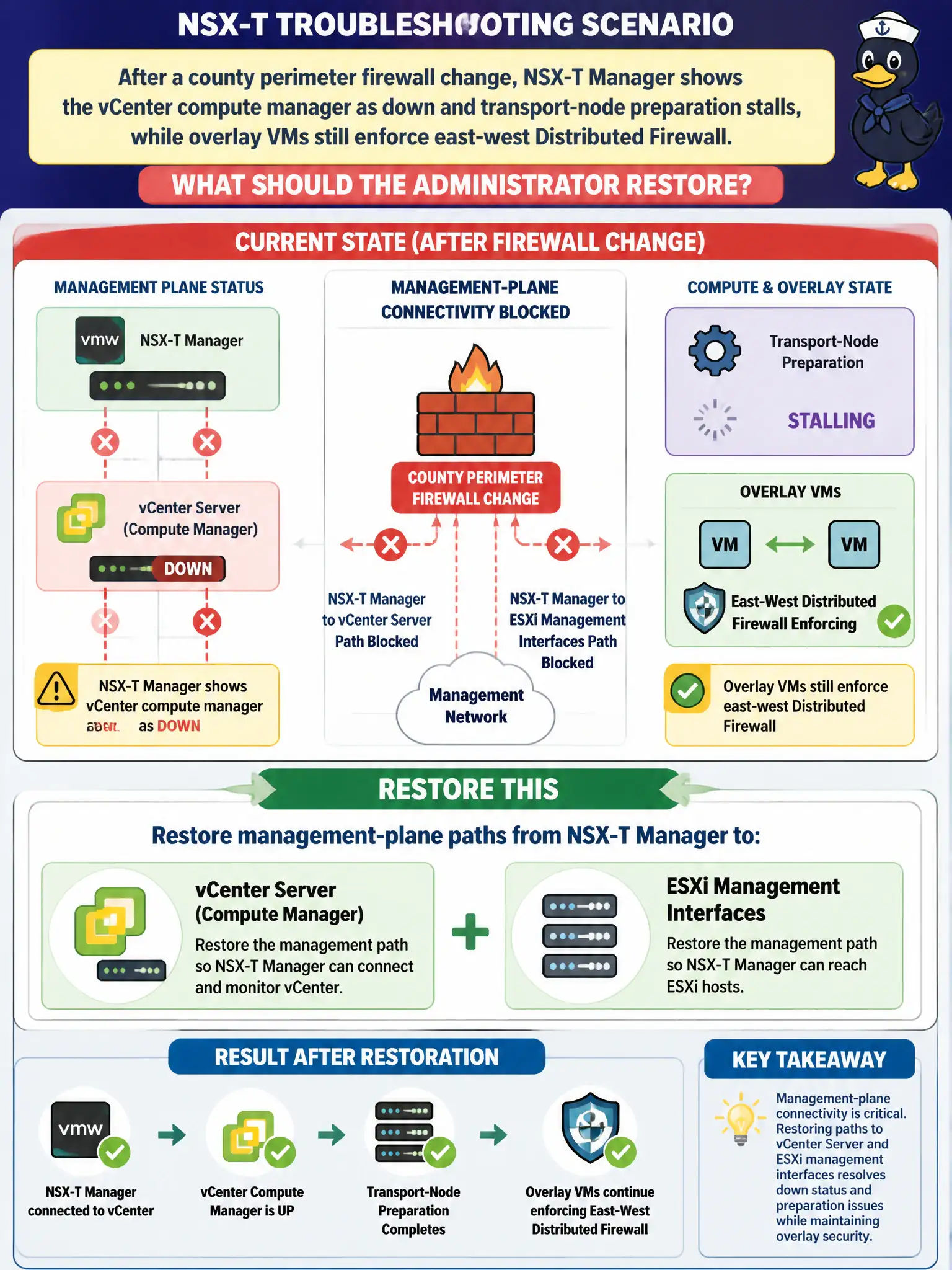
After a county perimeter firewall change, NSX-T Manager shows the vCenter compute manager as down and transport-node preparation stalls, while overlay VMs still enforce east-west Distributed Firewall. What should the administrator restore?
Select an answer to reveal the explanation.
Short Explanation
Think of vCenter as the phone book NSX Manager uses to talk to hosts. If a new firewall rule hangs up that management call, compute manager goes red even while already-prepared VMs keep filtering east-west. Put the Manager-to-vCenter-to-host ports back; rewriting DFW will not heal the control plane.
Full Explanation
After a county perimeter firewall change, when NSX-T Manager shows the vCenter compute manager as down and transport-node preparation stalls while overlay VMs still enforce east-west Distributed Firewall, restore management-plane paths from NSX-T Manager to vCenter Server and to ESXi management interfaces. East-west DFW can keep working on already-prepared hosts while management-plane connectivity to vCenter and host mgmt is broken, stalling inventory and prep. Restoring those civic management paths heals control-plane operations without rewriting DFW. Recreating every Distributed Firewall section so stalled hosts re-realize Application rules from the data plane fails by concept because rewriting DFW sections does not restore Manager-to-vCenter or Manager-to-host management connectivity. Switching identity firewall from Active Directory to Workspace ONE Access so Manager no longer needs vCenter fails by concept because IDFW identity source choice does not replace compute-manager connectivity to vCenter for host prep. Enrolling the Manager appliance as a Carbon Black Cloud sensor so compute-manager health is reported from the cloud fails by concept because a CBC sensor on Manager does not restore compute-manager API trust or management paths. Exam caveat: DFW still enforcing while compute manager is down points to management-plane path loss after perimeter change—restore Manager↔vCenter/ESXi mgmt before recreating policy. Operational check: verify and restore firewall rules for Manager to vCenter and ESXi management, confirm compute manager Connected, resume transport-node prep, and document management FQDNs/ports in the county perimeter change template for municipal NSX operations.