
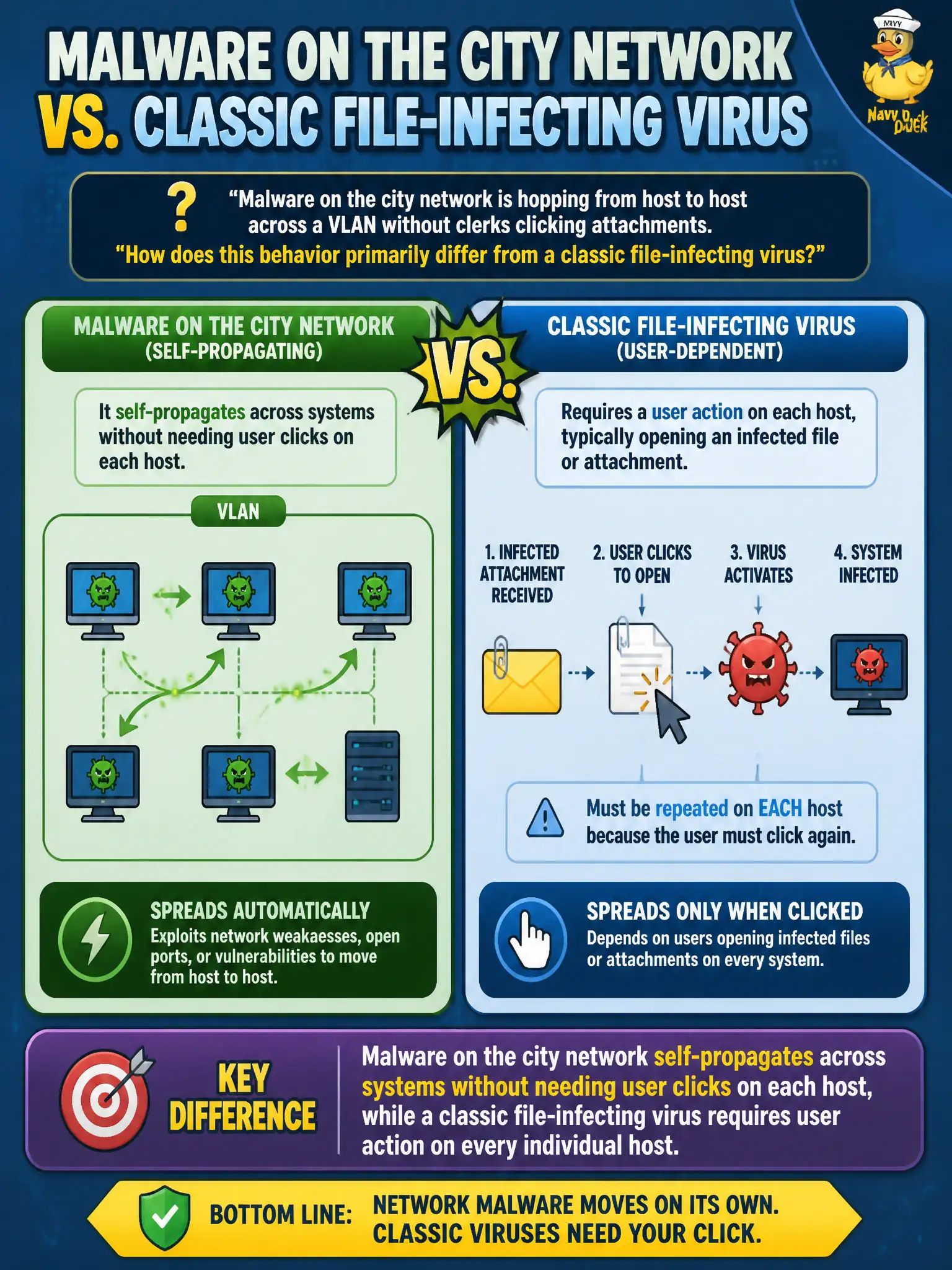
Malware on the city network is hopping from host to host across a VLAN without clerks clicking attachments. How does this behavior primarily differ from a classic file-infecting virus?
Select an answer to reveal the explanation.
Short Explanation
Worms are the ones that walk themselves down the hall. They spread without you double-clicking on every PC, while classic viruses usually hitch a ride on a host file or need that execution context.
Full Explanation
Worms differ from classic file-infecting viruses primarily by self-propagation across systems without needing a user click on every newly infected host. On a city VLAN where malware hops host to host while clerks are not opening attachments on each machine, the decisive concept is autonomous network spread. That matters for municipal containment because isolation of a single PC is insufficient; you must interrupt the propagation path across switches, shares, and vulnerable services.
Saying the malware must attach to a host file before any copy can run elsewhere restates classic virus behavior, which is the opposite of the worm distinction the question asks for. Activation only after a contractor’s employment end date describes a logic-bomb trigger, not propagation mechanics. Recording keystrokes only at an ACH workstation describes spyware/keylogging scope, not how the malware moves between systems.
Exam caveat: older exam language sometimes blurs virus and worm; CompTIA expects worms as self-replicating across networks with little or no per-host user interaction, while classic viruses typically require a host file or execution context. Do not pick “attaches to a host file” when the stem emphasizes hopping without clicks.
Operational check: segment or ACL the affected VLAN, block known worm transport ports and vulnerable SMB/RCE paths, patch internet- and LAN-facing services, remove malicious autoruns, and validate that newly imaged clerk hosts stay clean when reconnected under monitoring.