
Persistence on a permitting workstation is created with a Windows Run key. In this blueprint, what does registry mean?
Select an answer to reveal the explanation.
Short Explanation
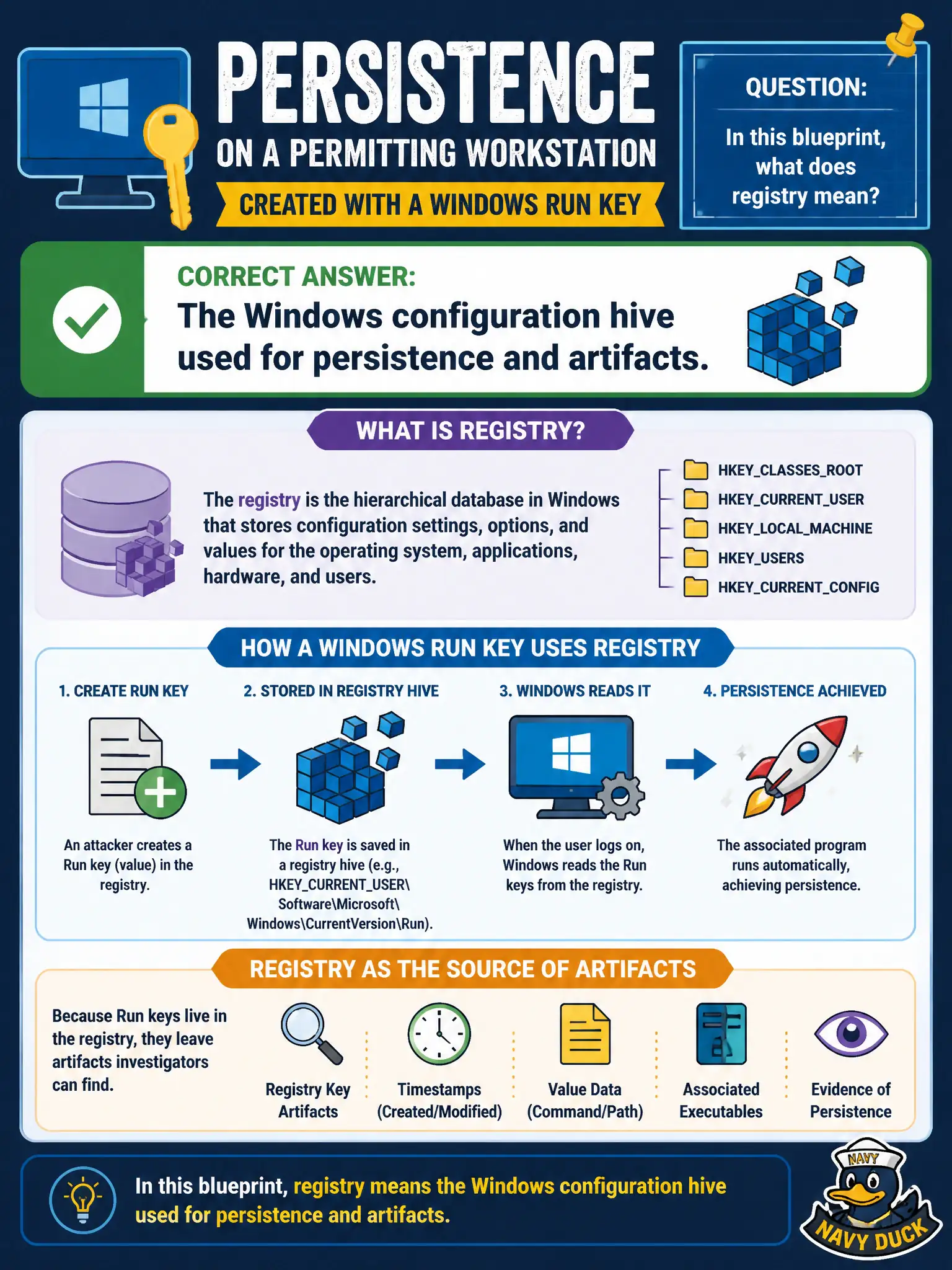
Registry here is the Windows hive on that permitting PC—the place attackers stash a Run key so they come back after reboot. It is not the city's domain registrar and not the notable-status queue. Think host artifact, not DNS paperwork.
Full Explanation
Persistence on a permitting workstation created with a Windows Run key means registry in this blueprint is the Windows configuration hive used for persistence and artifacts. Attackers stash Run keys so they return after reboot; civic endpoint IR treats registry as host configuration evidence that belongs in the investigation timeline. It is not the city's DNS registrar paperwork and not the notable-status workflow in Enterprise Security.
Calling registry the city's public DNS domain-name registry at the registrar fails by concept: DNS registration is unrelated to Windows persistence keys. Calling it the Enterprise Security notable-event status workflow fails by concept: notable status is SOC process state, not a host registry hive. Calling it the Asset and Identity priority lookup only fails by concept: A&I lookups are ES context data, not Windows configuration hives.
Exam caveat: On host-persistence stems, registry means the Windows configuration hive and related artifacts.
Operational check: Inspect Run and related autorun keys on the permitting host, capture registry artifacts into the investigation, remove persistence cleanly, and add or tune ES endpoint detections for suspicious Run-key creation on civic workstations.