
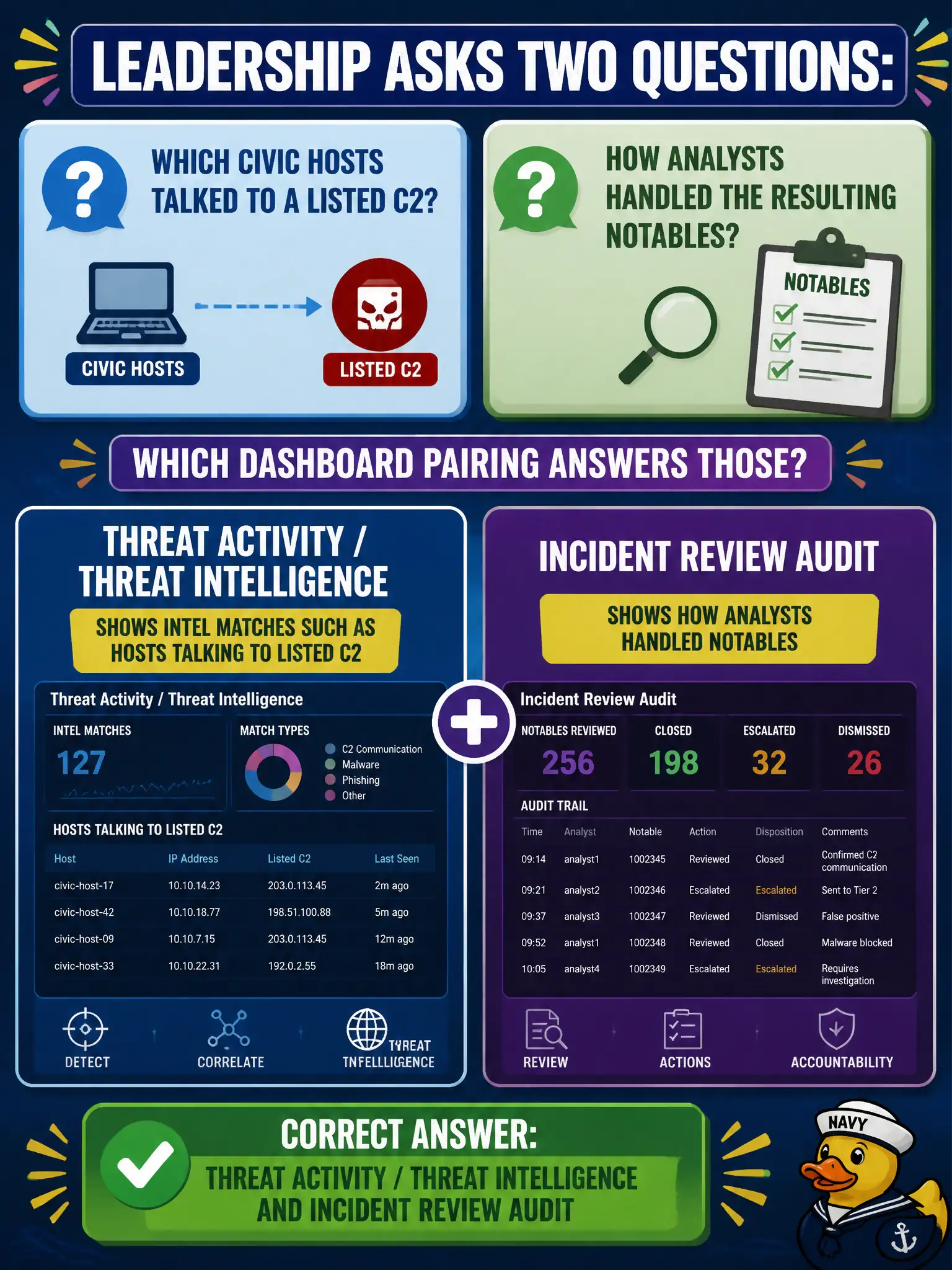
Leadership asks two questions: which civic hosts talked to a listed C2, and how analysts handled the resulting notables. Which dashboard pairing answers those?
Select an answer to reveal the explanation.
Short Explanation
Threat views show who talked to bad infrastructure; the audit view shows who worked the queue. Don't swap those. Posture and access-anomaly panes are not the intel-match log.
Full Explanation
Threat Activity / Threat Intelligence style dashboards show intel matches such as civic hosts talking to listed command-and-control, while Incident Review Audit shows how analysts handled the resulting notables over time—ownership, status, and disposition history. That pairing answers leadership's two distinct questions without forcing one view to do both jobs. Security Posture alone fails by concept because overview urgency and domain summaries do not fully replace threat-match detail plus analyst-workflow audit. Swapping the pair—using Audit for C2 matches and Threat Activity for who closed tickets—fails by concept because Audit is workflow history and Threat Activity or intel views are for indicator matches against telemetry. Claiming Access Anomalies is the only dashboard that shows C2 infrastructure fails by concept because Access Anomalies targets improbable access patterns by time, geo, or volume, not threat-intel C2 matches. Exam caveat: SPLK-5001 separates threat-intel match views from analyst audit views for municipal leadership reporting. Operational check: open Threat Activity or Threat Intelligence for C2-matched hosts, then open Incident Review Audit for ownership and disposition history on related notables to answer both leadership questions.