
A SAS data scientist needs to run PROC HPFOREST inside a CAS session. Which step must be completed before executing the procedure to ensure it runs in distributed mode?
Select an answer to reveal the explanation.
Short Explanation
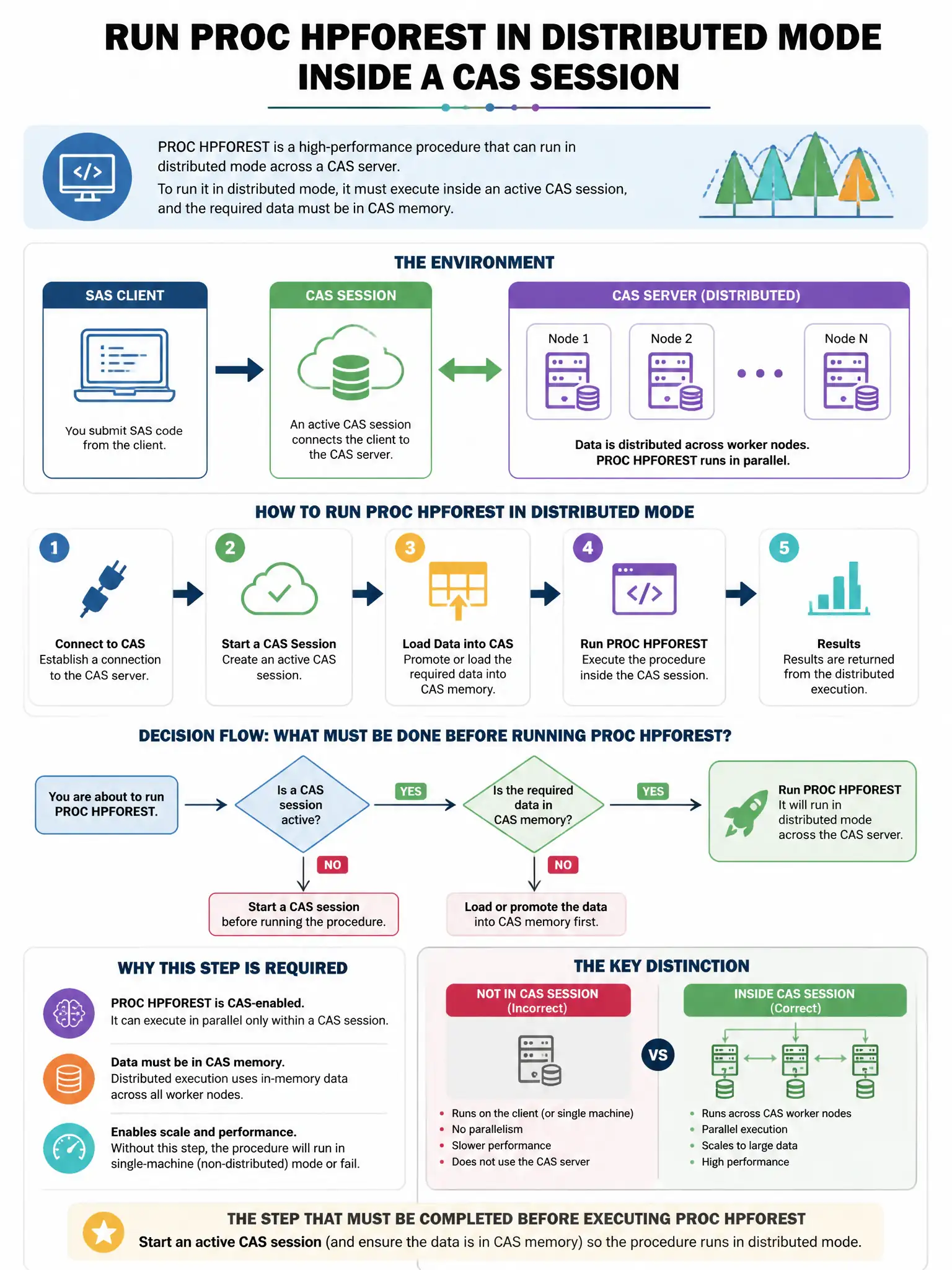
Here's the deal — you need an active CAS session and an in-memory CAS table because PROC HPFOREST runs as a CAS-enabled procedure in SAS Viya. That's what lets it use distributed processing.
Full Explanation
The correct step is to establish a CAS session with a CAS statement and ensure the input data is an in-memory CAS table. PROC HPFOREST in SAS Viya executes as a CAS-enabled procedure; it requires an active CAS session and the input data must be an in-memory CAS table, not a SAS library dataset on disk, to leverage distributed processing. Running PROC CASUTIL to promote the input dataset to a global caslib scope makes a table visible to all sessions but is not the prerequisite step for running HPFOREST itself. Setting the SAS option ODS GRAPHICS ON before calling PROC HPFOREST controls graphical output, not distributed execution. Loading the HPFOREST action set using cas.builtins.loadActionSet('hpforest') describes loading a CAS action set directly, but PROC HPFOREST handles this internally.