
A decision tree trained with PROC HPSPLIT in SAS has grown too deep and is overfitting. Which pruning approach is available in PROC HPSPLIT?
Select an answer to reveal the explanation.
Short Explanation
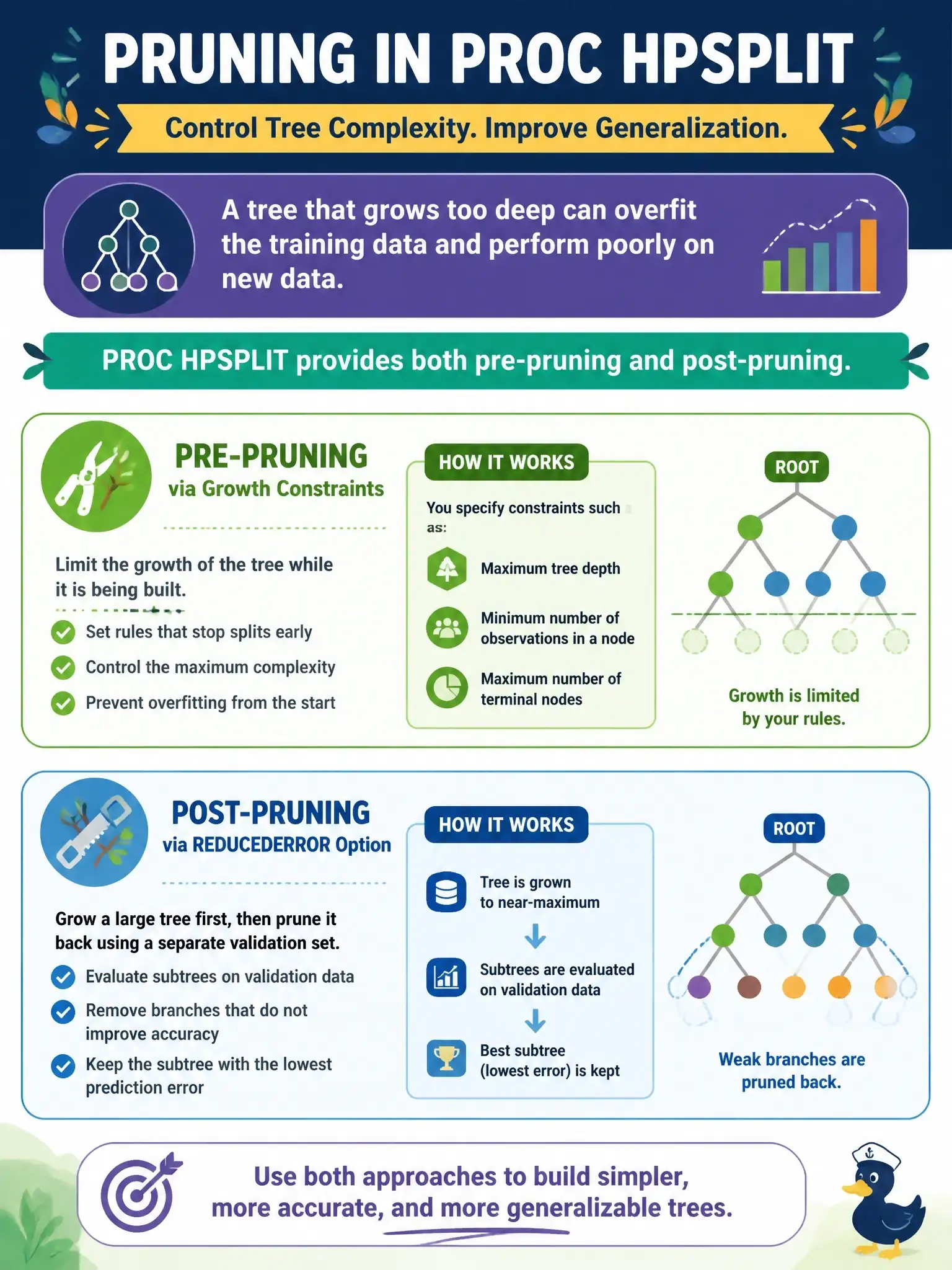
Good news: PROC HPSPLIT hands you both tools. You rein the tree in while it grows with limits like MAXDEPTH= and MINLEAFSIZE=, then trim it back afterward with the PRUNE statement, using reduced-error pruning or the default cost-complexity method.
Full Explanation
PROC HPSPLIT controls tree size in two stages. During growth, options in the PROC HPSPLIT statement such as MAXDEPTH= and MINLEAFSIZE= act as pre-pruning constraints by capping depth and requiring a minimum number of observations in each child of a split. After growth, the PRUNE statement post-prunes the full tree, and its documented methods are COSTCOMPLEXITY, which is the default, REDUCEDERROR, C45 for classification trees, and OFF to disable pruning. Reduced-error pruning builds a sequence of subtrees and keeps the one with the best validation metric, such as average squared error or misclassification rate. The pre-pruning-only answer is wrong because it ignores the PRUNE statement, and HPSPLIT actually applies cost-complexity post-pruning by default; it also names a LEAFSIZE= option, while the real option is MINLEAFSIZE=. The post-pruning-only answer is wrong because HPSPLIT does provide growth limits such as MAXDEPTH=. The claim that pruning is unsupported and PROC HPFOREST is required is wrong on both counts, because HPSPLIT prunes and a forest is a different kind of model. On the exam, remember that HPSPLIT offers both families of controls. To check a run, look for the pruning plot and subtree-sequence output that HPSPLIT produces when a PRUNE method is active.