
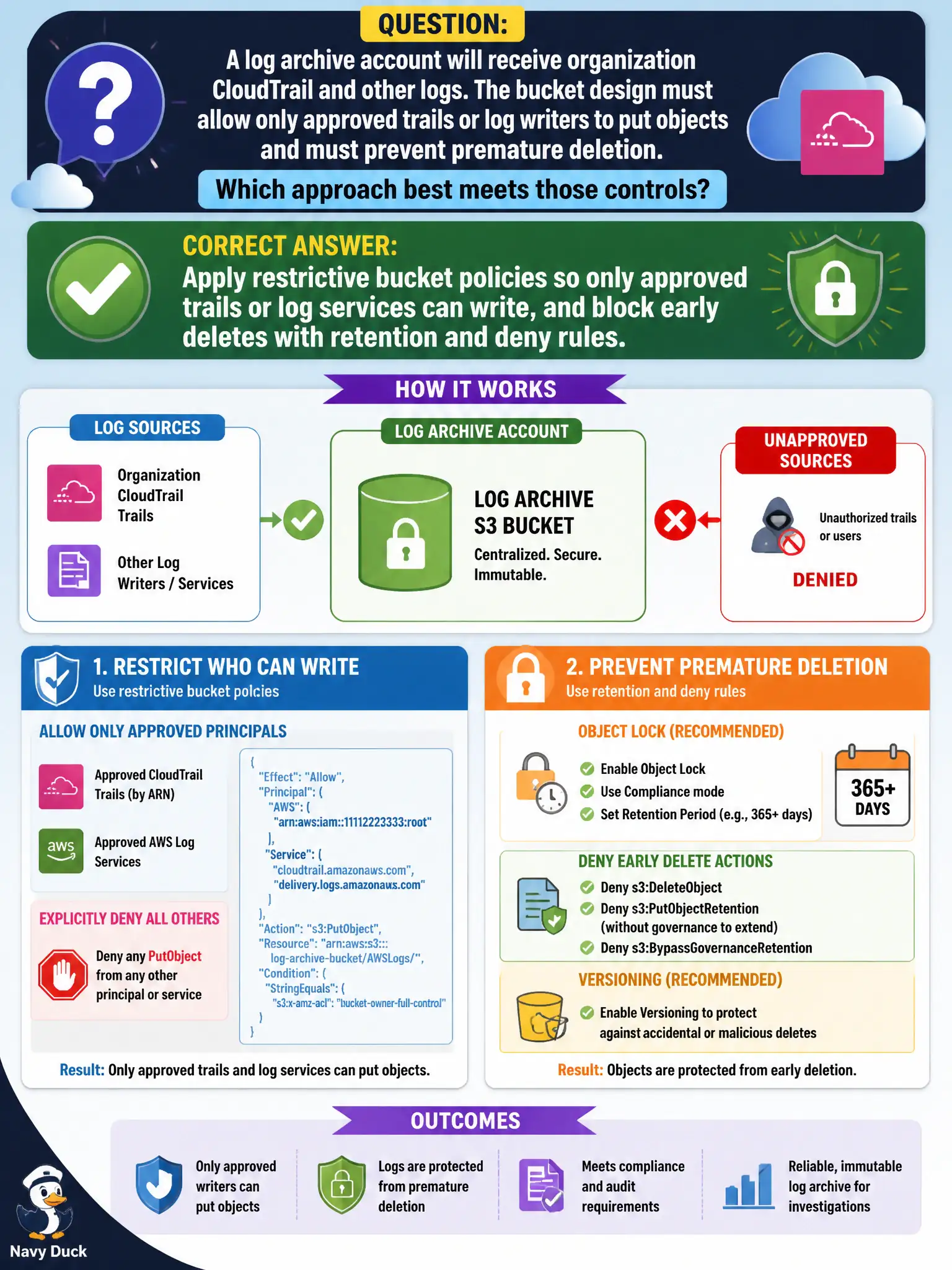
A log archive account will receive organization CloudTrail and other logs. The bucket design must allow only approved trails or log writers to put objects and must prevent premature deletion. Which approach best meets those controls?
Select an answer to reveal the explanation.
Short Explanation
The archive is a locked evidence vault, not a shared junk drawer. Only the approved trail delivery roles get a write key, and nobody gets an early shredder — restrictive policies plus retention keep the record intact.
Full Explanation
A log archive account receiving organization CloudTrail and other logs needs restrictive bucket policies so only approved trails or log services can PutObject, plus retention and deny rules that block premature deletion. Versioning, Object Lock, and explicit denies on delete for non-break-glass roles protect evidentiary integrity for municipal audits and investigations. Convenience access for every account administrator to tidy noisy logs undermines the archive’s purpose the moment someone erases inconvenient evidence.
Granting every OrganizationAccountAccessRole s3:DeleteObject star on the archive bucket for convenience enables widespread evidence destruction from member credentials. Using a publicly writable bucket with MFA delete disabled and versioning off invites tampering and anonymous writes into the supposed immutable archive. Letting each account keep delete rights on the central archive so teams can tidy noisy logs recreates local tampering risk the dedicated archive account was meant to remove.
Exam caveat: central log archive buckets pair organization trails with deny-delete policies and least-privilege write principals—often limited to the CloudTrail service principal. Operational check: apply the restrictive policy, write a test trail event, attempt delete from a member admin and expect denial, validate Object Lock or retention with compliance officers, and alert on bucket policy changes via AWS Config.