
A multi-account municipality repeatedly discovers S3 buckets accidentally marked public. Which automated monitoring and remediation approach should they prioritize?
Select an answer to reveal the explanation.
Short Explanation
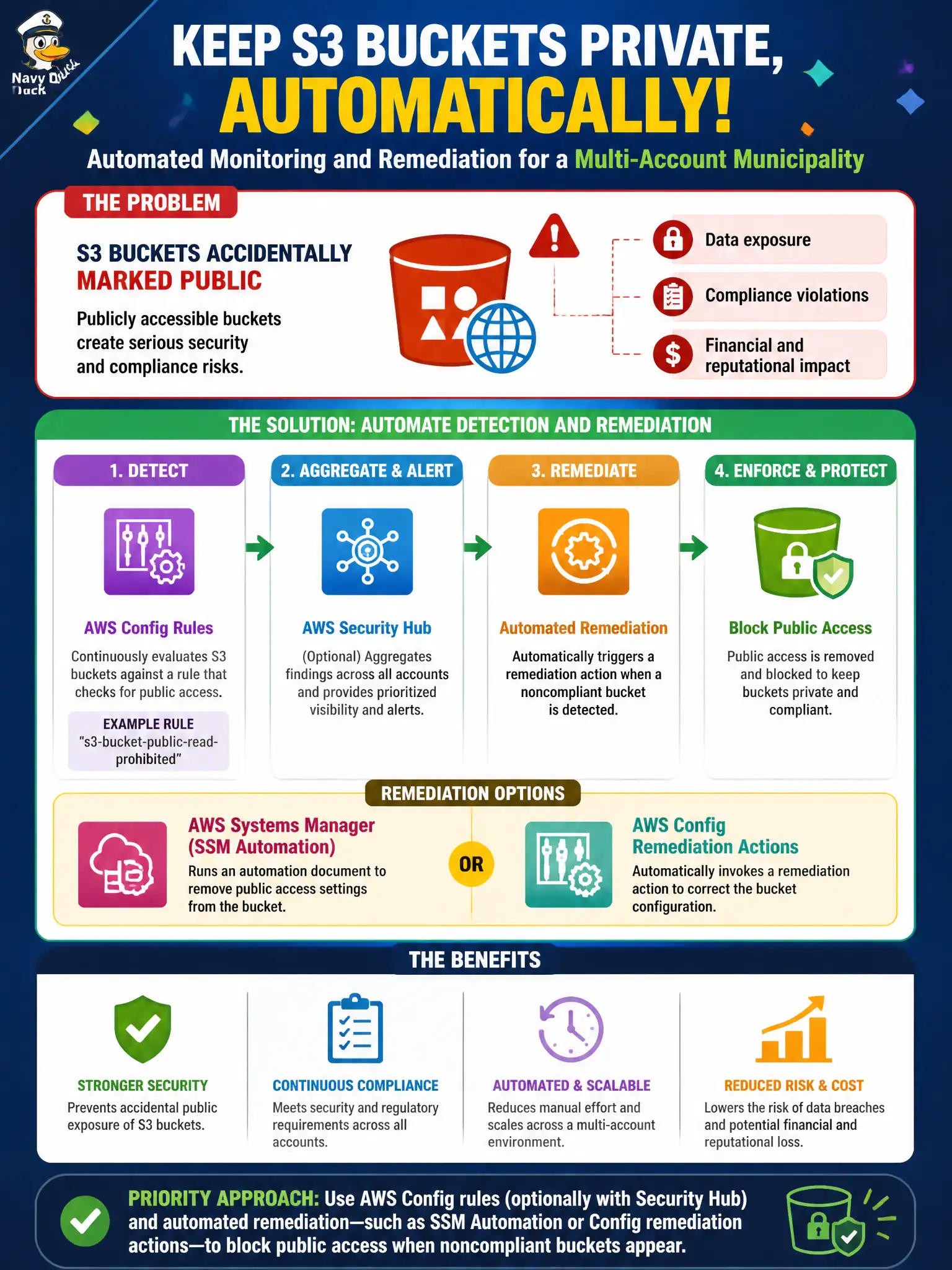
Public buckets show up like unlocked file cabinets in the lobby—Config is the guard that notices and relocks them. Pair detection with auto-remediation so the fix does not wait for somebody's Monday. Manual screenshot hunts do not scale across municipal accounts.
Full Explanation
Multi-account municipalities that repeatedly discover S3 buckets accidentally marked public need automated detection and remediation, not weekly screenshots. AWS Config rules—optionally with Security Hub—plus automated remediation such as SSM Automation or Config remediation actions can block public access when noncompliant buckets appear. That approach works because public exposure windows shrink from human review cycles to near-real-time policy enforcement across accounts. Relying on weekly manual console screenshots of each account’s S3 page fails by leaving days of potential exposure between checks. Granting all developers s3:PutBucketAcl so they can “quickly fix” public settings without guardrails fails conceptually by expanding who can make buckets public. Turning off Block Public Access org-wide to simplify onboarding fails as removing a primary preventive control for civic data. Exam caveat: auto-remediation must avoid breaking intentionally public open-data buckets—scope rules with tags or OU exceptions and require documented public-data approvals. Operational check: enable a restricted-public-buckets Config rule org-wide, attach remediation that reapplies Block Public Access, test on a disposable nonprod bucket, and measure time-to-remediate for the next accidental public ACL.