
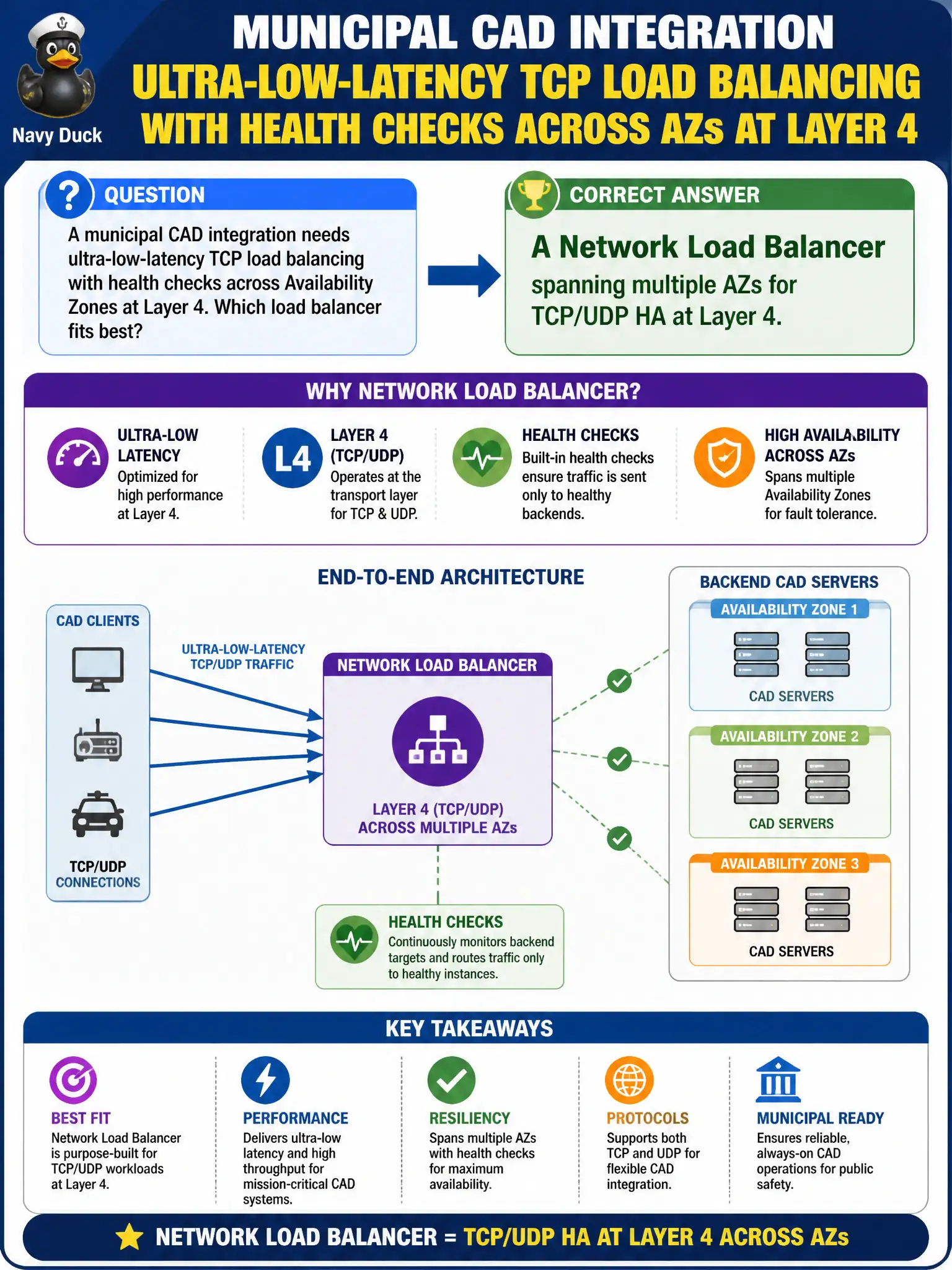
A municipal CAD integration needs ultra-low-latency TCP load balancing with health checks across Availability Zones at Layer 4. Which load balancer fits best?
Select an answer to reveal the explanation.
Short Explanation
When you need speed at Layer 4, reach for the Network Load Balancer—it is built for TCP/UDP and multi-AZ health checks without HTTP baggage. CloudFront and ALB shine elsewhere. Match the balancer to the protocol.
Full Explanation
A municipal CAD integration that needs ultra-low-latency TCP load balancing with health checks across Availability Zones at Layer 4 maps directly to a Network Load Balancer spanning multiple AZs. NLB is designed for TCP and UDP at Layer 4 with very low latency, target health checks, and multi-AZ high availability—matching CAD-style binary protocols that should not be forced through HTTP-centric Layer 7 features.
A Classic Load Balancer configured only for HTTP host-based routing rules fails the requirement because host-based HTTP routing is a Layer 7 concern and Classic is not the modern L4 HA choice for this pattern. CloudFront as the only listener for raw TCP health-checked backends fails because CloudFront is an HTTP/HTTPS content delivery network, not a general TCP L4 load balancer for CAD backends. An Application Load Balancer forced into TCP passthrough without HTTP features fails conceptually: ALB is the Layer 7 HTTP/HTTPS balancer; stretching it to pretend to be NLB misunderstands the service boundary.
Exam caveat: NLB does not replace need for Multi-AZ healthy targets—empty AZs still mean incomplete HA. Operational check: deploy NLB across at least two AZs, register CAD targets in each AZ, validate health-check failures remove bad nodes, and measure latency against municipal CAD SLAs.