
Finance notices rising data-transfer charges and suspects unnecessary cross-Region replication in a parks account. Which approach best finds that waste?
Select an answer to reveal the explanation.
Short Explanation
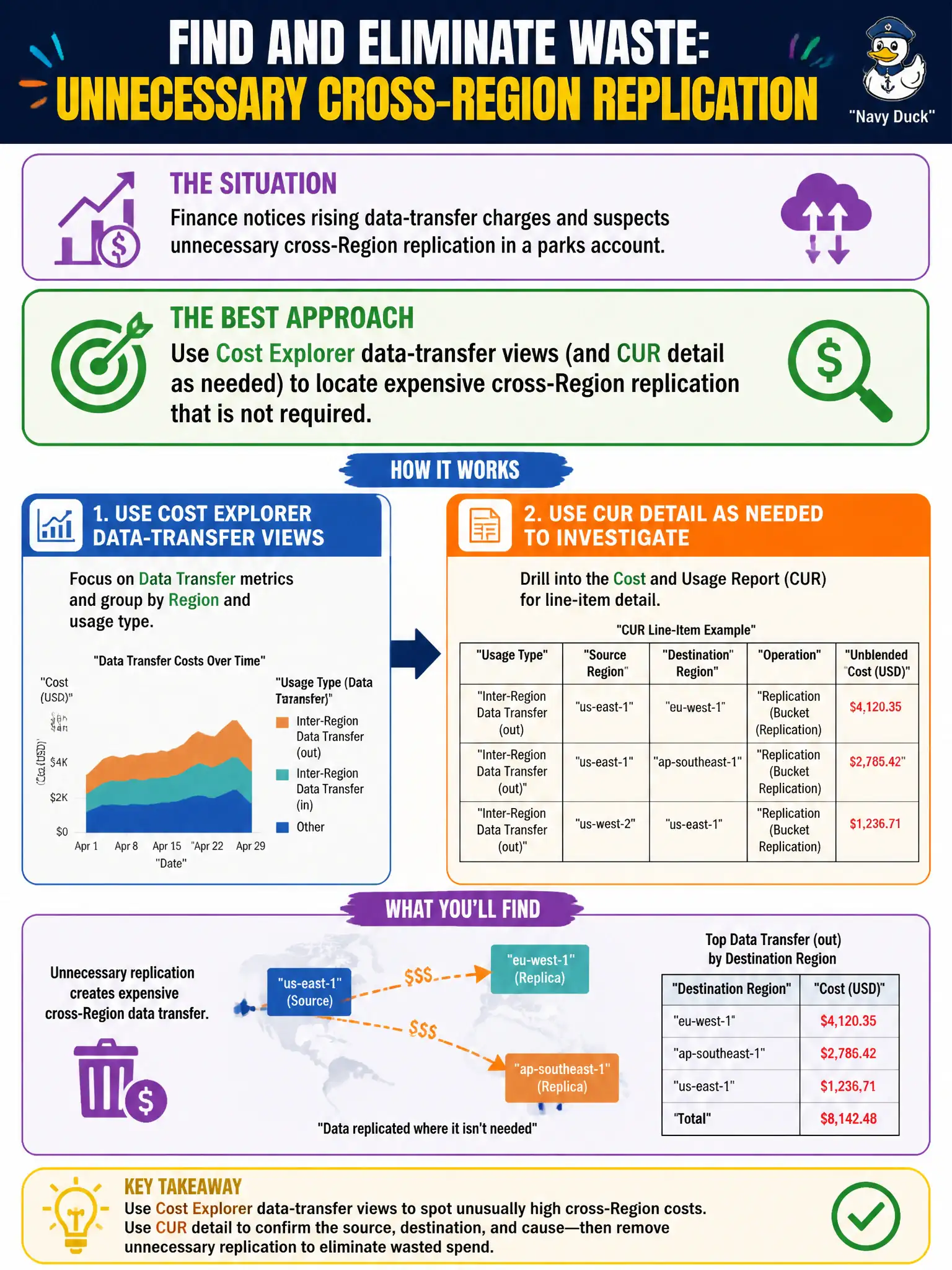
Follow the money trail. Cost Explorer's data-transfer views show which cross-Region copies are burning cash so you can turn off the ones you do not need.
Full Explanation
Rising data-transfer charges in a parks account often hide unnecessary cross-Region replication—AMI copies, RDS/Aurora replicas, S3 Cross-Region Replication, or DynamoDB global tables that nobody still needs. Using Cost Explorer data-transfer views (filtered by usage type prefixes and services) and, when needed, the Cost and Usage Report for line-item detail lets FinOps and architects locate expensive cross-Region flows, map them to owners, and turn off non-required replication. Visibility precedes deletion; guessing without data wastes time.
Deleting Cost Explorer access so anomalies cannot be investigated fails by concept: you remove the diagnostic tool. Assuming all replication is free inside AWS ignores documented transfer pricing. Enabling every possible cross-Region replica first, then looking for savings later, increases the waste you are trying to find.
Exam caveat: some cross-Region replication is required for DR or multi-Region citizen services—Cost Explorer finds candidates; architecture and compliance decide what stays. Distinguish same-Region AZ transfer from inter-Region transfer when reading usage types.
Operational check: open Cost Explorer, group by usage type / service for data transfer, identify top cross-Region line items in the parks account, trace to specific replicas or CRR rules, confirm business owners, disable unneeded replication, and verify the transfer spend trend declines over the next billing cycle.