
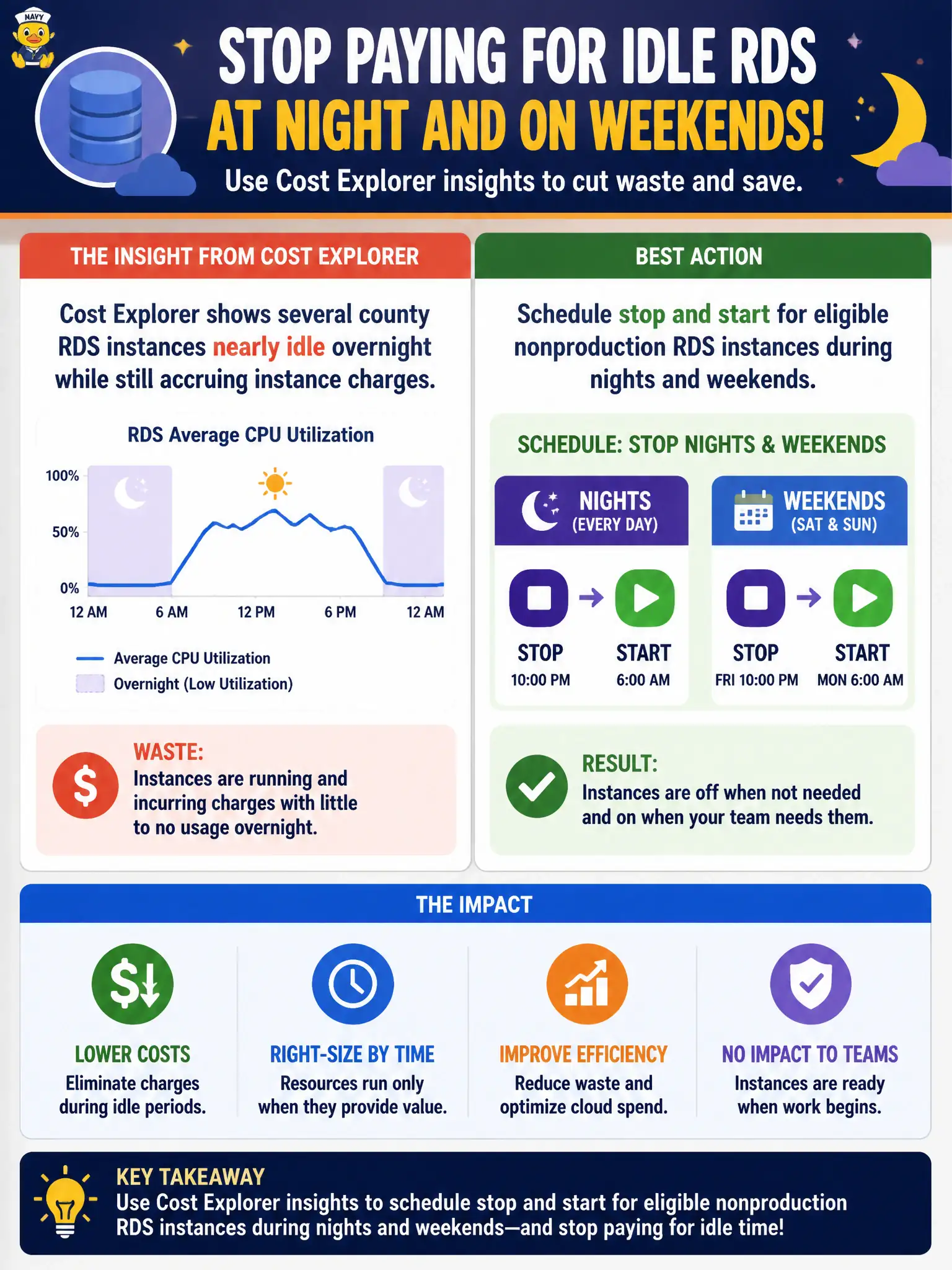
Cost Explorer shows several county RDS instances nearly idle overnight while still accruing instance charges. Which action best reduces that waste?
Select an answer to reveal the explanation.
Short Explanation
If Cost Explorer shows the database sleeping on the clock, put it to bed. Stop and start nonprod RDS on a schedule instead of paying for empty nights.
Full Explanation
When Cost Explorer shows county RDS instances nearly idle overnight yet still accruing instance charges, the waste is paid capacity with no workload. For eligible nonproduction databases—dev, test, training sandboxes for clerks—scheduling stop and start during nights and weekends cuts instance hours while preserving snapshots and configuration. Instances can be started before staff arrive so morning testing is not blocked. This is a direct response to the idle signal Cost Explorer surfaces, rather than ignoring FinOps data.
Ignoring Cost Explorer and doubling every instance class fails by concept: larger idle instances cost more for the same unused hours. Converting idle instances to Snowball Edge devices in office closets confuses a physical data-migration appliance with a relational database platform. Enabling cross-AZ chatter so utilization metrics look busier fabricates load, wastes data-transfer spend, and does not reduce the underlying idle capacity bill.
Exam caveat: production databases with continuous citizen or overnight batch needs generally should not be stopped; stop/start applies to eligible nonproduction (and some optional reporting) instances. Also note storage charges may continue while an RDS instance is stopped, so the savings are primarily instance hours.
Operational check: tag nonprod RDS resources, use Instance Scheduler or EventBridge plus Lambda/Systems Manager to stop after business hours and start before the workday, verify CloudWatch CPUUtilization stays near floor overnight before automation, and re-check Cost Explorer RDS instance-hours the following month for the township account.