
A clinic allows a build tool for two weeks on three compile servers after a false positive. The change names an owner and an end date. Which exception matches that request?
Select an answer to reveal the explanation.
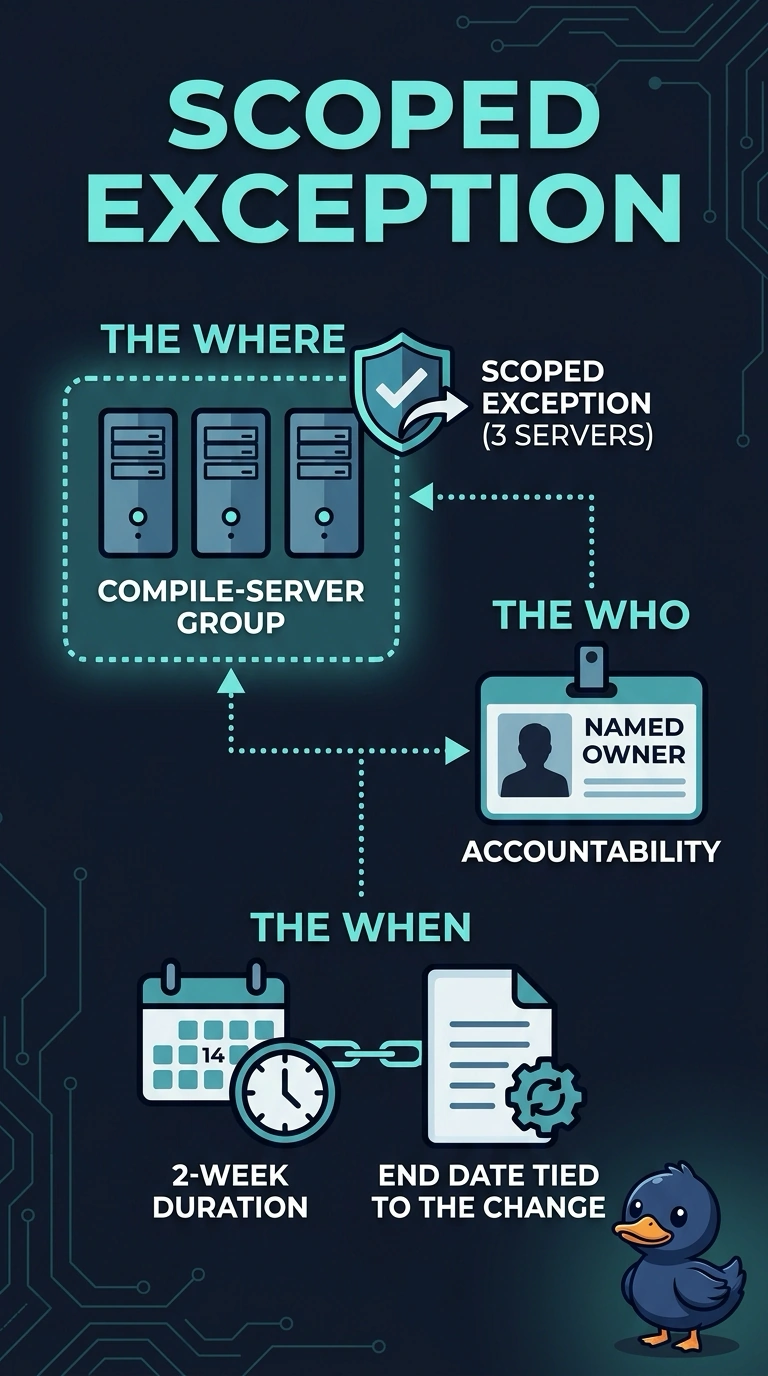
Short Explanation
Think of a global exception as propping every door open because one closet stuck. You named three compile servers, an owner, and an end date, so the carve-out belongs on that group and should end with the change. Switching the prevention profile off for the whole clinic drops the control on machines that were never part of the false positive.
Full Explanation
Exceptions are how you carve a false positive out of prevention, and a scoped exception stays on the endpoint group that actually needs it. This change names three compile servers, an owner, and an end date, so the exception should sit on the compile-server group and leave the process with that owner and that end date. A global exception applies the same allow on every endpoint the broader scope covers, so the next incident can use the build tool on machines that were never in the ticket. Editing the prevention profile to turn the blocking control off for the whole clinic is a policy change, not a temporary carve-out, and it removes the control from hosts that did not raise the false positive. An extension profile adds capability to an endpoint. It does not record a time-bounded exception for a tool the prevention profile blocked. Record the owner and review/removal deadline in the change record. Use automatic expiry only if the selected endpoint exception type supports it; otherwise schedule and verify removal. Do not confuse a ticket review date with an enforced product expiry. Operational check: open the exception, confirm the endpoint group is the compile servers, confirm the owner matches the change, and confirm the end date matches the two-week window before the tool is allowed to run.