
A research lab already onboarded the AWS account that happens to run its Databricks workspaces. Databricks data/security context still does not show up as a data source. What onboarding is still required?
Select an answer to reveal the explanation.
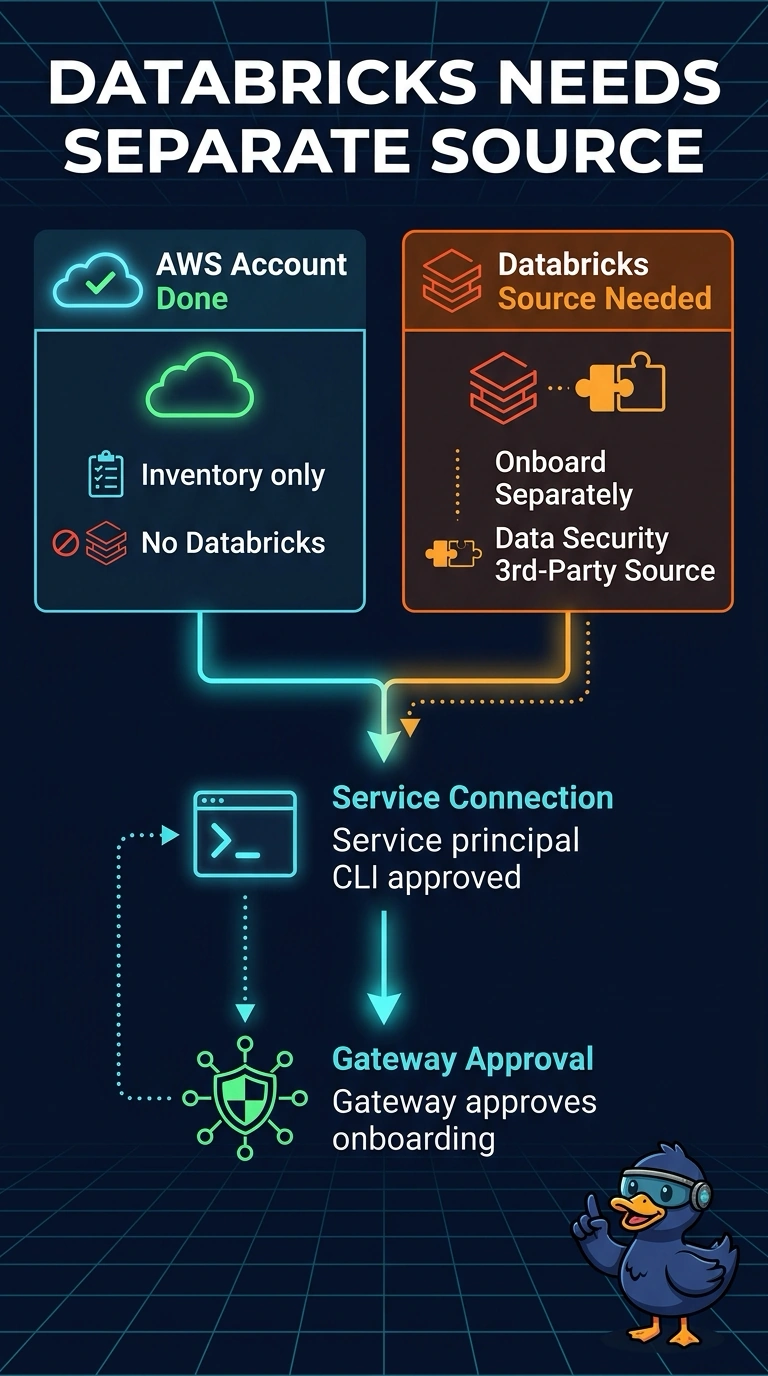
Short Explanation
Think of the AWS account as the building permit and Databricks as the lab inside it. You've onboarded the building, but you still need to onboard Databricks as a Data Security third-party data source to see its data/security context. Turning on every AWS capability won't make the workspace appear.
Full Explanation
Onboard Databricks as a Data Security third-party data source, separately from AWS account onboarding, to bring in Databricks data/security context. The account stack inventories the cloud account; it does not automatically connect the Databricks platform or make its data/security context visible. A second AWS account stack, even with every cloud capability toggle turned on, repeats account onboarding rather than creating the Databricks source. A Kubernetes connector evaluates cluster kind, metadata, and spec; placing one inside the Databricks control plane does not bring in Databricks data/security context. A GitHub OAuth app connects a development system for application pipelines, but notebooks stored in object storage are not automatically a GitHub integration, and GitHub OAuth would not inventory Databricks data/security context. Use the documented Databricks service-principal/CLI connection and Gateway approval. An AWS inventory connector does not replace this Databricks onboarding. Practical check: confirm that a Databricks source exists alongside the AWS account and that data/security findings reference the workspaces, not just the account inventory.