
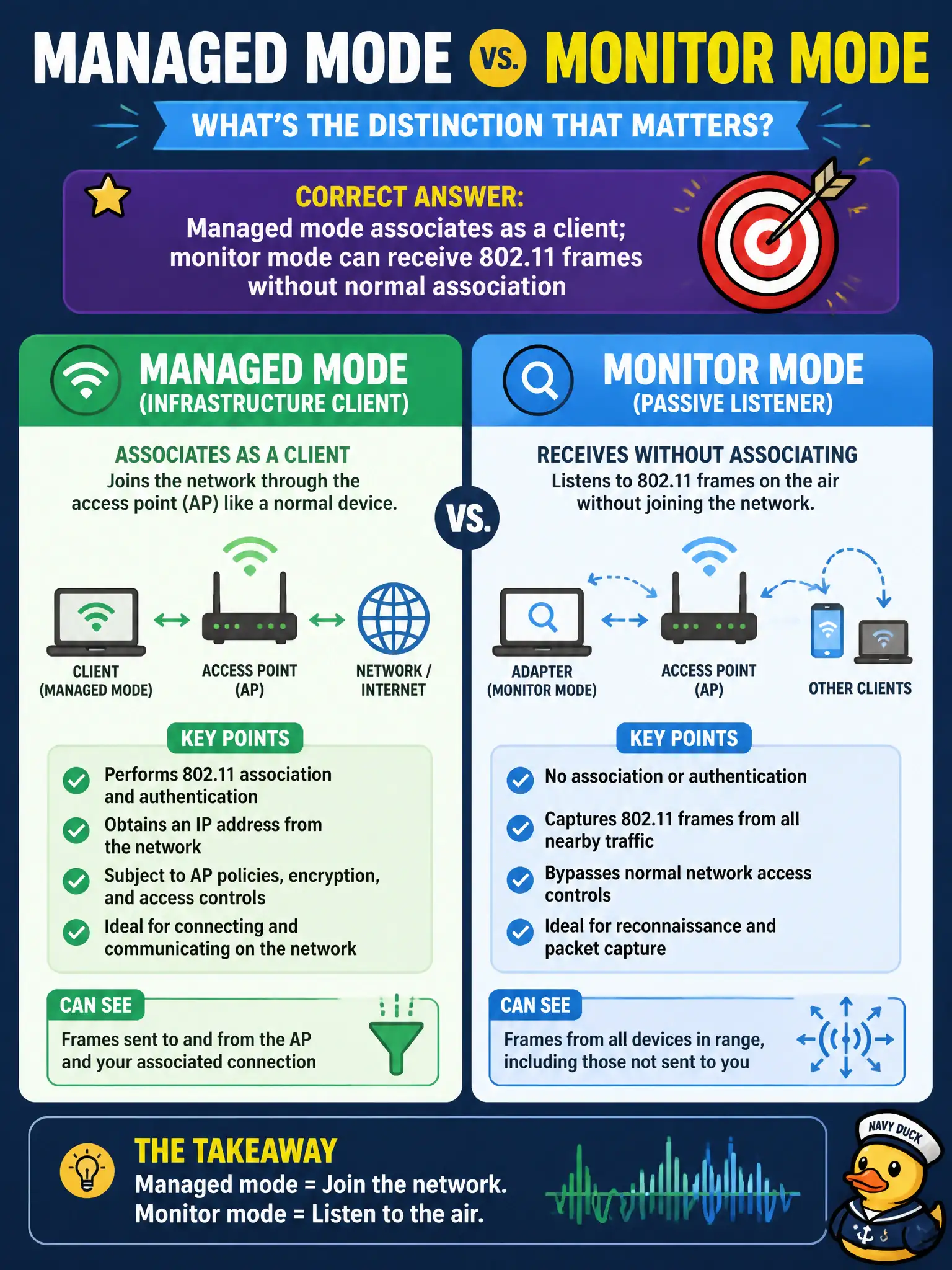
A technician confuses managed mode with monitor mode during an authorized capture attempt on a county engagement. What distinction matters?
Select an answer to reveal the explanation.
Short Explanation
Managed mode is joining Wi-Fi like a normal laptop citizen. Monitor mode is sitting in the bleachers watching frames without buying a ticket to associate. Mix them up and your 'capture' is just another client session.
Full Explanation
Managed (station) mode associates the interface as a client to an SSID/BSSID. Monitor mode configures the radio to receive 802.11 frames—often with radiotap metadata—without normal association semantics, which is what authorized captures usually need. Technicians on a county engagement must pick monitor mode for passive/active wireless assessment collection rather than expecting managed mode to show full Layer-2 frames from foreign BSS traffic. Saying managed mode only transmits deauthentication while monitor mode only associates reverses typical roles. Claiming monitor mode requires an Enterprise RADIUS ticket before radiotap headers appear invents an AAA prerequisite. Asserting managed and monitor modes are identical once regulatory domain is world roaming is false. Exam caveat: You generally cannot associate as a client and do full monitor workflows on the same logical interface state without mode changes. Operational check: Show iw/airmon mode state before capture, switch to monitor, verify foreign BSS beacons appear, then restore managed mode after the authorized window. In civic WLAN stewardship, keep authorization boundaries explicit, prefer the least disruptive technique class allowed by RoE, and record BSSID, channel, band, and security mode beside every conclusion so another assessor can reproduce the observation.