
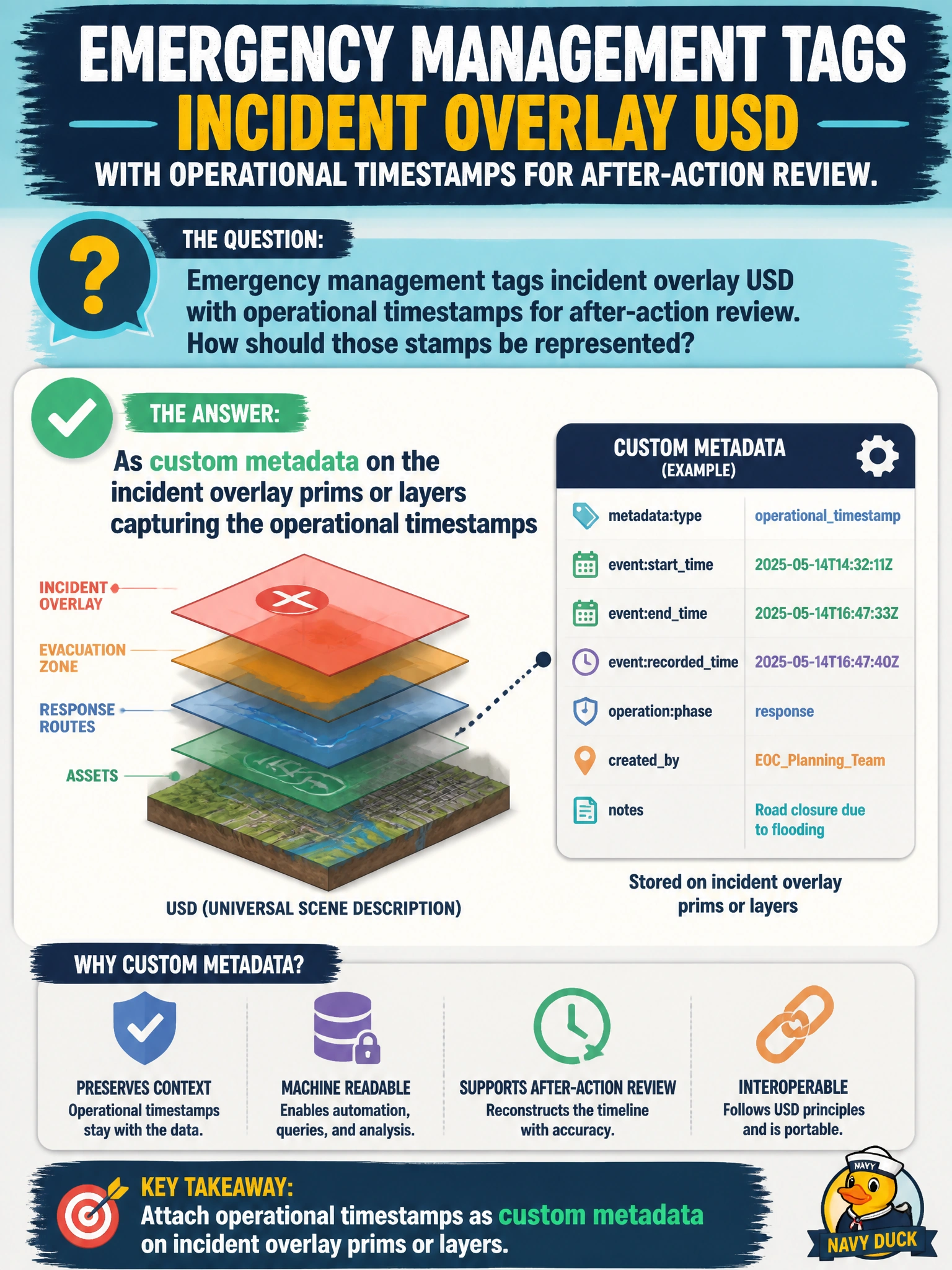
Emergency management tags incident overlay USD with operational timestamps for after-action review. How should those stamps be represented?
Select an answer to reveal the explanation.
Short Explanation
Incident timestamps are operational context—custom metadata is the right shelf. Do not turn mesh points into a clock or overload metersPerUnit. Keep the twin's time notes where metadata belongs.
Full Explanation
Emergency-management incident overlay USD needs operational timestamps for after-action review. Those stamps should be represented as custom metadata on the incident overlay prims or layers, capturing when the overlay was valid or published without turning geometry into a clock. Custom metadata keeps temporal operational context alongside the overlay while leaving mesh points, stage units, and properties free for their real roles.
Using timestamps as substitutes for mesh points so geometry becomes the clock destroys spatial fidelity and invents a non-standard encoding. Storing stamps as the only samples in metersPerUnit overloads stage unit metadata that must remain a linear scale contract. Relying on deleted properties recovered from memory later is not durable authorship and will not survive cold storage or cross-site handoff.
Exam caveat: if you also animate overlay attributes over time, use timeSamples for those attribute values; use custom metadata for operational/audit timestamps about the package itself. Do not confuse stage timeCode with wall-clock incident time unless the pipeline documents that mapping.
Operational check: author operational timestamps in custom metadata on an incident overlay, generate an after-action extract, compose historical overlays by timestamp filters, and verify metersPerUnit and mesh points remain physically correct after metadata edits.