
School-district IT’s custom CUDA preprocess kernel is slow. Nsight Compute shows low SM occupancy. What next?
Select an answer to reveal the explanation.
Short Explanation
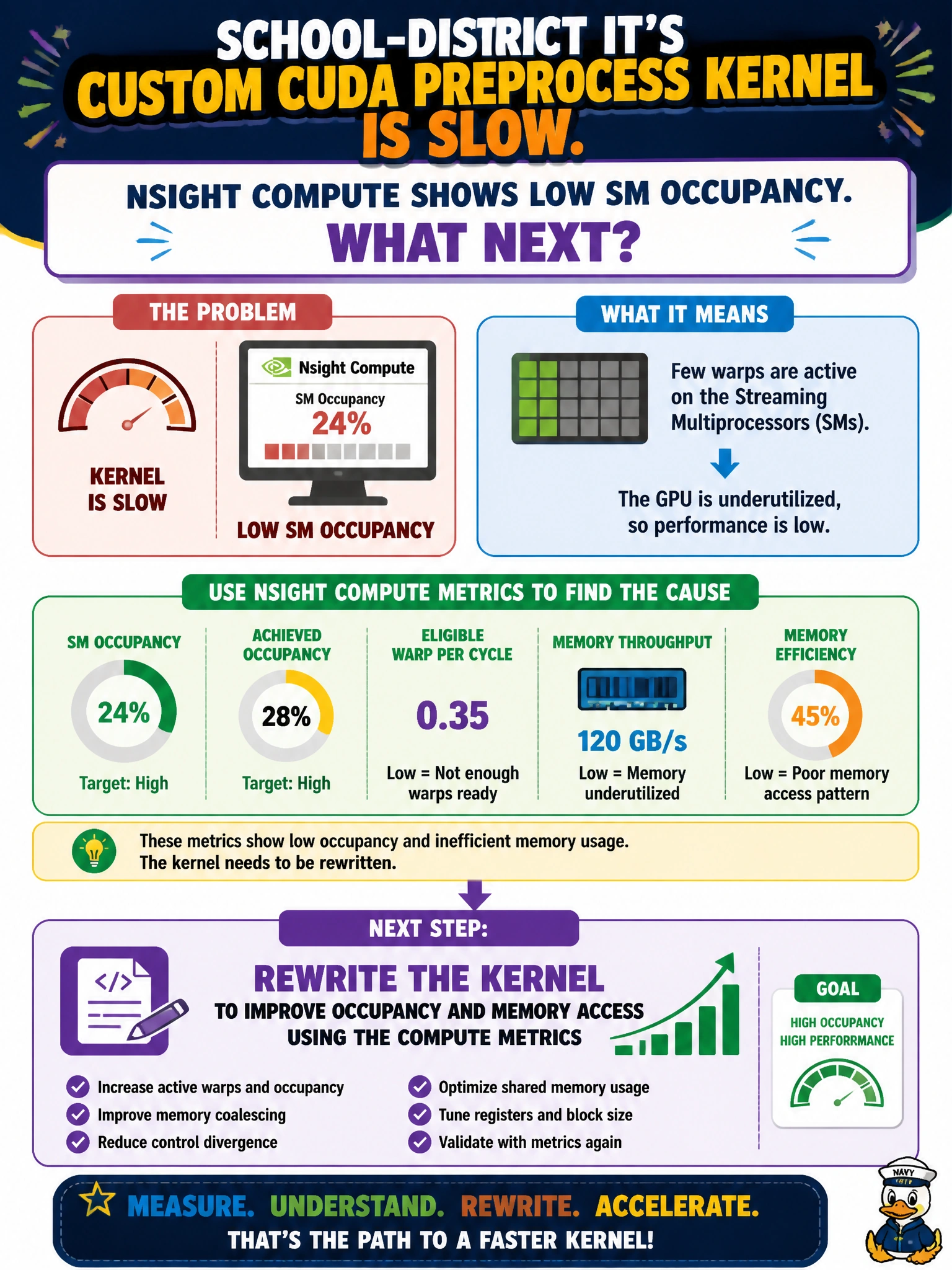
Low SM occupancy means the preprocess kernel is barely putting the classroom GPUs to work. Use the Compute metrics as a rewrite checklist—fix more seats in the theater—before blaming the hardware.
Full Explanation
School-district IT’s custom CUDA preprocess kernel that Nsight Compute shows running at low SM occupancy is underusing the GPU: too few active warps, poor memory coalescing, or launch configurations that leave SMs idle. The correct next step is to rewrite the kernel—adjusting block size, occupancy-oriented register/shared-memory tradeoffs, and memory access patterns—using those Compute metrics as the checklist until occupancy and throughput rise. Assuming the GPU is defective and retiring the node without rewriting the kernel discards hardware that profiling has already shown is simply poorly utilized. Increasing host-side sleeps between launches cannot raise true SM occupancy during kernel execution and only slows the preprocess pipeline further. Deleting Nsight Compute so low occupancy cannot be reported removes evidence without fixing the classroom data path. Exam caveat: occupancy is necessary but not sufficient—once occupancy is healthy, memory throughput and instruction mix still decide whether the preprocess stage meets district batch SLAs. Operational check: after the rewrite, re-run Nsight Compute on the same input sizes used in school ETL, confirm higher achieved occupancy and improved GB/s or kernel duration, then ensure end-to-end preprocess wall time for a typical district batch improves without changing numerical checksums on outputs.