
Clerk GPU jobs raise microbatch until memory spikes. What tuning restores steadier throughput?
Select an answer to reveal the explanation.
Short Explanation
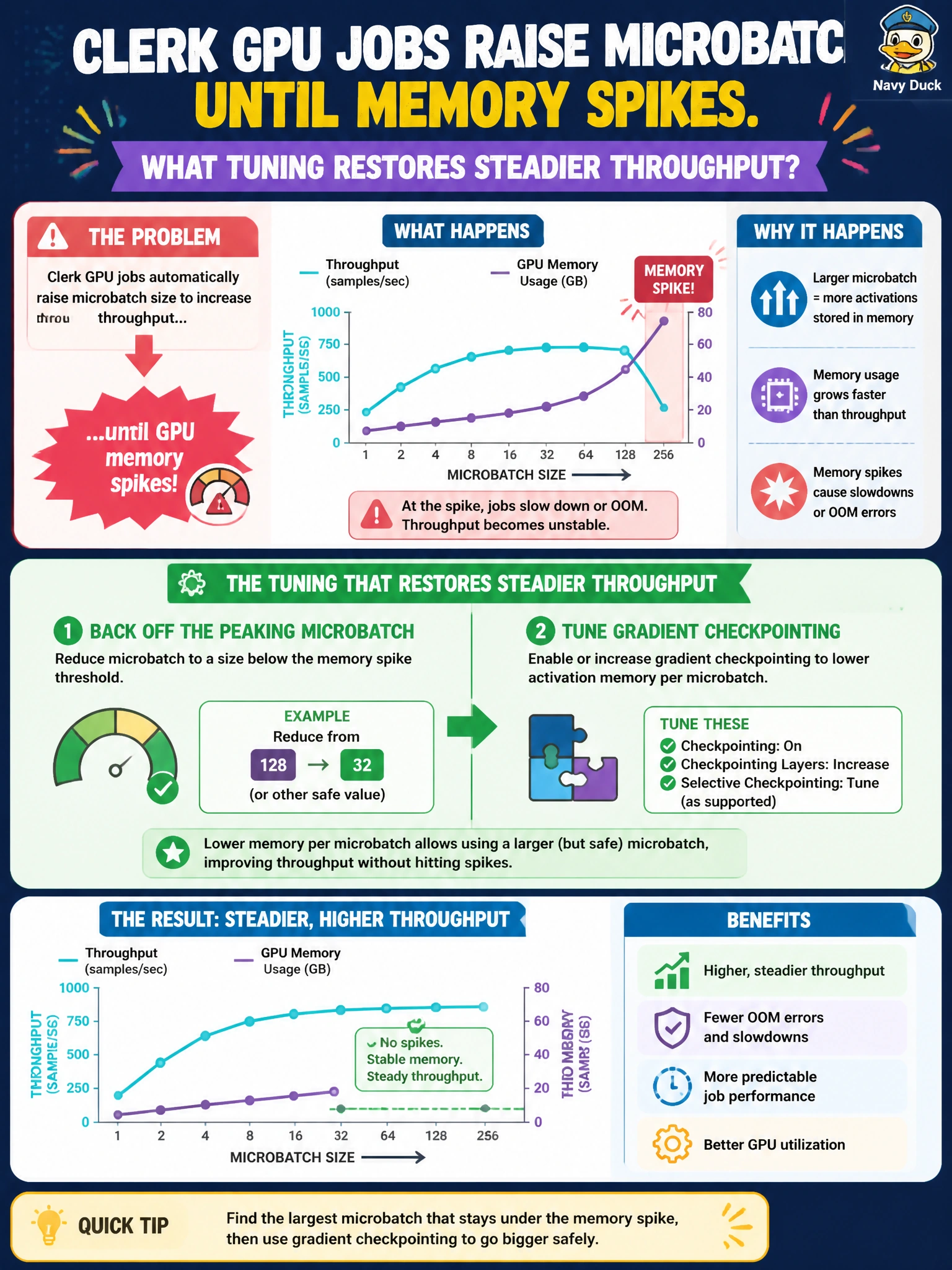
Crank the clerk microbatch until memory yelps, then ease off and turn on gradient checkpointing so throughput settles. Rebooting the node is not a tuning strategy.
Full Explanation
Clerk GPU jobs that raise microbatch until memory spikes restore steadier throughput by backing off the peaking microbatch and tuning gradient (activation) checkpointing: smaller peak activations plus selective recompute free memory and stabilize step time without chasing OOM crashes. The paired knobs—microbatch down, checkpointing on—are how municipal GPU efficiency is recovered after an aggressive batch sweep. Keeping increasing microbatch until the node reboots is not tuning; it is a crash loop that destroys job progress, wastes cluster quota, and frustrates clerk-office SLAs. Disabling all checkpointing and storing every activation forever maximizes memory footprint and worsens the spike that already appeared. Moving the entire clerk model to a single CPU thread escapes the GPU memory cliff only by sacrificing throughput to an impractical degree for production municipal training. Exam caveat: microbatch size and activation checkpointing are coupled—raise batch for efficiency, but when memory spikes, reduce batch and enable checkpointing rather than unbounded growth. Operational check: find the largest stable microbatch under checkpointing on the clerk workload, measure tokens/sec and peak allocated memory, ensure job completion without OOMs across a full epoch, and document the chosen microbatch and checkpoint settings in the runbook for the next on-call team.