
City platform admins run weekly Kubernetes GPU health checks. What should those checks include?
Select an answer to reveal the explanation.
Short Explanation
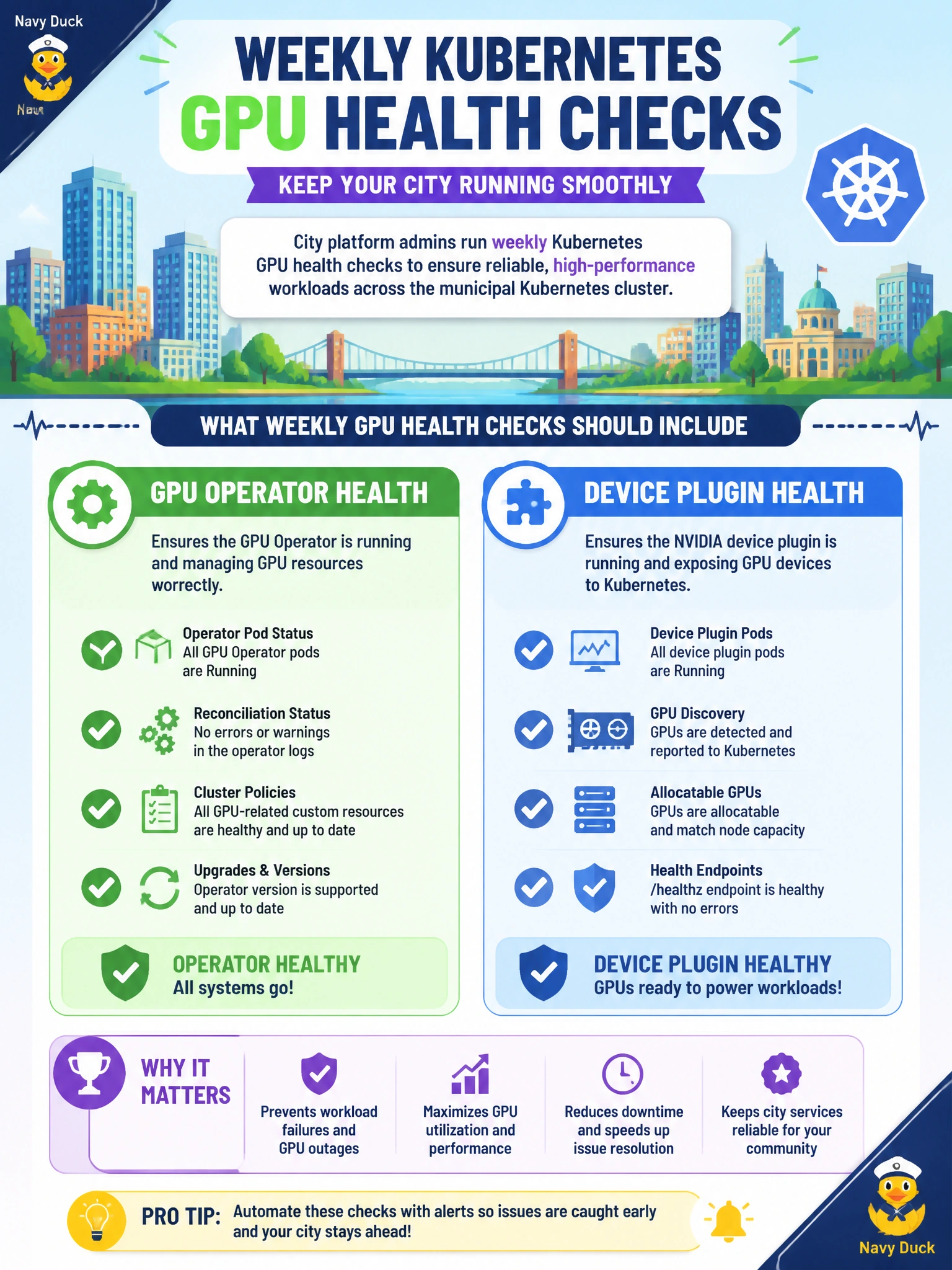
Weekly platform checks should eyeball GPU Operator and device plugin health—those are what make K8s see GPUs. Cafeteria menus don’t count. Deleting or disabling those components is the opposite of admin hygiene.
Full Explanation
Weekly Kubernetes GPU health checks for city platform admins should include GPU Operator and device plugin health—the components that advertise GPU resources, install drivers/toolkits as designed, and make municipal workloads schedulable onto accelerators. Verifying operator pods, device plugin DaemonSets, and node allocatable GPU counts catches silent capacity loss early. Checking only cafeteria menu updates exercises nothing in the AI platform. Deleting the device plugin weekly as 'hygiene' removes GPU advertisement and breaks scheduling. Disabling the GPU Operator so nodes never advertise GPUs intentionally destroys accelerator capacity. Exam caveat: healthy operator/plugin does not prove application SLOs—still sample nvidia-smi/DCGM and a canary GPU pod, but the stem's admin focus is operator/plugin health first. Operational check: each week inspect GPU Operator and device plugin status, compare node allocatable nvidia.com/gpu (or equivalent) to inventory, run a canary GPU pod, and alert if plugins are CrashLooping or GPUs disappear from the civic cluster. Extend the weekly checklist to confirm driver versions match the operator’s desired state, device plugin pods are Ready on every GPU node, and allocatable GPU counts match the municipal inventory CMDB. Platform health for Kubernetes GPUs is operator plus plugin plus inventory parity—not cafeteria tasks or deliberate deletion of those components.