
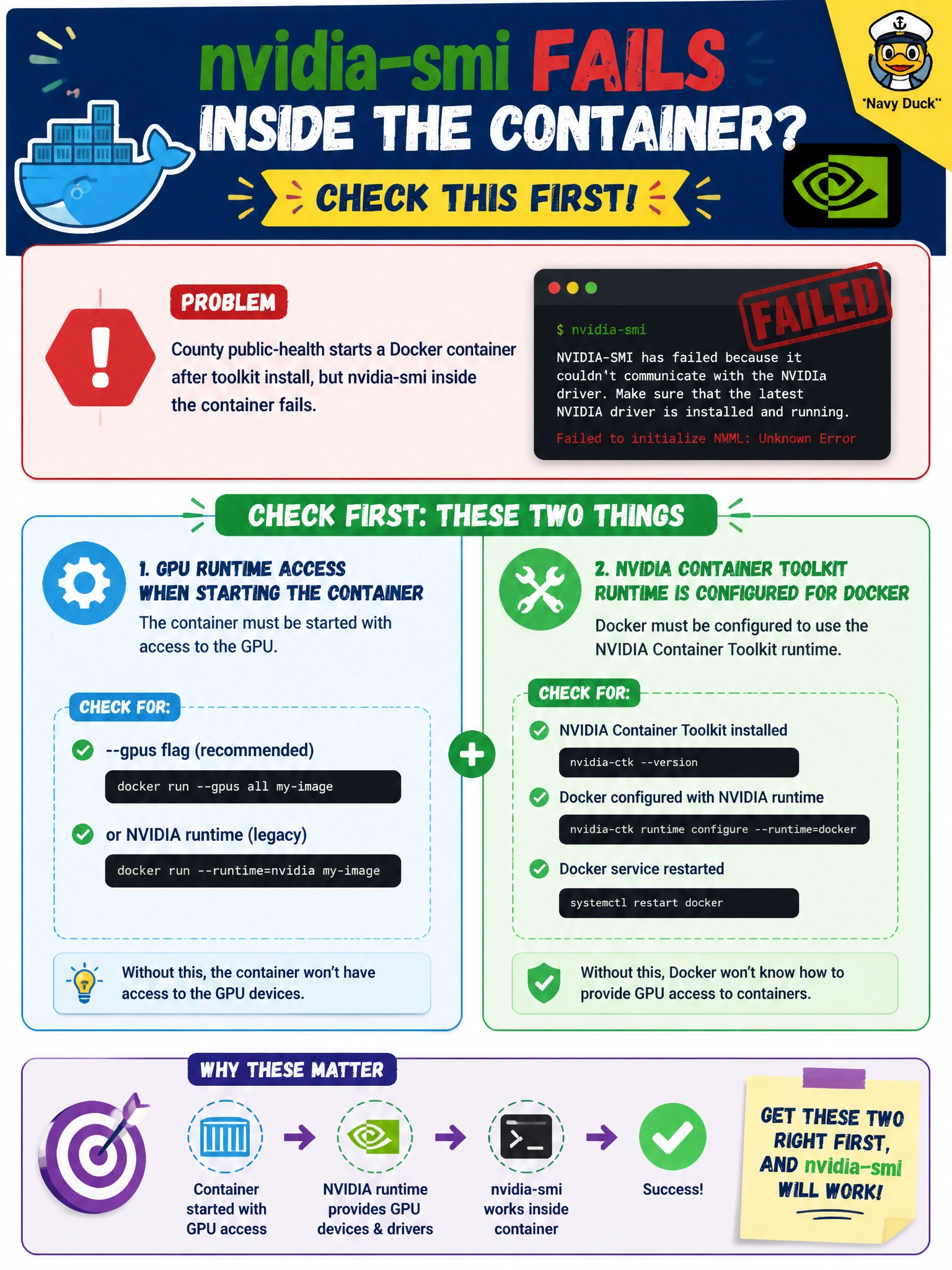
County public-health starts a Docker container after toolkit install, but nvidia-smi inside the container fails. What should operators check first?
Select an answer to reveal the explanation.
Short Explanation
If the container starts but cannot see GPUs, you’ll want to check GPU runtime access first—not whether outbound HTTPS to social-media sites is allowed. Confirm Docker is configured for the NVIDIA Container Toolkit runtime and that the container was started with GPU access.
Full Explanation
When county public-health starts a Docker container after installing the NVIDIA Container Toolkit and nvidia-smi fails inside it, first verify GPU runtime access: the container must be started with GPU access, and Docker must be configured to use the NVIDIA Container Toolkit runtime. Toolkit packages on disk do not automatically configure every container launch; missing runtime wiring is a common cause when the host can see GPUs but the container cannot. Checking whether county firewall rules allow outbound HTTPS to social-media sites fails by concept: in-container GPU enumeration is a local device and runtime issue, not outbound web filtering. Checking whether BCM HA heartbeats use the default interval also fails by concept because heartbeat timing does not control whether Docker exposes NVIDIA devices to a container. Checking whether MIG profiles were deleted from unrelated training nodes does not explain a local container that was not granted GPU access. Exam caveat: when host nvidia-smi works but in-container nvidia-smi fails, prioritize checking requested GPU access and Docker’s NVIDIA runtime configuration. Practical check: confirm the toolkit is installed, verify Docker’s runtime configuration, restart Docker if required, then relaunch the container with GPU access, such as --gpus all, and run nvidia-smi inside it.