
“Parcel not found” errors spike after a GIS change. How should ops find the root cause?
Select an answer to reveal the explanation.
Short Explanation
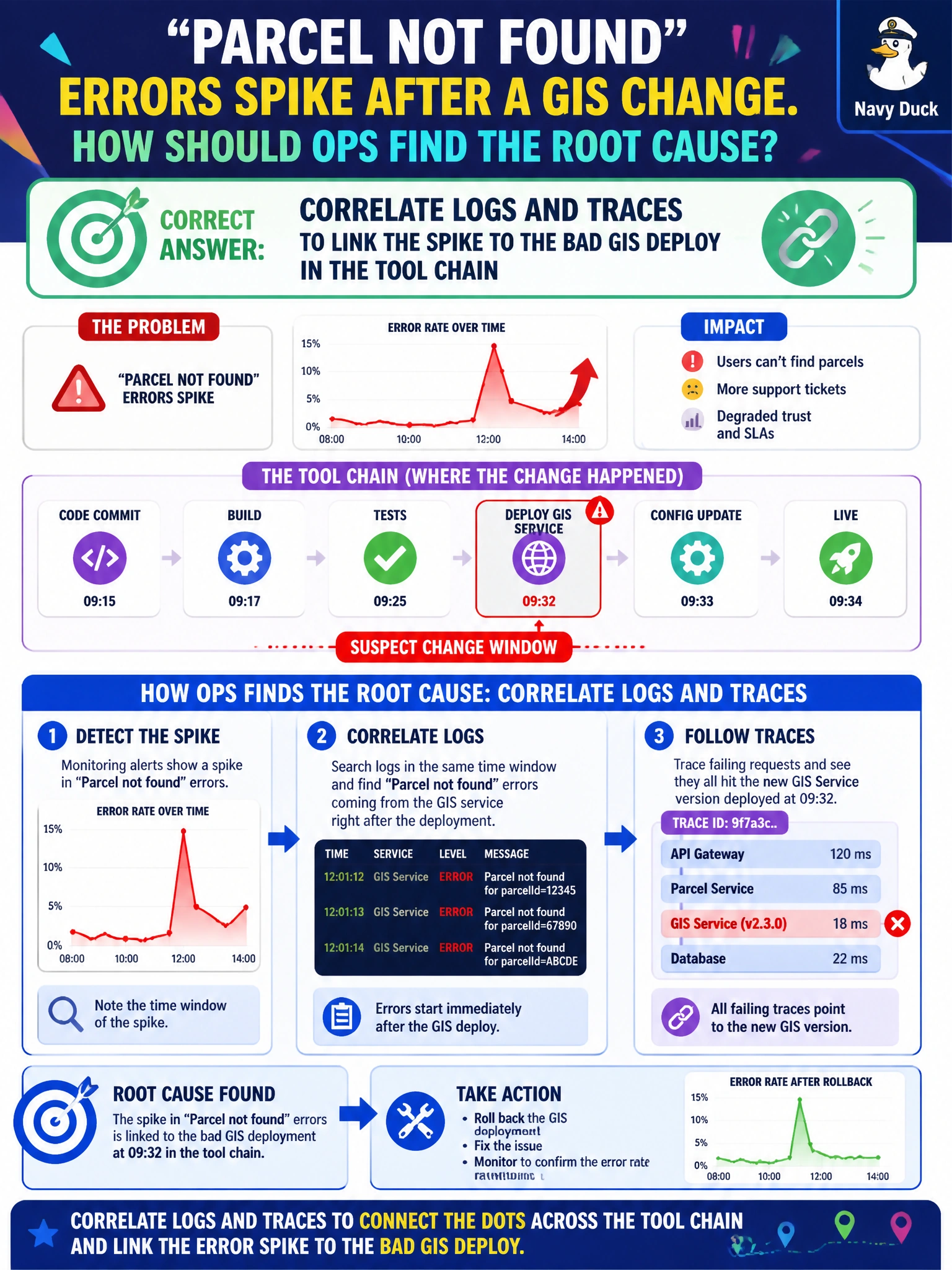
When “parcel not found” suddenly floods your dashboard, follow the breadcrumbs. Correlating logs and traces can link the spike to a bad GIS deploy, unlike scheduled restarts without investigation or blaming residents.
Full Explanation
When “parcel not found” errors spike after a GIS change, correlate logs and traces to link the spike to the bad GIS deploy in the tool chain. Errors, structured logs, and distributed traces can show which dependency shifted—in this case, a GIS deploy breaking parcel lookups—instead of treating the agent process as a black box. Restarting the agent on a schedule without checking logs or tracing the change may temporarily mask symptoms while leaving the bad GIS revision in place. Blaming residents for mistyping every parcel ID and closing the incident ignores a spike correlated with an internal deploy and can erode public trust. Deleting error logs to hide the anomaly from dashboards is willful blindness and destroys forensic evidence. Exam caveat: correlation is not complete remediation; after identifying the bad GIS deploy, follow change management to roll back or fix the GIS service, validate parcel golden IDs, and clear the incident only after validation—not merely after annotating a dashboard. Practical check: use trace IDs from failed parcel tool calls to follow requests to the GIS dependency, compare error rates before and after the deploy, confirm that rollback restores match rates, and add a parcel-lookup canary to the GIS release pipeline so a bad deploy fails closed.