
Your team must automate a weekly shutdown and startup of a set of AHV VMs in Prism Central. The workflow should be centralized, supported, and avoid custom scripts or node-level commands. Which approach should you use?
Select an answer to reveal the explanation.
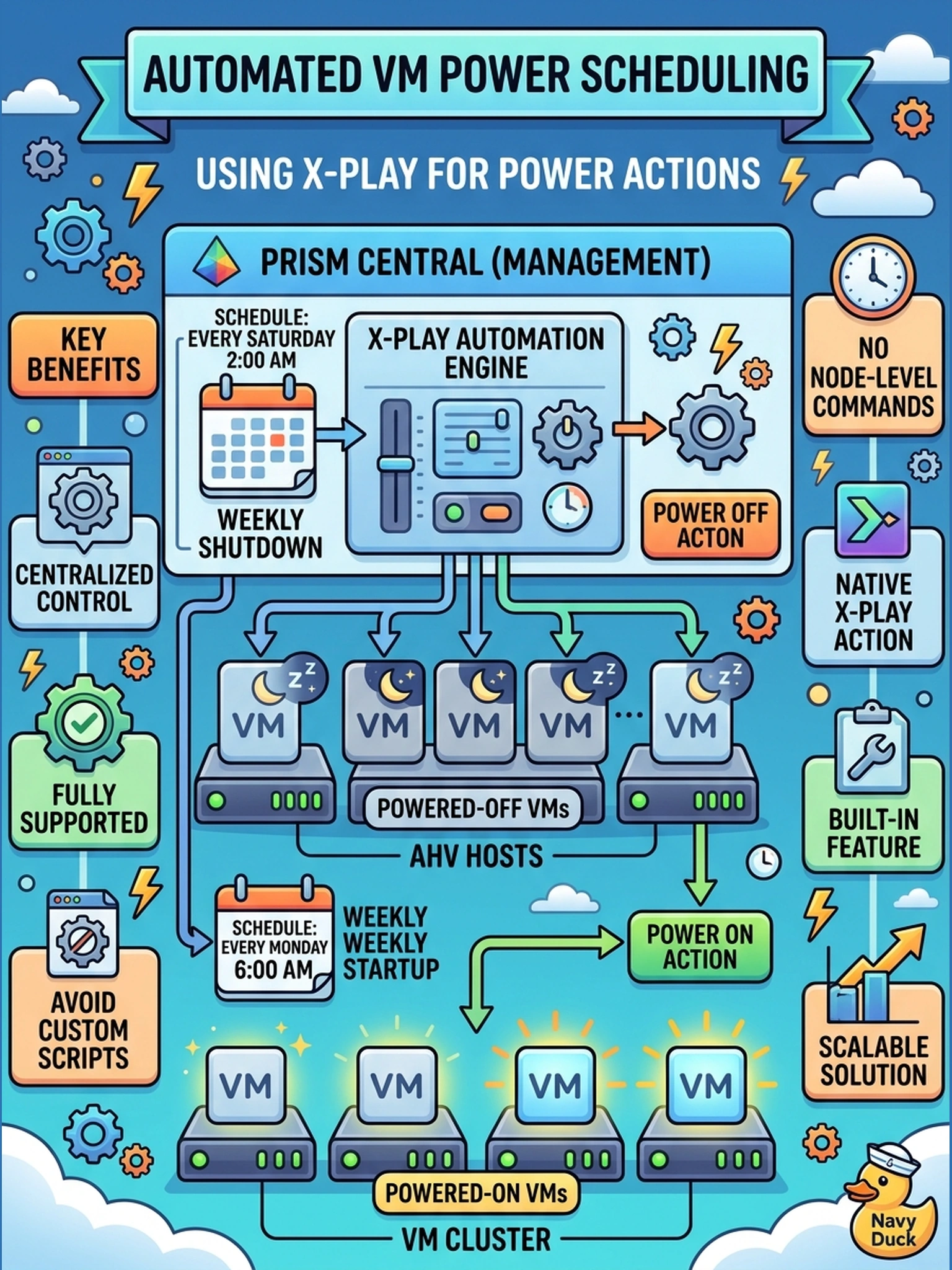
Short Explanation
Think of X-Play like a remote control for routine Nutanix tasks: if there's already a power button, you don't wire a new one. You use the built-in VM power action, not a custom script, CLI, or startup policy. The trap is automating the symptom instead of using the platform's native action.
Full Explanation
X-Play is designed to execute common Prism Central operations through predefined actions, so a routine VM power change should be modeled as a native power action attached to a trigger or schedule. This keeps the automation declarative, auditable, and supported because the action calls the same management path used by the Prism UI rather than requiring an administrator to maintain custom code. A custom REST API call is not the best choice because it duplicates a supported action, introduces authentication and error-handling overhead, and can drift from the intended Nutanix automation workflow. A CVM or ncli-based approach is also wrong because X-Play is the requested automation layer, and node-local CLI execution does not provide the same centralized playbook behavior or consistent cluster-wide control. Changing a VM startup policy is different from issuing a power action; startup policy affects behavior when the VM is started, not whether the automation turns it on or off now. Exam caveat: choose the built-in Prism/X-Play action when the requested task is a standard lifecycle operation, and reserve scripts or APIs for gaps not covered by native actions. Operational check: create a test X-Play with a VM power action and a limited trigger, then verify the VM state changes in Prism Central without manual intervention.