
An administrator must service an AHV host that currently runs production VMs. The VMs must remain available during maintenance, and no manual VM shutdowns are allowed. Which action should the administrator take first?
Select an answer to reveal the explanation.
Short Explanation
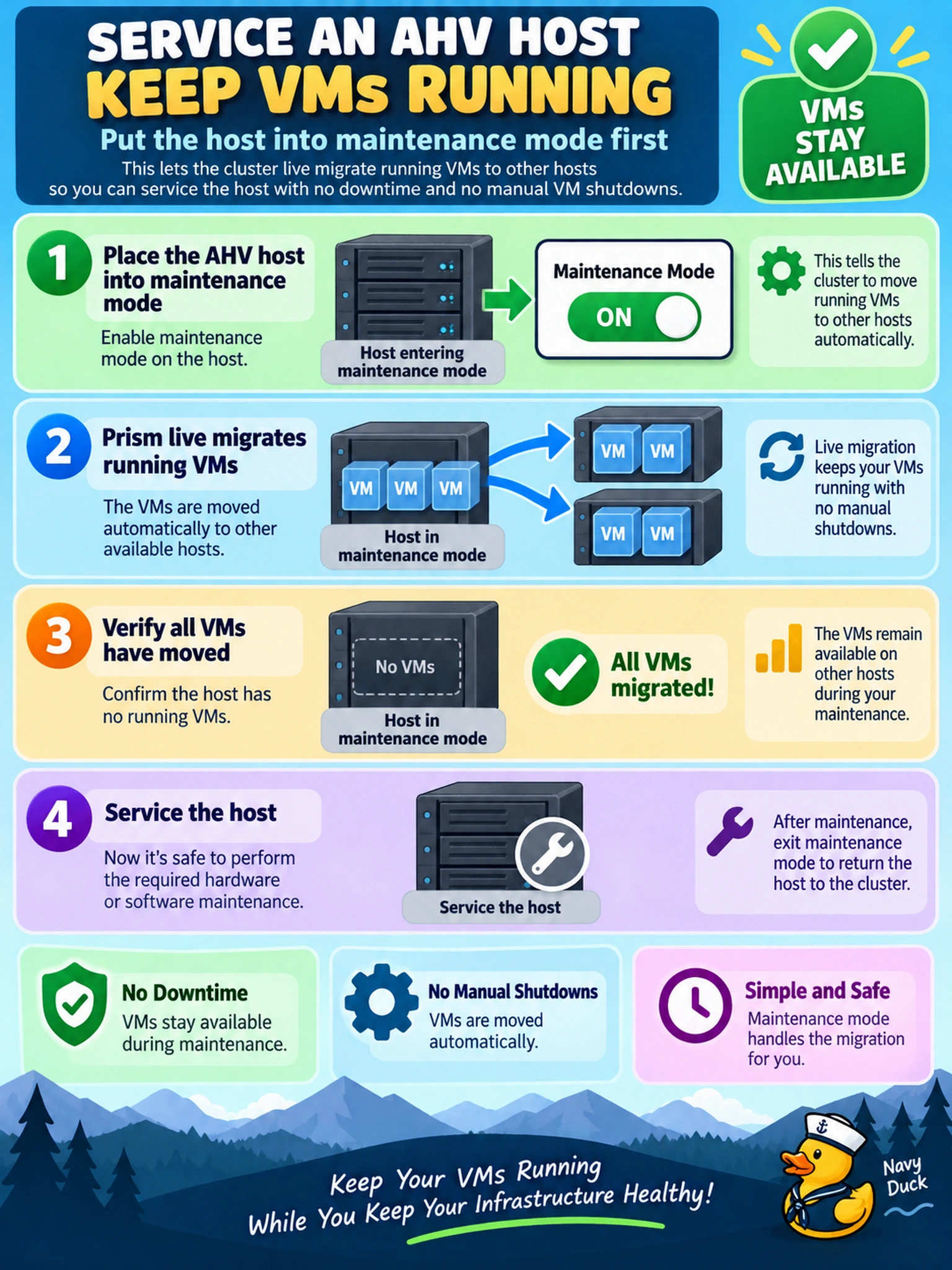
Think of maintenance mode like clearing a runway before a repair: you move the planes off first. In AHV, enabling maintenance mode tells Prism to live-migrate the running VMs to other hosts, so your workload stays up while you service the node. The trap is treating maintenance as a reboot or a placement tweak; neither gives you that controlled, no-downtime handoff.
Full Explanation
AHV host maintenance mode is the supported control-plane action for taking a hypervisor host out of normal operation while preserving running VM availability. When enabled, Prism Element coordinates live migration of VMs away from the host, allowing hardware or software servicing after the host no longer carries active workloads. This keeps availability intact because the migration is orchestrated by the platform rather than relying on manual VM state changes. A manual reboot after powering off VMs is incorrect because it creates planned downtime and violates the requirement to keep production VMs available. Flow isolation and pausing CVM services are wrong because they affect segmentation or storage services, not graceful VM evacuation, and can disrupt cluster services. Raising CPU reservations is incorrect because reservations influence resource allocation and scheduling priority, not an immediate, controlled evacuation of VMs from a specific host, and they cannot guarantee the host is drained before maintenance. Exam caveat: the exam expects you to choose the platform maintenance workflow for availability, not a networking, storage-service, or resource-reservation workaround. Operational check: before enabling maintenance mode, confirm the cluster has enough capacity for live migration and monitor Prism tasks until the host reports no running VMs.