
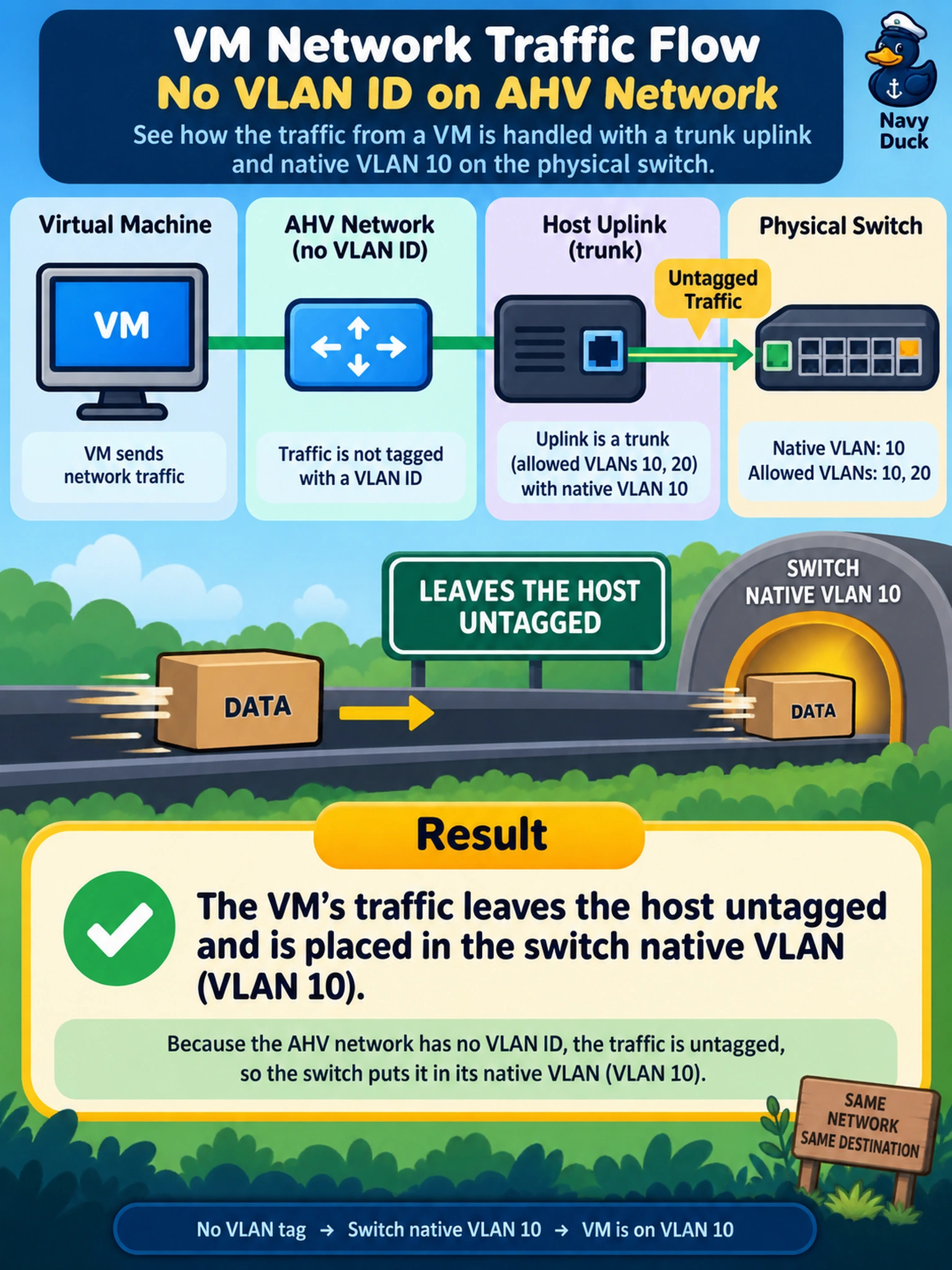
An administrator creates an AHV network in Prism with no VLAN ID and connects a VM to it. The host uplink is configured as a trunk on the physical switch with native VLAN 10 and allowed VLANs 10 and 20. What is the expected behavior of that VM's traffic?
Select an answer to reveal the explanation.
Short Explanation
Think of an untagged network like walking through a door with no name tag: the switch decides which room you belong to based on the native VLAN. If your AHV network has no VLAN ID, the frames leave without a tag, so don’t expect AHV to invent one for you. That’s why the physical native VLAN matters.
Full Explanation
When an AHV network is defined without a VLAN ID, the guest frames are transmitted without an 802.1Q tag. The host uplink and physical switch then decide the Layer 2 domain, because an untagged frame on a trunk port is associated with the port's native VLAN. This is why an administrator must align the switch native VLAN with the intended workload segment when using untagged networks. A claim that AHV automatically tags such traffic with VLAN 1 is incorrect; absence of a VLAN ID means no tag is inserted, and any VLAN membership comes from switch port configuration, not from a hidden AHV default. A claim that the VM follows the host management VLAN regardless of the switch native VLAN is also wrong: management traffic and workload traffic are separated by network configuration, and untagged guest frames are governed by the physical uplink's native VLAN, not by the host's management interface. A claim that the frames are dropped until an explicit VLAN ID is added is not correct either; untagged networks are valid and commonly used, though they should be designed intentionally. Exam caveat: do not confuse an untagged network with a tagged network that happens to use the same numeric VLAN; the tag presence changes where classification occurs. Operational check: confirm the physical switch port native VLAN and allowed VLANs before attaching production VMs to an untagged AHV network.