
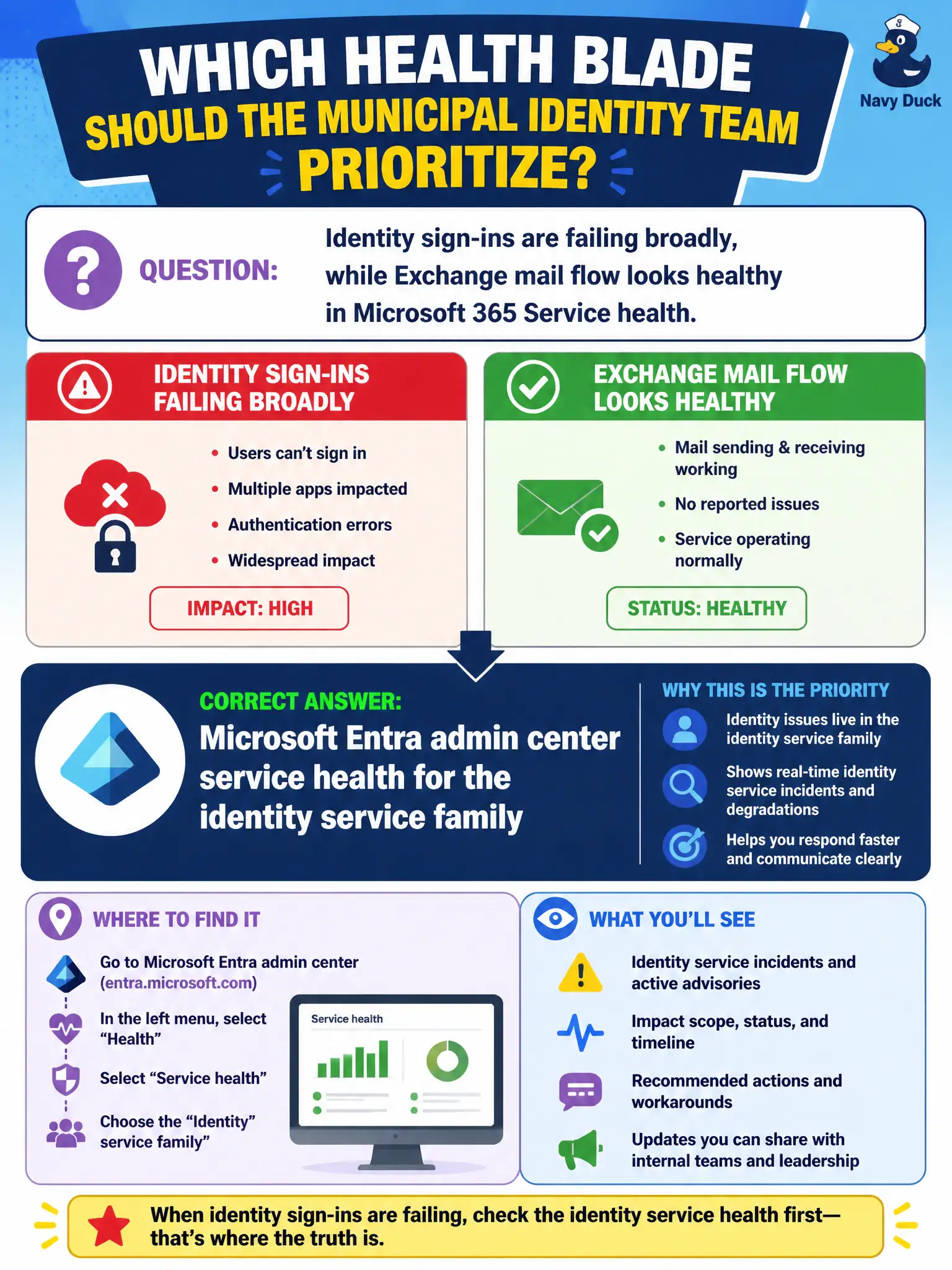
Identity sign-ins are failing broadly, while Exchange mail flow looks healthy in Microsoft 365 Service health. Which health blade should the municipal identity team prioritize?
Select an answer to reveal the explanation.
Short Explanation
Pick the health board that matches the fire. Sign-in smoke means check Entra health; healthy mail views will not explain an identity outage.
Full Explanation
When identity sign-ins fail broadly while Exchange mail flow looks healthy in Microsoft 365 Service health, the municipal identity team should prioritize Microsoft Entra admin center service health for the identity service family. Matching the health blade to the failing workload avoids false comfort from a green mail view during an identity outage.
Relying only on the Exchange Online health view is wrong because not all sign-in issues are mail issues. Windows Autopatch rings for a single offline laptop do not explain countywide sign-in failure. Bookings page themes in the user portal are unrelated.
Exam caveat: federated or hybrid identity components may add on-premises dependencies—still start with Entra health for cloud identity signals. Operational check: open Entra service health immediately, compare with Microsoft 365 Service health, and communicate the identity-scoped status to the incident commander. In municipal Microsoft 365 fundamentals scenarios, map the business need to the named capability, reject distractors from a different pillar, and verify the control or commercial setting in the admin or billing experience before reporting risk closed to leadership. In municipal Microsoft 365 fundamentals scenarios, map the business need to the named capability, reject distractors from a different pillar, and verify the control or commercial setting in the admin or billing experience before reporting risk closed to leadership.