
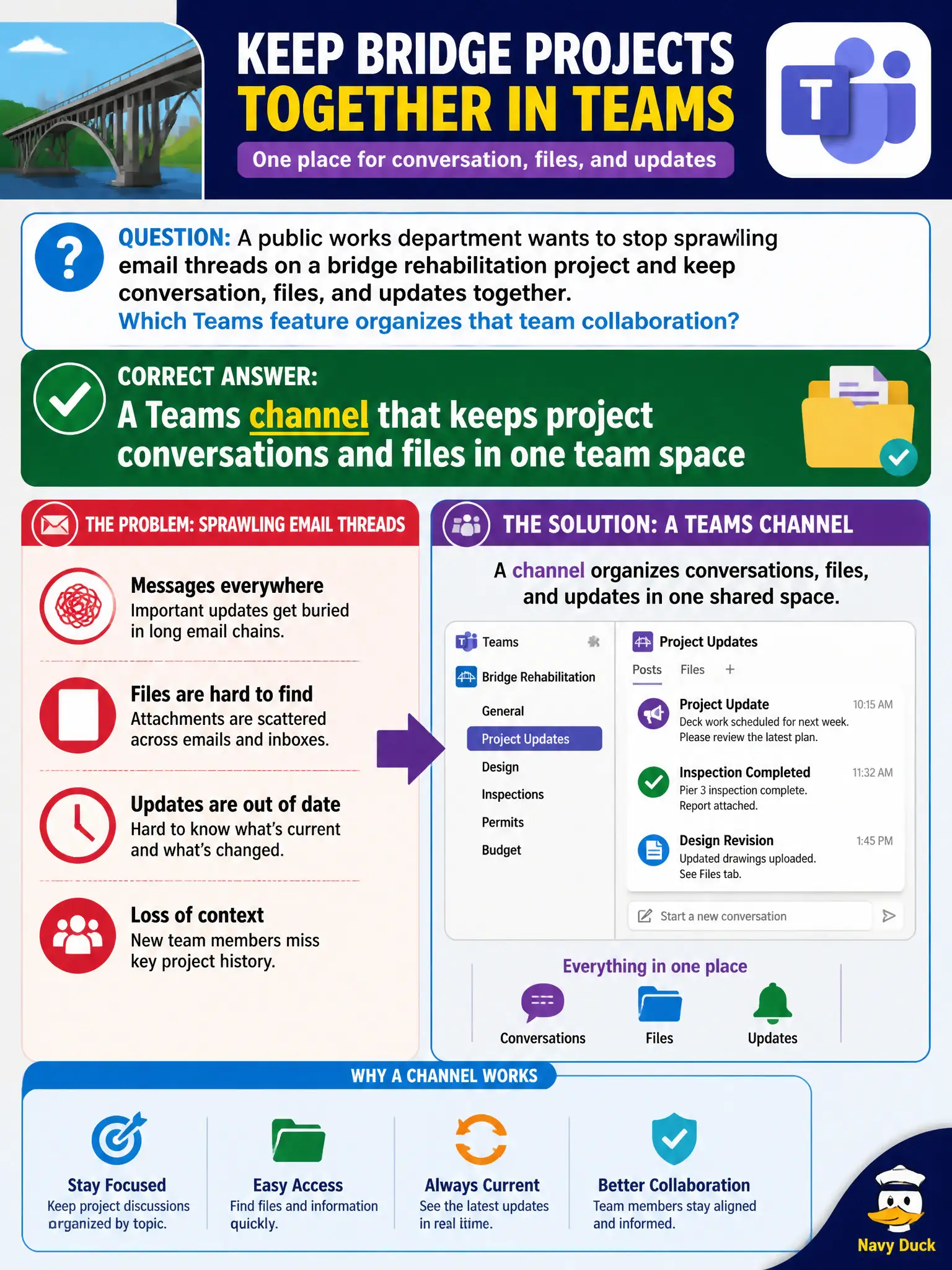
A public works department wants to stop sprawling email threads on a bridge rehabilitation project and keep conversation, files, and updates together. Which Teams feature organizes that team collaboration?
Select an answer to reveal the explanation.
Short Explanation
Channels are the project hallway—posts, files, and tabs stay with the bridge work instead of drowning in inboxes. A DL just sprays email; a personal draft folder and a video library miss the ongoing team thread.
Full Explanation
Public works bridge rehabilitation generates constant updates, drawings, and decisions that drown in sprawling email threads. The correct choice is a Teams channel that keeps project conversations and files in one team space. Channels give the project a persistent hallway: posts, @mentions, Files tabs, and related apps stay bound to the work rather than scattering across individual inboxes. At fundamentals depth, ongoing departmental project teamwork that needs conversation plus files together points to Teams channels.
An Exchange distribution list fails because it only fans out email; it does not create a shared file hub or a durable threaded project space. A personal Outlook draft folder fails because other project members cannot collaborate inside one person’s drafts. A Stream video library fails because it stores recordings and learning video; it does not host the ongoing day-to-day project chat and file collaboration the bridge team needs.
Exam caveat: channels complement email—they do not require deleting every mailbox. Choosing a channel for project sprawl does not mean distribution lists or Stream never have uses elsewhere; it means those options do not satisfy “conversation, files, and updates together” for live project work.
Operational check: stand up a dedicated Teams team/channel for the bridge project, migrate active threads and working files into that space, pin key SharePoint libraries or Planner tabs if needed, set expectations that status updates post in-channel rather than reply-all storms, and measure whether email thread length for that project declines after adoption.