
A clerk needs organizational email mailboxes and shared calendars in the cloud. Which description is correct?
Select an answer to reveal the explanation.
Short Explanation
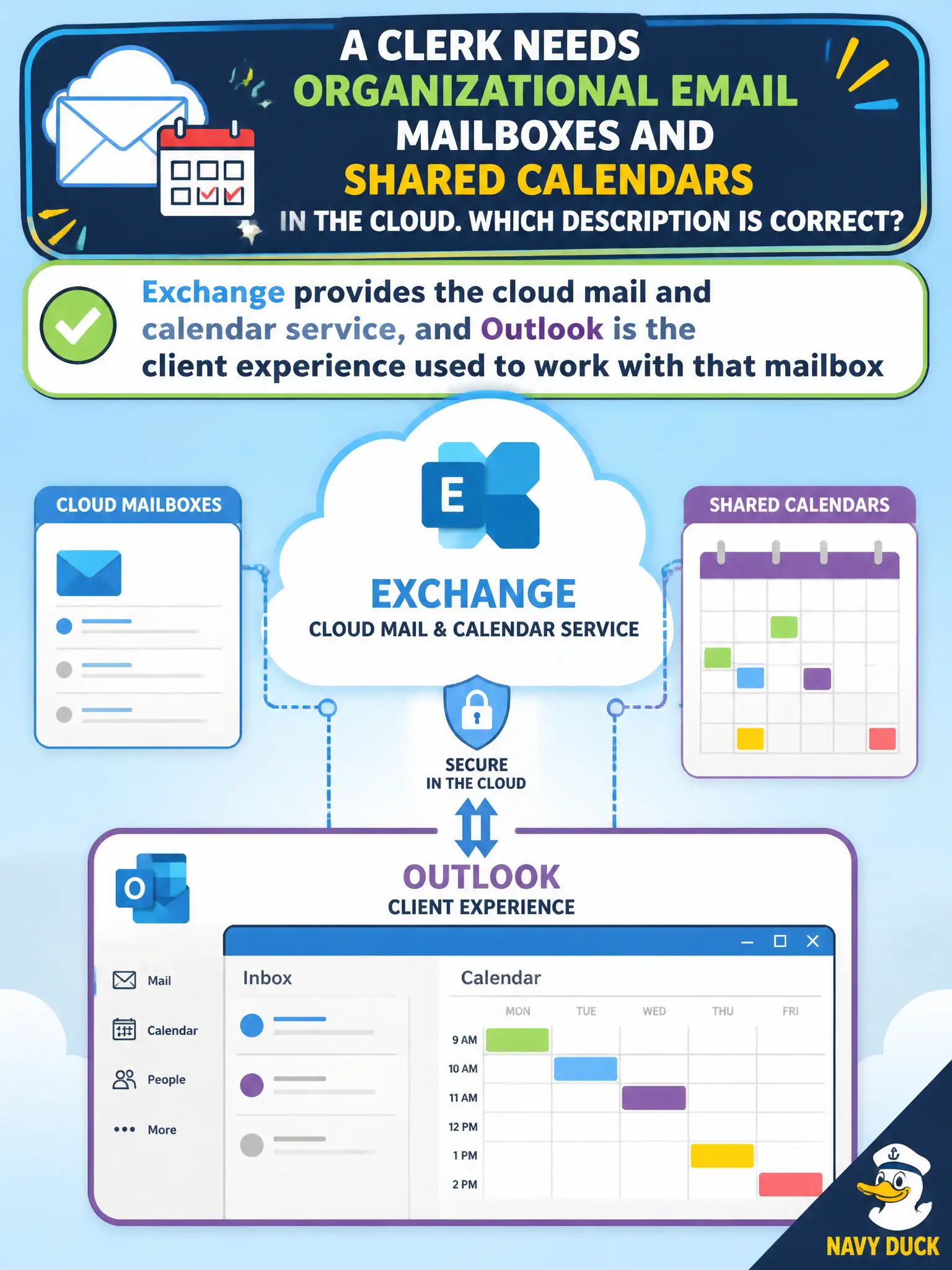
Exchange is the post office in the cloud; Outlook is the mail app on the desk. Mailboxes and shared calendars live in the Exchange service. Staff open Outlook to read and schedule against that service.
Full Explanation
Exchange provides the cloud mail and calendar service, and Outlook is the client experience used to work with that mailbox. A clerk needing organizational email and shared calendars should understand that service-versus-client relationship at fundamentals depth.
Claiming Outlook is the backend server farm while Exchange is only a desktop theme pack reverses the architecture. Claiming shared calendars require abandoning Microsoft 365 for a consumer SMS app fails. Claiming Exchange Online cannot host mailboxes and only stores PowerPoint templates fails.
Exam caveat: client choice (Outlook desktop, web, mobile) does not change that mailbox data lives in Exchange Online. Operational check: create a shared mailbox or calendar as required, open it in Outlook on the web, and verify the same items appear in the desktop Outlook client. Record the choice in the municipal service catalog so help-desk scripts stay consistent. Record the choice in the municipal service catalog so help-desk scripts stay consistent. Record the choice in the municipal service catalog so help-desk scripts stay consistent. Record the choice in the municipal service catalog so help-desk scripts stay consistent.