
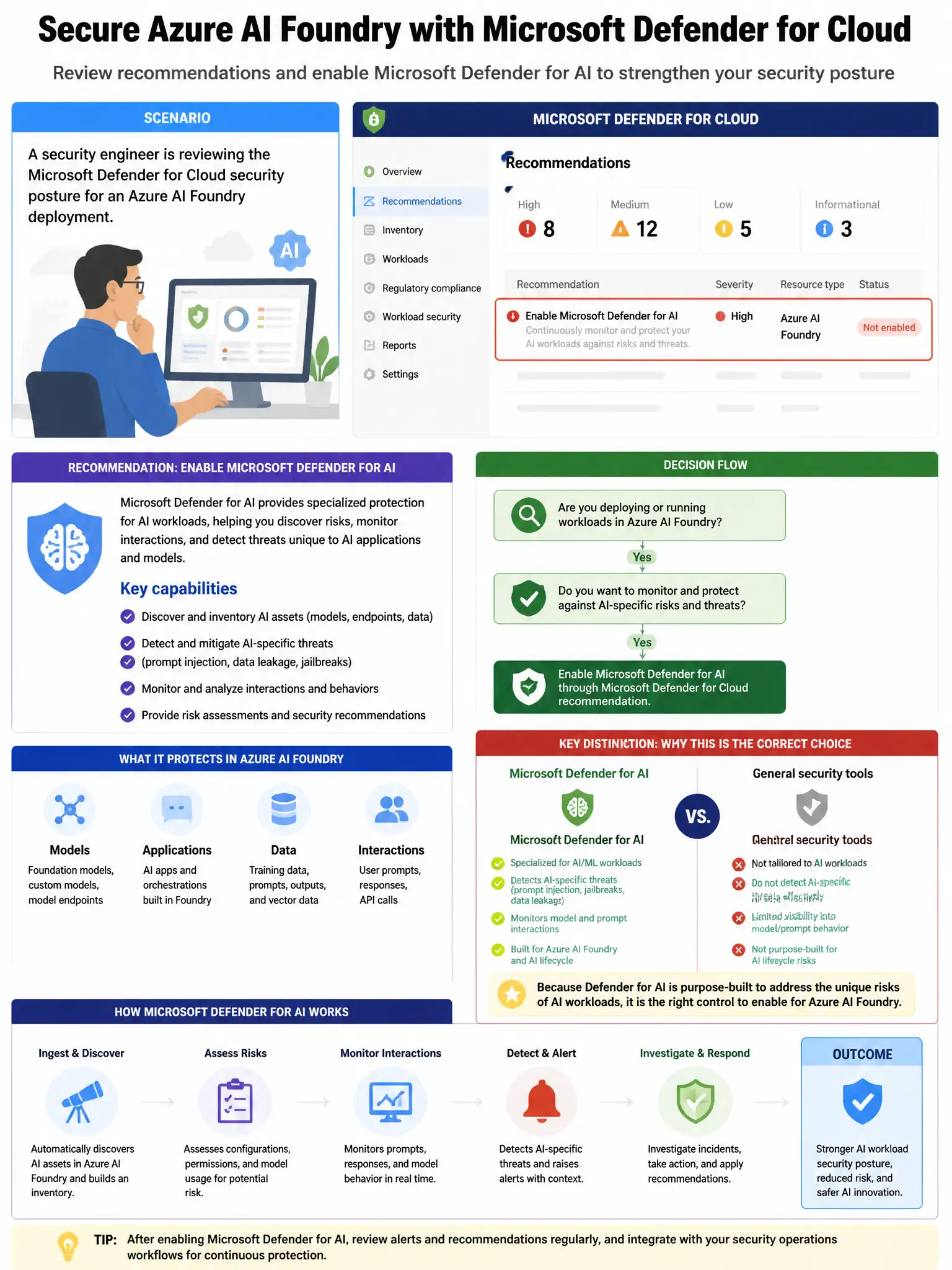
A security engineer is reviewing the Microsoft Defender for Cloud security posture for an Azure AI Foundry deployment. Defender for Cloud shows a recommendation to 'Enable Microsoft Defender for AI.' After enabling the plan, the engineer wants to verify that the protection is active. Where can the engineer confirm that Azure OpenAI resources are being protected?
Select an answer to reveal the explanation.
Short Explanation
Here's the deal — you confirm protection in Defender for Cloud under Workload protections, where the AI workloads section shows protected Azure OpenAI resources, coverage status, and active alerts. The Sentinel data connector view only shows data sources, not Defender for AI coverage.
Full Explanation
The correct place to verify protection is Microsoft Defender for Cloud > Workload protections > AI workloads. After enabling the Microsoft Defender for AI plan in Defender for Cloud, the coverage and protection status for Azure OpenAI resources is visible in the Defender for Cloud portal under Workload protections, where the AI workloads section shows which resources are protected, coverage status, and any active alerts. The option pointing to Microsoft Sentinel > Data connectors > Microsoft Defender for AI is incorrect because Microsoft Sentinel data connectors show ingested data sources, not Defender for AI plan coverage status; Defender for AI alerts flow to Sentinel separately. The option pointing to Azure OpenAI resource > Monitoring > Defender status is incorrect because the Azure OpenAI resource portal does not have a 'Defender status' monitoring section; protection status is managed from Defender for Cloud. The option pointing to Microsoft Defender XDR > Settings > Endpoints > AI protection is incorrect because Microsoft Defender XDR Settings > Endpoints is for endpoint protection configuration, not Azure AI service protection coverage.