
A security architect needs to deploy an Azure AI Foundry workspace so that all training compute and inference endpoints are accessible only from within the corporate virtual network. No public endpoint exposure is acceptable. Which combination of configurations achieves this?
Select an answer to reveal the explanation.
Short Explanation
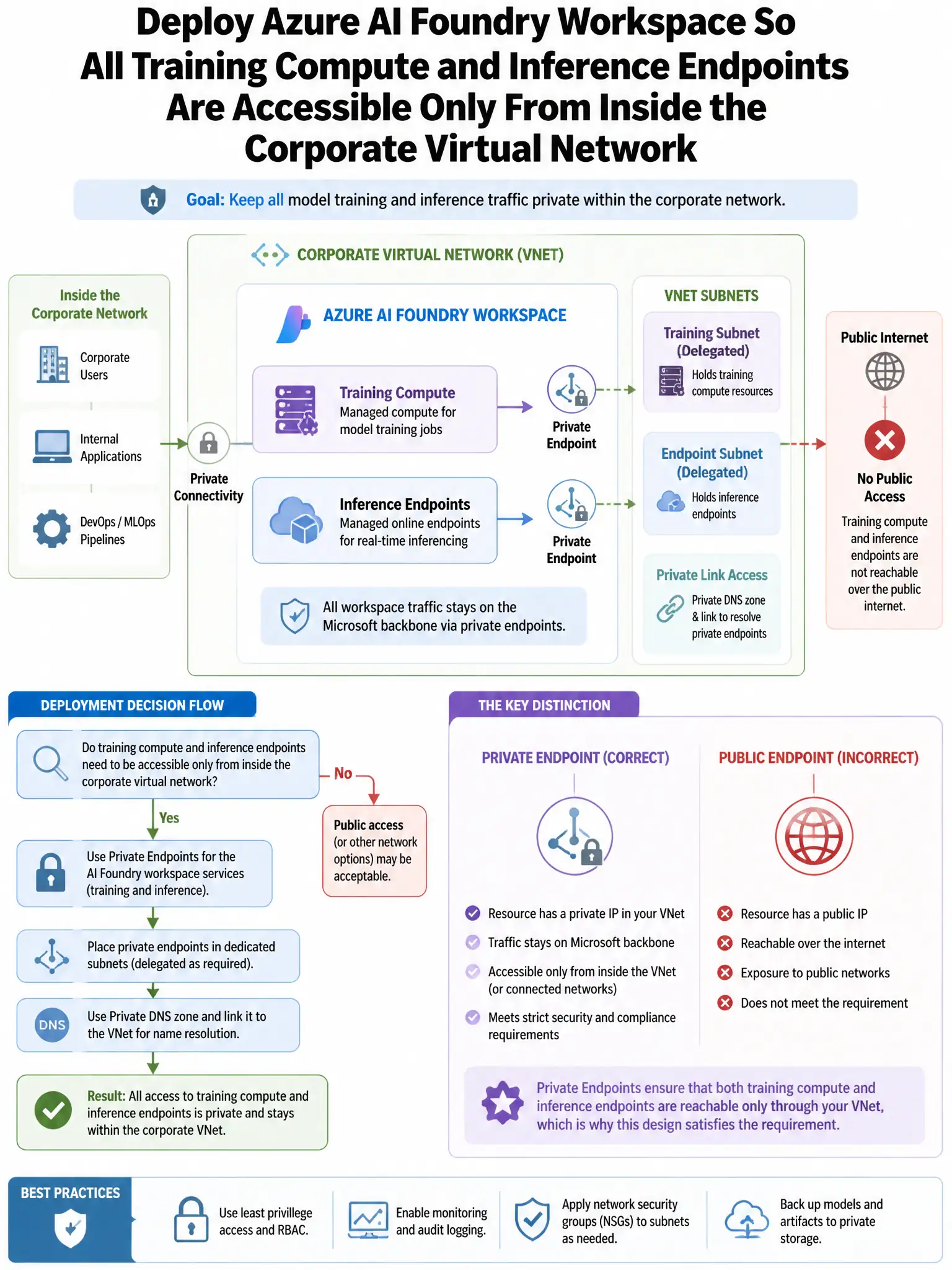
Here's the deal — you need to disable public network access on the Azure AI Foundry workspace and use a private endpoint, then run training and inference on Azure Machine Learning compute clusters with no public IP. That keeps workspace management, training compute, and inference endpoints inside the corporate virtual network.
Full Explanation
The correct configuration is to disable public network access on the Azure AI Foundry workspace and configure a private endpoint, while using Azure Machine Learning compute clusters with no public IP. Disabling public network access and deploying private endpoints ensures all workspace management traffic traverses the private network. Using compute clusters with no public IP ensures training jobs and inference endpoints are fully network-isolated. Enabling Azure Firewall in front of the workspace and blocking all inbound internet traffic is incorrect because Azure Firewall can restrict traffic, but the workspace would still have a public endpoint; the proper approach is disabling public access entirely. Configuring Network Security Group rules on the workspace subnet to deny all inbound traffic from 0.0.0.0/0 is incorrect because NSG rules control traffic to resources in that subnet but do not disable the public endpoint of the workspace itself. Deploying Azure Machine Learning in an isolated virtual network using Azure Container Instances with private IP addresses is incorrect because Azure Container Instances are not the standard compute target for Azure Machine Learning and this does not address workspace management endpoint exposure.