
A compliance team needs to create a retention policy in Microsoft Purview that ensures AI-generated content from Microsoft Copilot for Microsoft 365 is retained for 7 years for regulatory compliance. Where in Microsoft Purview should this policy be configured?
Select an answer to reveal the explanation.
Short Explanation
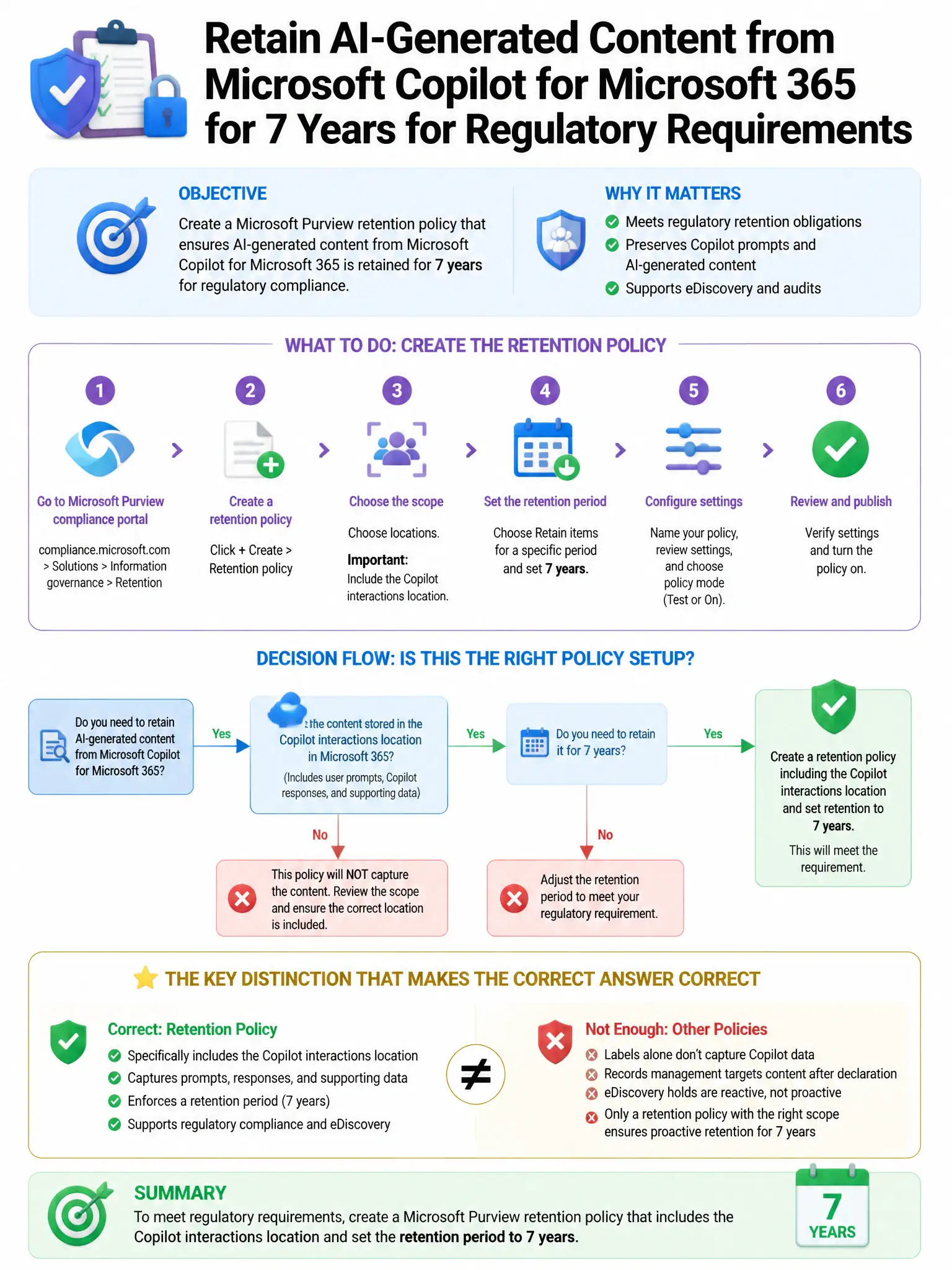
Here's the deal — you configure this in Microsoft Purview Data Lifecycle Management > Retention policies, scoped to Copilot interactions. That lets you keep user prompts and Copilot responses for 7 years for regulatory compliance.
Full Explanation
The correct place is Microsoft Purview Data Lifecycle Management > Retention policies, scoped to Copilot interactions. Microsoft Purview retention policies for AI apps can cover user prompts and responses for Microsoft 365 Copilot as a specific content type, so you can apply a 7-year retention period to those interactions across users. The Records Management file plan with a 7-year retention label is not the best answer because retention labels are applied to documents and records, not automatically to all Copilot interaction content. The Compliance Manager improvement actions for data retention are not the configuration point because improvement actions provide guidance and assessment, not direct retention policy creation. The eDiscovery Cases with a 7-year hold applied to Copilot data is incorrect because eDiscovery holds are for legal preservation of specific content in cases, not systematic long-term regulatory retention across all users.