
A security engineer needs to implement Privileged Identity Management (PIM) for a group of Azure subscription owners. The requirement states that activation must require approval and must generate an approval request to two specific managers. How should PIM be configured?
Select an answer to reveal the explanation.
Short Explanation
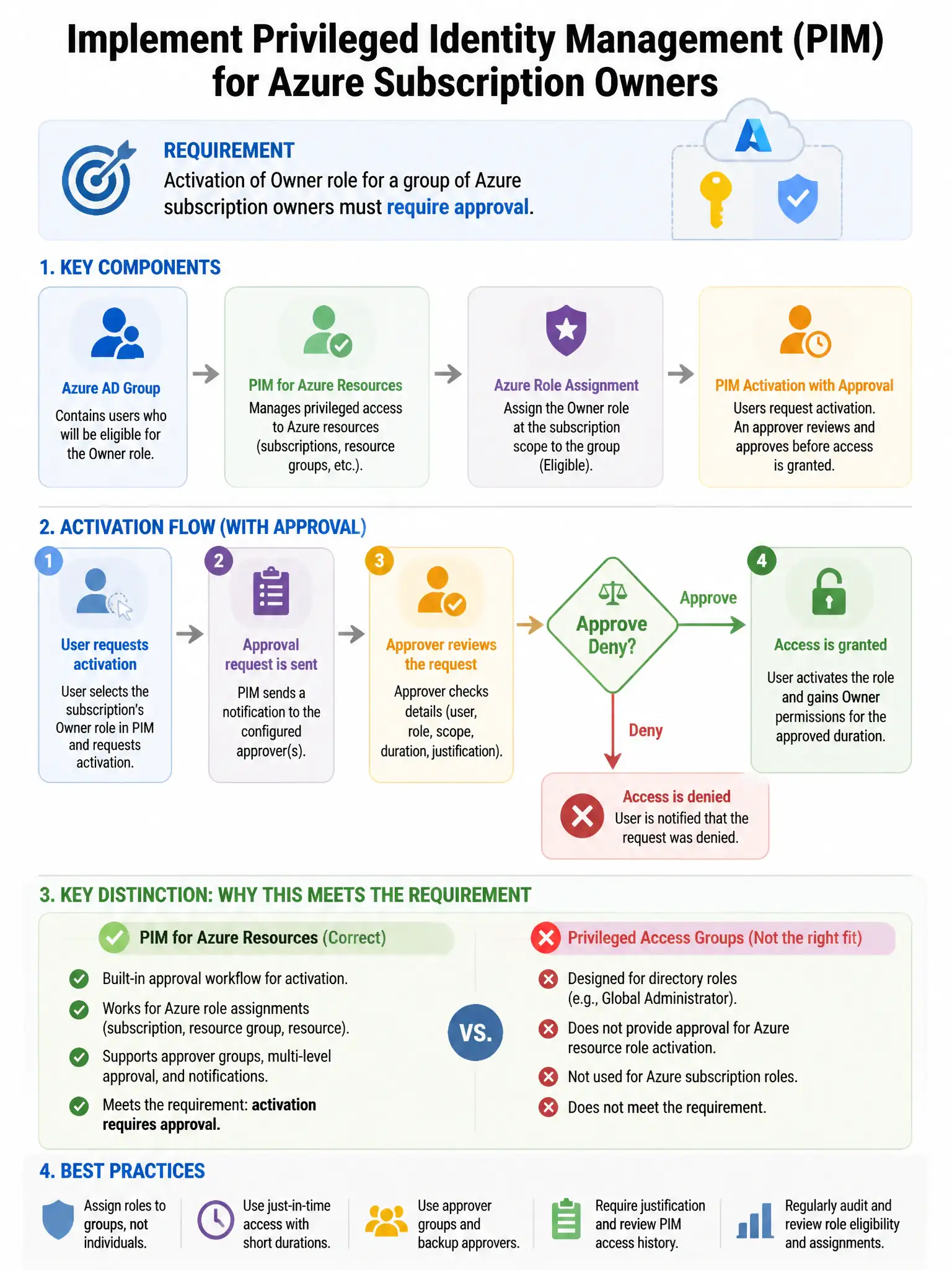
Here's the deal — you configure the PIM role settings to require approval and add both managers as approvers. That way, when someone tries to activate the Azure subscription owner role, PIM sends the approval request to those managers.
Full Explanation
The correct configuration is to enable 'Require approval' in PIM role settings and add both managers as approvers. PIM role settings for each eligible role assignment can require approval, and specific users can be designated as required approvers. When a user requests activation, a notification is sent to all configured approvers, satisfying the requirement. The Conditional Access policy requiring MFA and manager approval for Azure subscription owner role assignment is incorrect because Conditional Access policies cannot enforce manager approval workflows for role activation; they control access conditions, not approval processes. PIM activation alerts combined with a Logic App workflow to notify managers via email is incorrect because that is a custom workaround, not the built-in approval mechanism in PIM. PIM group membership activation with an access review requiring manager sign-off is incorrect because access reviews periodically validate existing memberships but do not provide real-time activation approval.