
An organization has deployed Microsoft Copilot for Microsoft 365. The security team wants to ensure that Copilot cannot surface files labeled 'Confidential - Finance' to users who do not have the appropriate sensitivity label permissions. Which configuration achieves this outcome?
Select an answer to reveal the explanation.
Short Explanation
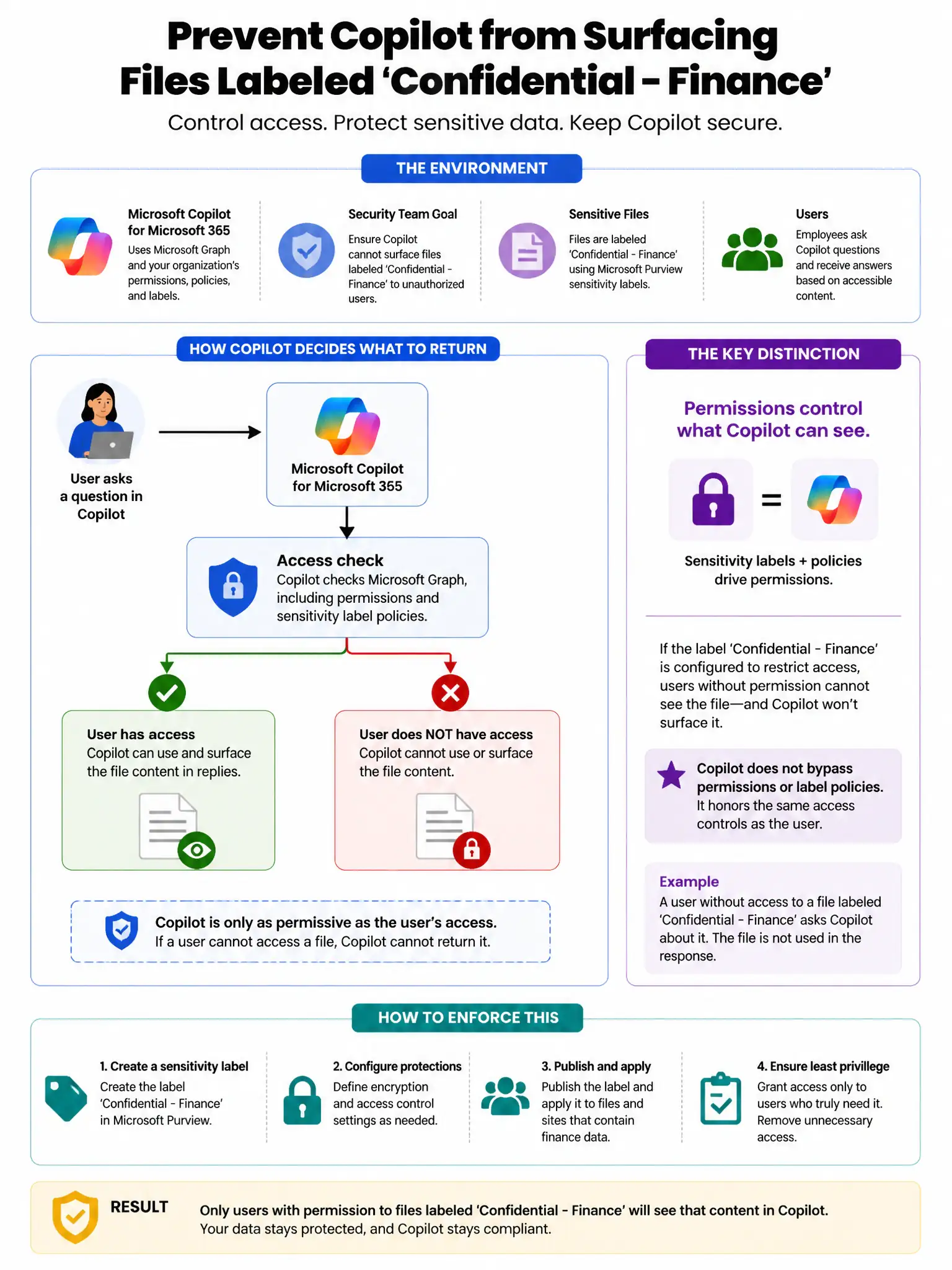
Here's the deal — you need sensitivity label policies in Microsoft Purview that enforce access controls tied to labels. When files are labeled 'Confidential - Finance' with protection settings, only authorized users can decrypt and access them, and Copilot respects those permissions.
Full Explanation
The correct configuration is to configure sensitivity label policies in Microsoft Purview that enforce access controls tied to labels. Microsoft Purview sensitivity labels enforce access control through encryption and rights management. When files are labeled 'Confidential - Finance' with protection settings, only authorized users can decrypt and access those files, and Copilot respects these permissions—it cannot surface content the user is not authorized to read. Creating a DLP policy scoped to Microsoft 365 Copilot interactions is wrong because DLP policies for Copilot prevent sharing or output of sensitive content, but do not control underlying file access permissions. Enabling Microsoft Entra ID Conditional Access for Copilot is wrong because Conditional Access governs sign-in to Copilot, not per-file content permissions within it. Enabling Microsoft Defender for Cloud Apps session policies for Copilot is wrong because Defender for Cloud Apps session policies can block downloads or uploads but do not enforce label-based access to Copilot-retrieved content.