
An organization is building a Microsoft Sentinel analytics rule to detect potential training data exfiltration from an Azure Machine Learning workspace. The analyst wants to alert when a data scientist downloads more than 1 GB of data from the training data storage account in a single day. Which KQL approach correctly implements this volume-based detection?
Select an answer to reveal the explanation.
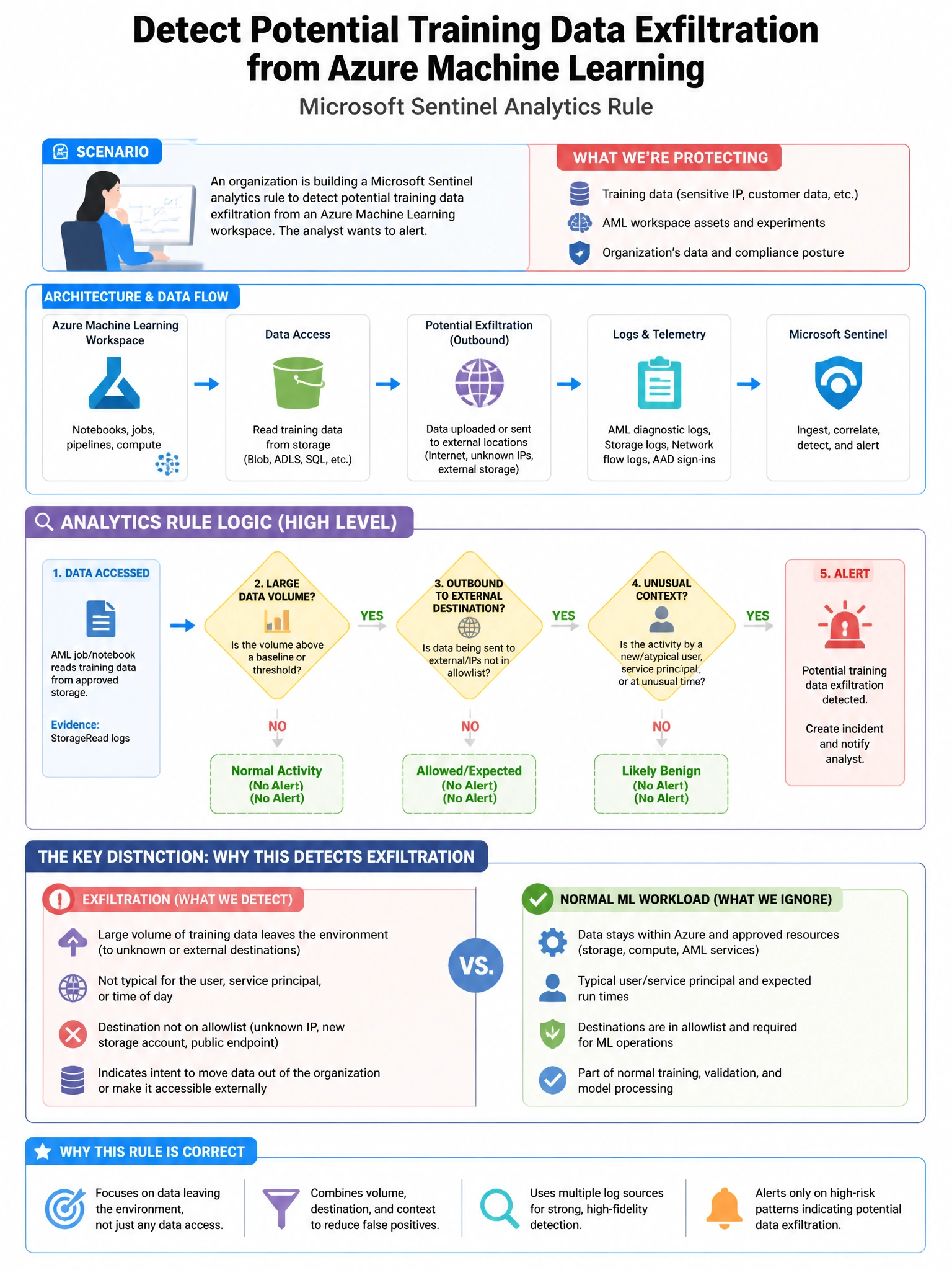
Short Explanation and Infographic
Here's the deal — a is correct because StorageBlobLogs captures data plane operations on Azure Blob Storage including read (download) operations with ResponseBodySize indicating the bytes downloaded per operation. Summarizing by identity and using bin(TimeGenerated, 1d) to aggregate daily, then filtering where the sum of ResponseBodySize exceeds 1073741824 bytes (1 GB) correctly detects high-volume data downloads.
Full explanation below image
Full Explanation
A is correct because StorageBlobLogs captures data plane operations on Azure Blob Storage including read (download) operations with ResponseBodySize indicating the bytes downloaded per operation. Summarizing by identity and using bin(TimeGenerated, 1d) to aggregate daily, then filtering where the sum of ResponseBodySize exceeds 1073741824 bytes (1 GB) correctly detects high-volume data downloads. B is incorrect because AzureActivity captures control plane operations and does not include data plane download operations with byte-level granularity for storage. C is incorrect because SecurityEvent contains Windows Security Event Log data from servers; Azure Storage blob operations are captured in StorageBlobLogs, not SecurityEvent. D is incorrect because AzureDiagnostics for Azure ML captures ML service-level events, not individual storage read operations with byte counts.