
An organization wants to implement automated threat hunting for AI systems using Microsoft Sentinel. The security team wants to schedule hunting queries to run weekly and automatically create incidents when the query returns results indicating potential AI model abuse. Which Microsoft Sentinel feature converts a hunting query into scheduled incident creation?
Select an answer to reveal the explanation.
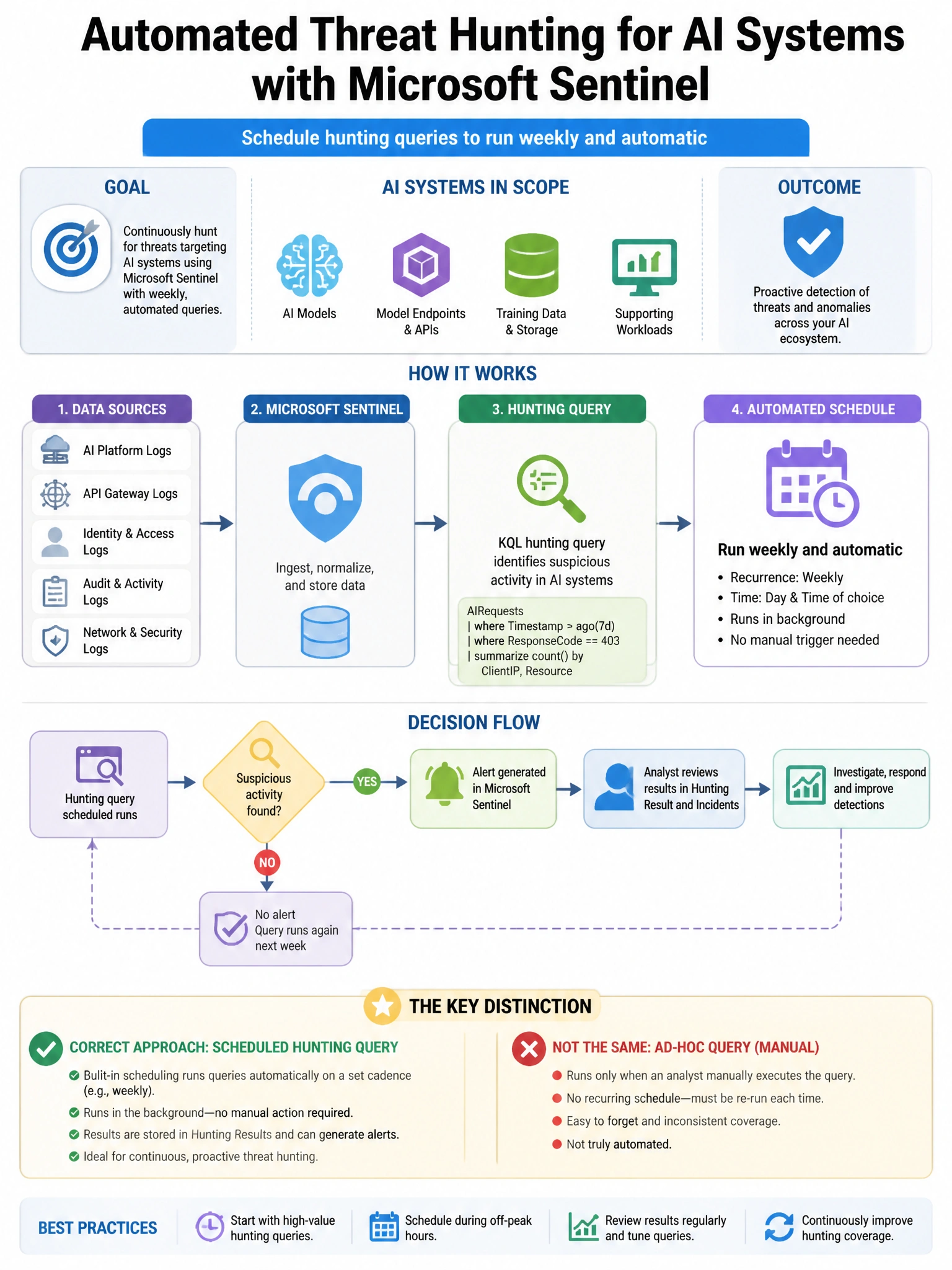
Short Explanation and Infographic
Here's the deal — a is correct because Microsoft Sentinel hunting queries can be promoted to Scheduled analytics rules, which run on a defined schedule (weekly in this case) and automatically create incidents when results are returned. This is the primary mechanism for converting ad-hoc hunting queries into production detections.
Full explanation below image
Full Explanation
A is correct because Microsoft Sentinel hunting queries can be promoted to Scheduled analytics rules, which run on a defined schedule (weekly in this case) and automatically create incidents when results are returned. This is the primary mechanism for converting ad-hoc hunting queries into production detections. B is incorrect because Sentinel Livestream provides real-time query result streaming for interactive threat hunting sessions; it is not for automated weekly scheduled execution with incident creation. C is incorrect because Automation Rules in Sentinel process incidents after they are created (adding tags, assigning owners, running playbooks); they do not execute hunting queries. D is incorrect because a Playbook with a recurrence trigger could run a KQL query via Log Analytics connector, but this is a complex workaround compared to the purpose-built Scheduled analytics rule feature.