
A Defender for Cloud recommendation shows that an Azure AI Services resource has 'Managed identity not enabled,' rated as medium severity. The security team wants to remediate this across 20 Azure AI Services resources at once. Which Defender for Cloud feature enables bulk remediation?
Select an answer to reveal the explanation.
Short Explanation and Infographic
Here's the deal — b is correct because Microsoft Defender for Cloud recommendations with a 'Quick Fix' capability include a 'Fix' button that, when clicked, applies the automated remediation logic to all selected affected resources in bulk. For the 'managed identity not enabled' recommendation on Azure AI Services resources, the Quick Fix enables the system-assigned managed identity on each selected resource simultaneously, eliminating the need to configure 20 resources individually.
Full explanation below image
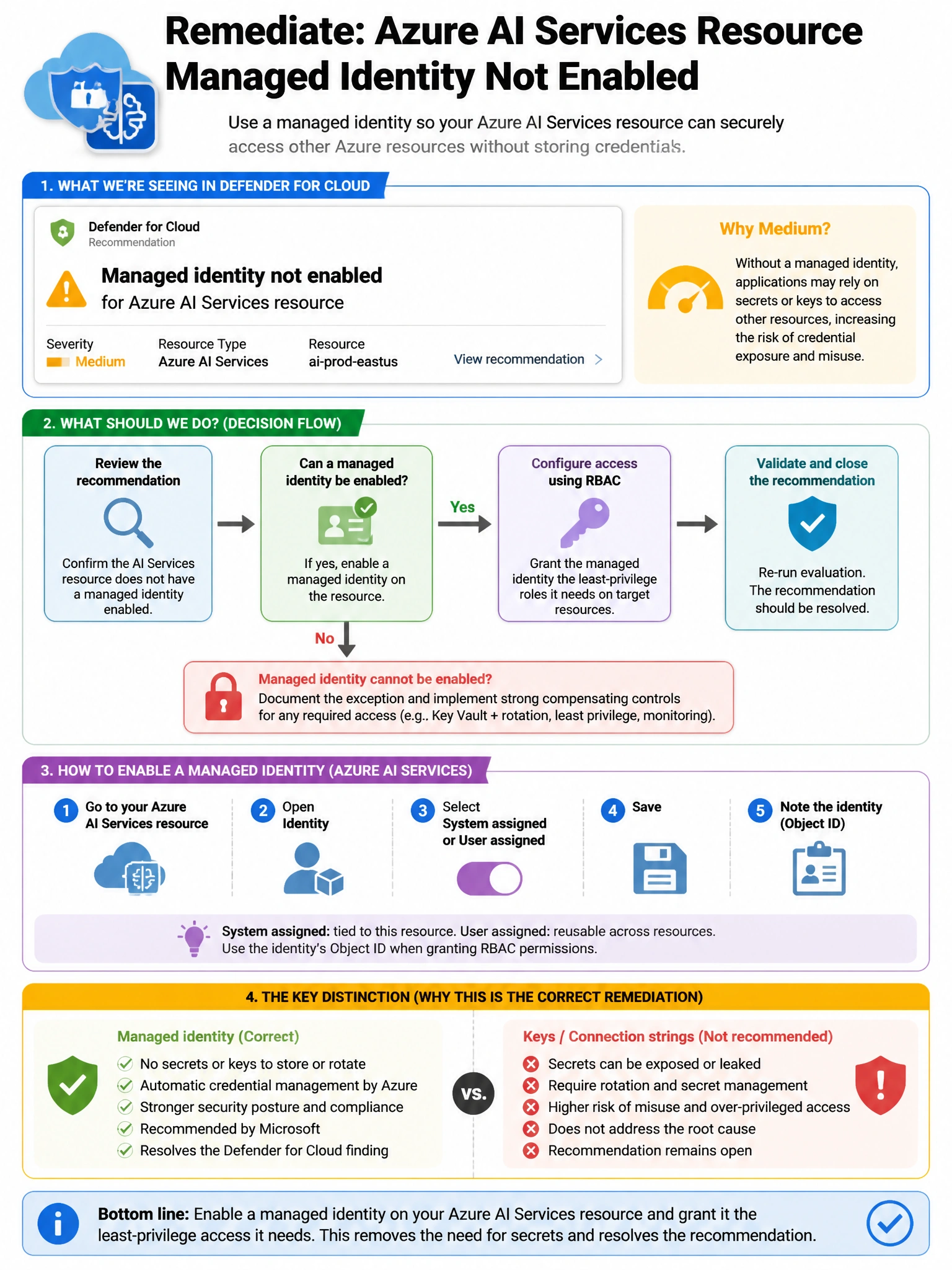
Full Explanation
B is correct because Microsoft Defender for Cloud recommendations with a 'Quick Fix' capability include a 'Fix' button that, when clicked, applies the automated remediation logic to all selected affected resources in bulk. For the 'managed identity not enabled' recommendation on Azure AI Services resources, the Quick Fix enables the system-assigned managed identity on each selected resource simultaneously, eliminating the need to configure 20 resources individually. C is also a valid long-term enforcement approach but is a preventive control for future deployments, not a bulk remediation mechanism for existing resources. A is wrong because manually fixing 20 resources individually is time-consuming and error-prone. D is wrong because a PowerShell/CLI script is a valid alternative but is a custom automation approach, whereas the Defender for Cloud Quick Fix is the built-in, purpose-designed remediation mechanism.