
Microsoft Entra ID Protection has flagged a high-risk sign-in for a user who regularly accesses Azure Machine Learning Studio. The security engineer wants to automatically block high-risk sign-ins without requiring manual intervention. Which policy type in Entra ID Protection achieves this?
Select an answer to reveal the explanation.
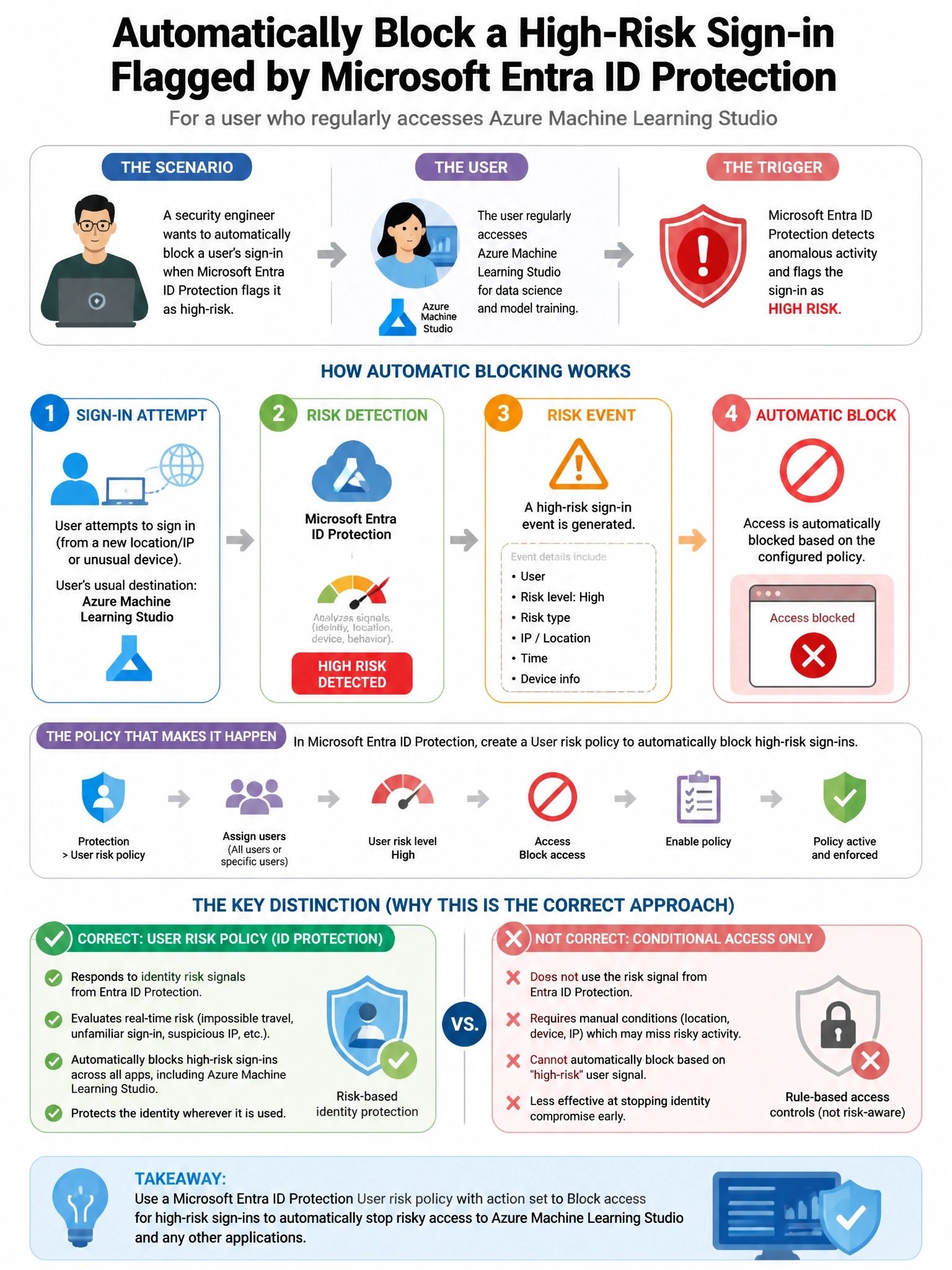
Short Explanation and Infographic
Here's the deal — b is correct because the Entra ID Protection sign-in risk policy can be configured to block access when the sign-in risk level is 'High,' providing automated remediation without requiring an analyst to manually intervene. This directly addresses the high-risk sign-in scenario.
Full explanation below image
Full Explanation
B is correct because the Entra ID Protection sign-in risk policy can be configured to block access when the sign-in risk level is 'High,' providing automated remediation without requiring an analyst to manually intervene. This directly addresses the high-risk sign-in scenario. A is wrong because a user risk policy evaluates the user's overall risk (accumulated from multiple events), not a single high-risk sign-in event; it also remediates via password change rather than blocking. C is wrong because requiring MFA for all sign-ins does not block high-risk sessions—it requires MFA and would allow access after MFA, not block it. D is wrong because access reviews periodically validate role memberships and do not respond to real-time risk detections.