
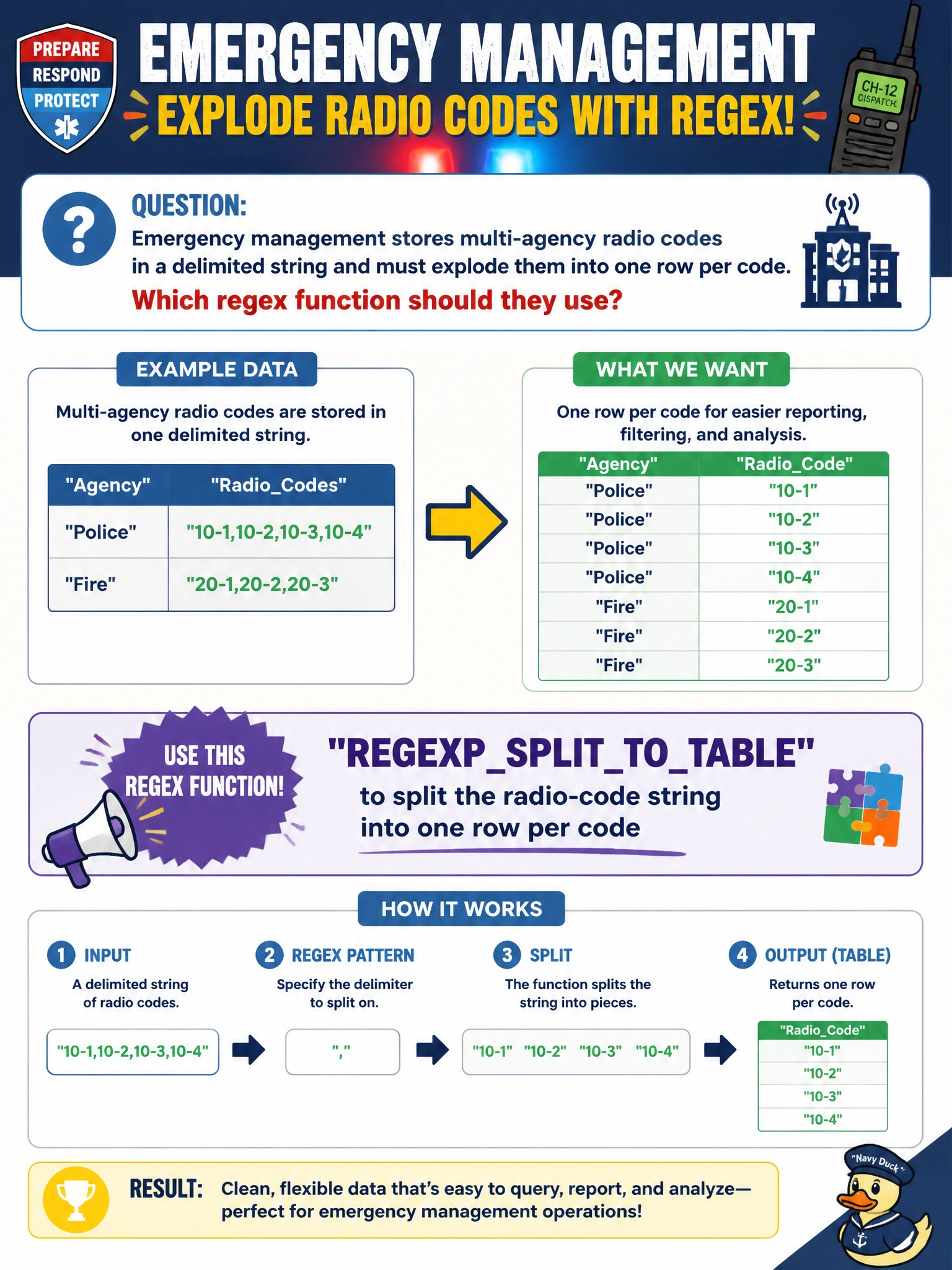
Emergency management stores multi-agency radio codes in a delimited string and must explode them into one row per code. Which regex function should they use?
Select an answer to reveal the explanation.
Short Explanation
REGEXP_SPLIT_TO_TABLE is the fireworks finale for a delimited list—one code, one row, ready to join. INSTR only points at a spot; it does not fan the list out into a table.
Full Explanation
Emergency management that stores multi-agency radio codes in a delimited string and must explode them into one row per code needs a splitter that yields a rowset. REGEXP_SPLIT_TO_TABLE (or the platform’s regex split-to-table function) takes the delimited radio-code string and a delimiter/pattern and returns one row per code ready to join to agency lookup tables or incident bridges.
REGEXP_INSTR returns a start position (or similar scalar location metadata); it does not emit a full rowset of codes. JSON_VALUE extracts scalars from JSON and does not split non-JSON delimited radio-code lists into relational rows. A DEFAULT constraint supplies insert defaults; it does not expand delimited codes during SELECT queries.
Exam caveat: trim whitespace per split piece and decide how consecutive delimiters or empty tokens should appear as rows. Operational check: split a known string such as three agency codes separated by the production delimiter, confirm three rows with exact code values, then join to the agency table and verify all three resolve before using the splitter in incident ETL. Prefer a normalized incident–code bridge table for long-term emergency analytics; use REGEXP_SPLIT_TO_TABLE as the ingestion shredder that feeds that bridge from legacy delimited strings. Reject or flag rows whose split pieces fail agency lookup so bad radio-code lists do not silently drop from multi-agency coordination reports.